
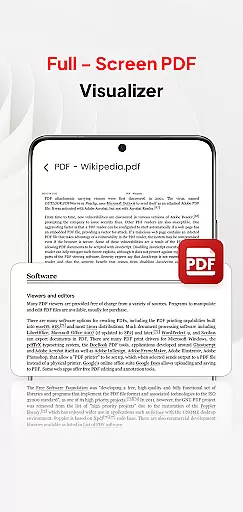
PDF Pro-View PDF is a comprehensive business application designed to streamline your document management processes. This reliable PDF reader offers seamless viewing, organizing, and sharing of PDF files, making it an essential tool for professionals on the go. With its sleek and intuitive interface, users can access all their PDF documents in one centralized location, eliminating the need to search through multiple directories.
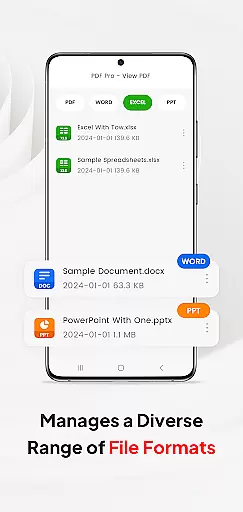
The app stands out with its instant PDF access feature, allowing users to open files with just one click. It also supports various document formats including Doc, PPT, and Excel, enabling efficient file management within a single platform. The smooth page navigation enhances reading experiences while quick sharing capabilities ensure productive collaboration. Whether you're working locally or accessing files from external storage, PDF Pro-View PDF provides complete accessibility and control over your important business documents.
PDF Pro-View PDF distinguishes itself through several key features that enhance document handling efficiency. The Instant PDF Access allows users to start reading their files immediately without any waiting time. This feature is particularly beneficial for busy professionals who require quick access to information.
Beyond basic PDF functionality, the app supports multiple document types such as Doc, PPT, and Excel. This versatility enables users to manage different file formats within a unified interface. The smooth page navigation system facilitates rapid flipping through pages, improving overall reading comfort. Additionally, the app's sharing capabilities allow for easy distribution of documents among colleagues and clients. For Android 11+ users, the MANAGE_EXTERNAL_STORAGE permission ensures full file access, supporting automated folder operations and reliable offline management.
In today's interconnected work environments, the ability to collaborate efficiently is paramount. PDF Pro-View PDF offers a streamlined solution for teams and professionals who need to handle PDF documents collaboratively. The app supports not only viewing but also managing and sharing PDF files, which is essential for collaborative projects.
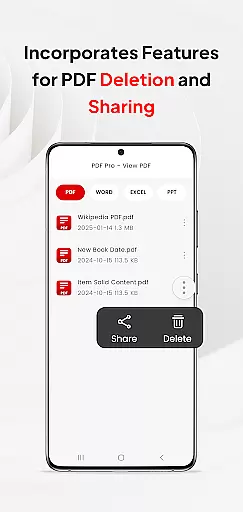
One of the standout features of this application is its support for multiple document types beyond PDFs, including Doc, PPT, and Excel files. This versatility ensures that team members can share and delete various file formats within a single platform, thus centralizing document management and enhancing team productivity.
Furthermore, the app facilitates seamless sharing of PDF files with others, making it an invaluable tool for businesses that rely on quick and efficient communication. Whether you're sending a report to your supervisor or sharing meeting notes with colleagues, PDF Pro-View PDF ensures that your documents are accessible and easy to distribute.
The interface is designed to be sleek and user-intuitive, promoting ease of use among team members regardless of their technical expertise. With instant PDF access and smooth page navigation, users can focus more on collaboration and less on troubleshooting document access issues.
Effective task management is crucial for maintaining productivity in any business setting. PDF Pro-View PDF contributes to this by offering features that help organize and manage tasks related to document handling. Its complete file accessibility means all your PDF files are neatly organized in one place, eliminating the need to search through multiple directories.
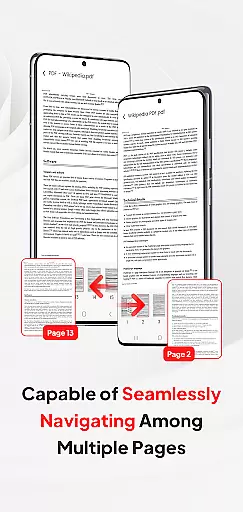
The app provides instant access to PDF files with just one click, significantly reducing waiting times and allowing users to concentrate on their primary tasks without unnecessary delays. Quick page navigation further enhances the reading experience, enabling users to flip through pages rapidly and find the information they need without hassle.
For Android 11+ users, the app requests the MANAGE_EXTERNAL_STORAGE permission to ensure full file access. This permission supports automated folder operations, direct SD card or external storage editing, and reliable offline or background management. Such capabilities are vital for maintaining an uninterrupted workflow, especially when dealing with large volumes of documents.
By integrating these functionalities, PDF Pro-View PDF ensures that users can manage their document-related tasks efficiently, ultimately contributing to better overall task management within a business context.
User-friendly interface
Instant PDF access
Multiple format support
Smooth page navigation
Easy file sharing
Requires special permissions
Limited free features
No cloud integration
Occasional bugs
Ads in free version

Completed Course Lectures on how to use IBM Maximo in Maintenance issues
 4.2
4.2
All Your Gig Work. One App.
4.30
Measure distances, surfaces and draw plans in seconds with CamToPlan!
4.40
Scan Business Cards & Conference Badges - Capture Leads at Events & Tradeshows
4.20
Get your benefits on-the-go.
3.80
Delivery Track App - Tracking with Fedex, USPS, UPS, DHL. Monitor your Orders.
3.20
Mobile POS for any business: sales, invoices, retail, restaurants & appointments
4.60
Job search app that finds jobs for you! Takes the work out of looking for a job!
4.90
Make money as a delivery driver with DoorDash and work when you want as a Dasher
4.30
Create curriculum vitae, a professional cover letter creator and resume designer
4.80
BuildCalc - the easiest AND the most advanced construction calculator app.
4.80
Start earning fast. Apply Today.
4.80
All your team communication in one place
4.70
Make invoices, bills, receipts & estimates on the go with Invoice Generator.
4.70
Grow your business and connect with more people with Meta Business Suite.
4.60
ANDROID'S TOP MOBILE OFFICE - Word, Excel, PowerPoint and PDF at your fingertips
4.50
Find flexible, hourly jobs hiring near you in restaurant, retail & hospitality!
4.00
Zoom built for Chrome OS
3.90
Access All PDF Files
3.40



User Reviews