
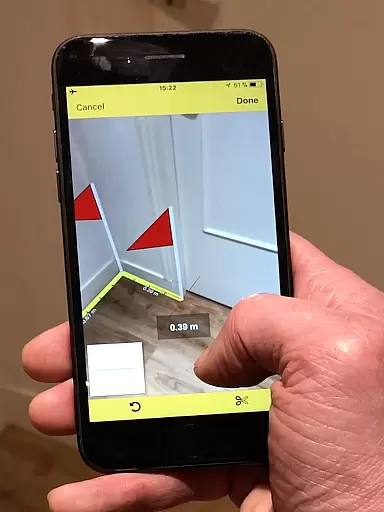
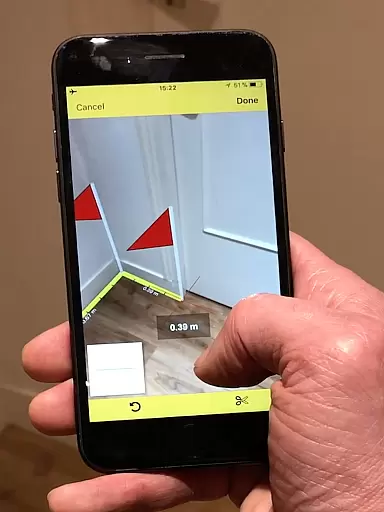
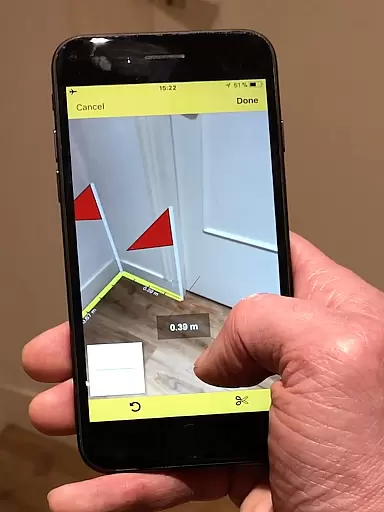
CamToPlan is a revolutionary business application that leverages augmented reality to transform your mobile device into a precise measurement tool. With this app, users can effortlessly measure distances and surfaces both horizontally and vertically directly through their phone's camera interface.
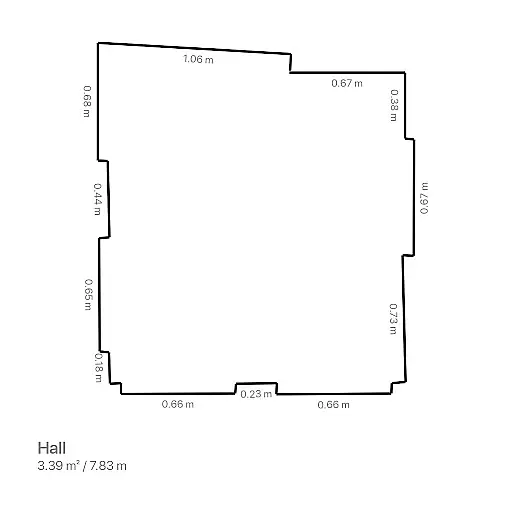
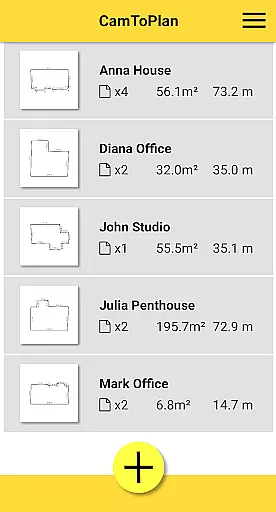
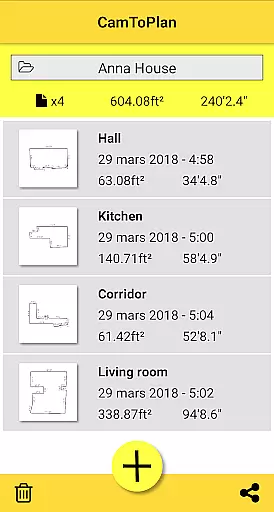
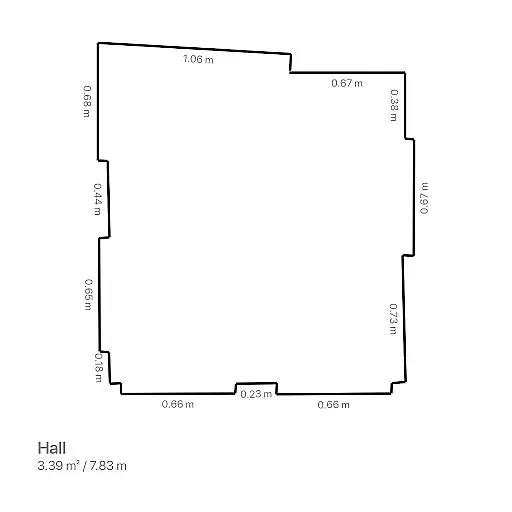
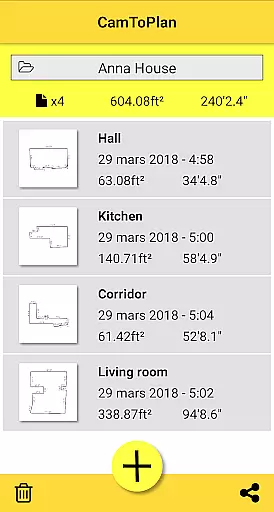
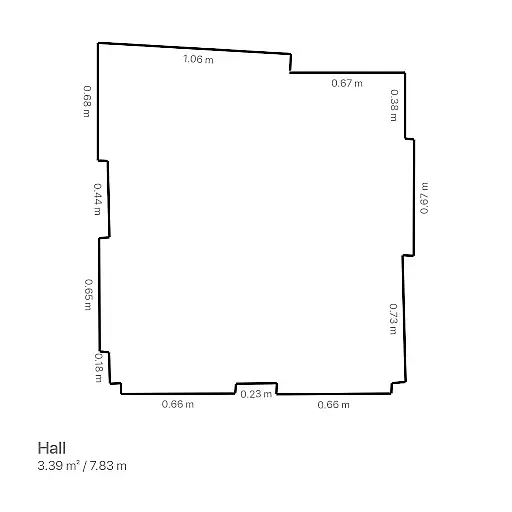
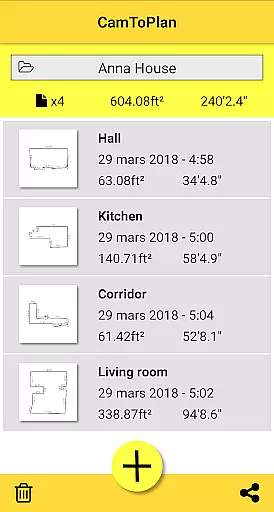
The app stands out with its ability to instantly calculate areas in square meters or feet while drawing room plans complete with all measured dimensions. This functionality makes it an essential tool for professionals such as architects and decorators, as well as DIY enthusiasts who need accurate measurements without the hassle of traditional tools.
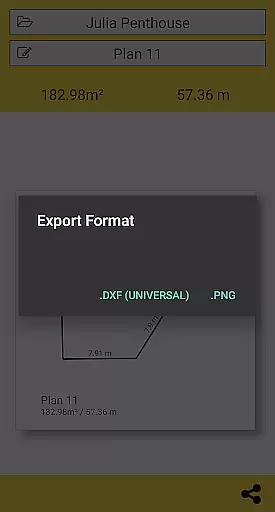
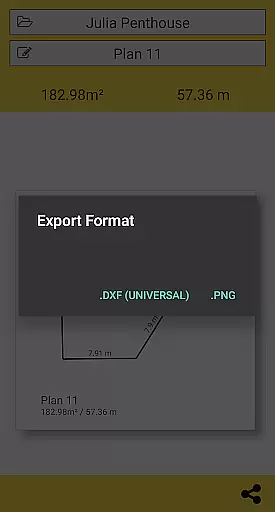
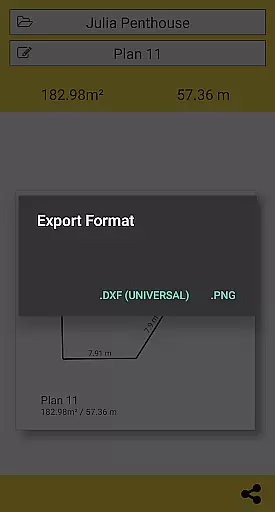
Whether you're measuring baseboards, walls, or furniture dimensions, CamToPlan eliminates the need to kneel or manually mark measurements. The app supports both Metric and Imperial units and allows exporting data in PNG or DXF formats, making it versatile for various professional needs.
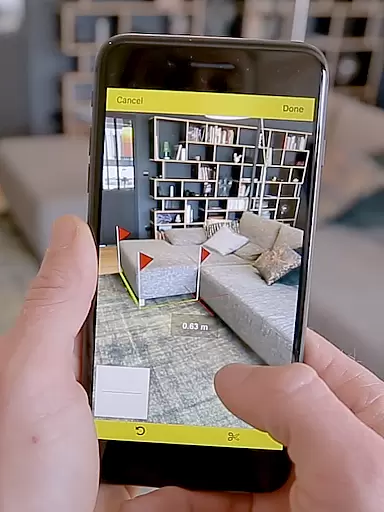
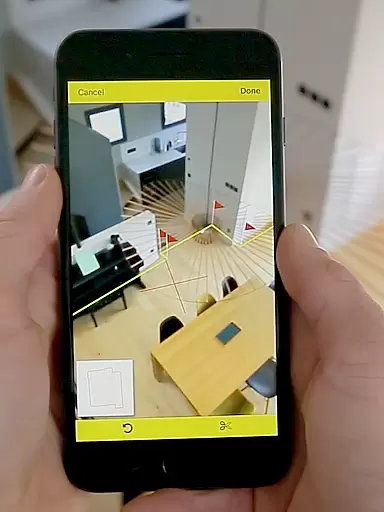
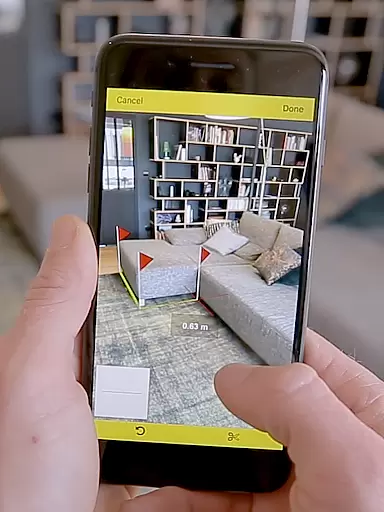
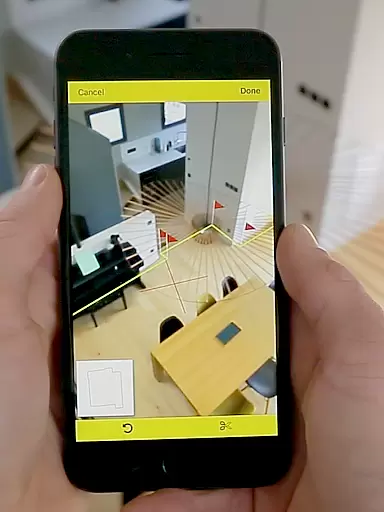
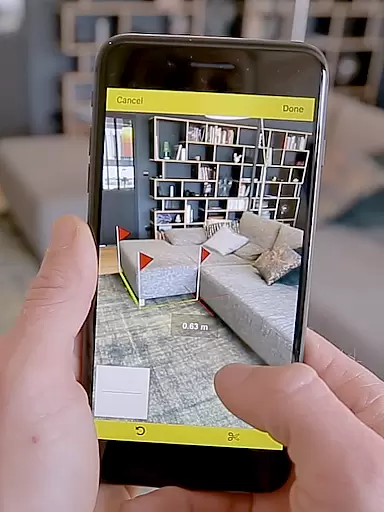
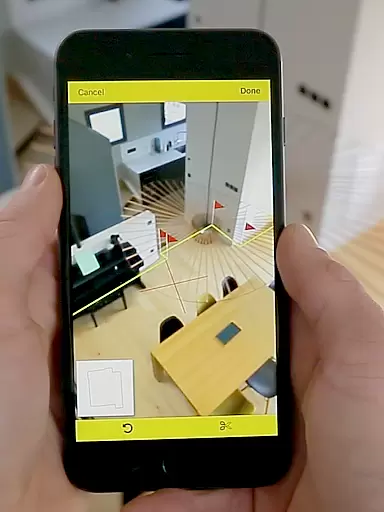
One of CamToPlan's most notable features is its use of augmented reality to display a virtual tape measure on your screen, creating a 3D effect that makes taking measurements intuitive and effortless. The video-based measurement system works seamlessly, allowing users to measure elements like carpets or furniture without any physical contact.
The app automatically detects intersection points between floors and target points, even when obstructed by furniture, ensuring accurate measurements in most environments. It performs best under good lighting conditions and on textured surfaces, though some floor tiles may present challenges due to reflections or uniform patterns.
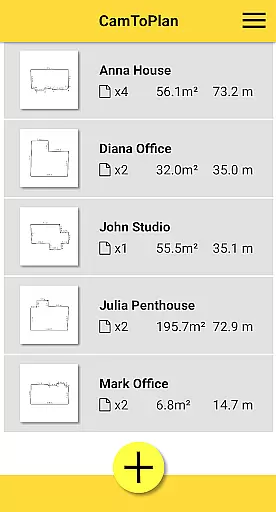
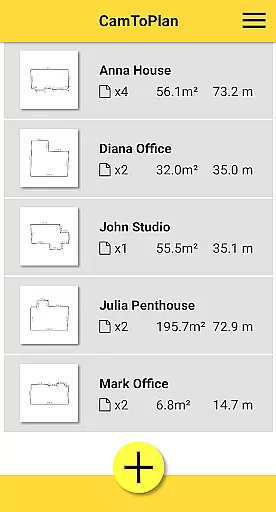
Additional features include the ability to safely move while taking measurements for better precision, one-click sharing of room plans via email or social media, and folder management for organizing projects. These capabilities make CamToPlan a comprehensive solution for professionals needing reliable measurement tools in their daily work.
CamToPlan revolutionizes collaborative work in the field of architecture and interior design through its innovative augmented reality technology. The app allows multiple users to contribute to a project by sharing precise measurements and plans effortlessly. This feature is particularly beneficial for teams working on large-scale projects where accurate communication of dimensions is crucial.
The application's ability to export data in PNG or DXF formats enhances team collaboration by enabling seamless integration with professional design software. Team members can easily share their measured plans via email, messages, or social media platforms directly from the app interface. This ensures that all stakeholders have access to the most up-to-date project information regardless of their physical location.
Furthermore, CamToPlan's real-time measurement capabilities allow remote teams to coordinate effectively during site surveys. The app automatically calculates areas and generates room plans with all measured dimensions, which can be instantly shared with colleagues. This functionality significantly reduces the time required for project documentation and improves overall team productivity.
By supporting both metric and imperial units, CamToPlan caters to international teams working across different measurement systems. The app's versatility in handling various unit preferences ensures that all team members can work comfortably within their preferred measurement framework, promoting more efficient cross-border collaborations.
CamToPlan offers comprehensive task management features specifically designed for professionals in architecture, decoration, and handyman services. The app streamulates workflow by allowing users to measure distances, surfaces, and draw plans in seconds using their device's camera. This efficiency enables users to complete more tasks in less time while maintaining high accuracy standards.
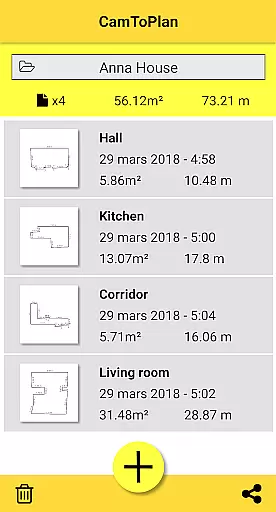
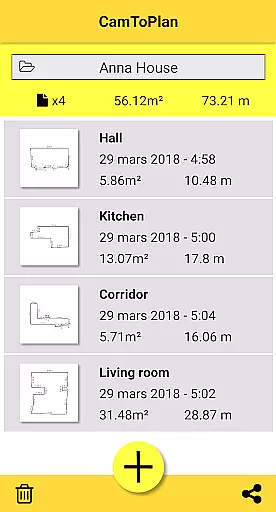
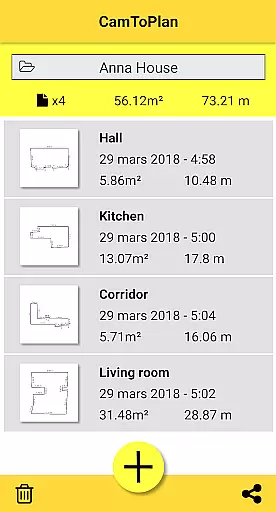
The application's folder management system helps users organize their projects systematically. Professionals can create separate folders for different clients or projects, ensuring that all measurements and plans are stored in a structured manner. This organizational capability enhances productivity by making it easy to retrieve specific project information when needed.
CamToPlan's automatic calculation of areas and generation of room plans with measured dimensions streamlines the task completion process. Users can quickly document their work and move on to the next task without spending extra time on manual calculations or drawing plans. The app's ability to share plans instantly through various communication channels further accelerates the task management process.
Additionally, the app's advanced features such as vertical measurement capability and automatic intersection point detection help users complete complex tasks more efficiently. These tools enable professionals to take precise measurements even in challenging environments, ensuring that all tasks are completed with maximum accuracy and minimal effort.
User-friendly interface
Accurate measurements
Augmented reality features
Supports Metric and Imperial
Instant area calculations
Lighting dependent
Surface limitations
Precision varies
No offline support
Device compatibility

viewing and sharing of PDFs
 3.60
3.60
AI-powered document scanner with auto enhance for perfect PDFs.
4.60
ANDROID'S TOP MOBILE OFFICE - Word, Excel, PowerPoint and PDF at your fingertips
4.50
The All-in-One File Manager for Phone, TV, Watch, Cars, XR / VR, Chromebook
4.10
Find the right fit, faster.
4.70
One marketplace. Hundreds of services. Unlimited possibilities. All on Fiverr.
4.40
We are a dynamic team of creatives people of design, marketing, web & apps
3.00
Permission Guard is a security app that helps you manage app permissions.
4.80
On the go? Take FedEx with you.
4.00
FaxCover - Create fax cover pages. Works with any app or fax machine.
4.90
Start earning fast. Apply Today.
4.80
Get instant construction estimates: accurate home repair & material calculator.
4.70
Make invoices, bills, receipts & estimates on the go with Invoice Generator.
4.70
Your employer must have UKG Ready software configured for Mobile.
4.60
Earn money with the driver & delivery partner app for Uber, UberEats & Postmates
4.60
Build a store in minutes with our full suite of AI tools. Start for free!
4.20
Smarter career moves start here. AI job alerts, insights & the right tools.
4.20
Access All PDF Files
3.40
Convert Your Lovable.dev Website into a Mobile App Instantly!
4.1



User Reviews