
LinkedIn is the world's largest professional networking platform, connecting over 1 billion members worldwide. This business app serves as a comprehensive career development tool, enabling users to build professional profiles that function as online resumes. The platform facilitates meaningful connections by allowing professionals to network with industry peers, discover job opportunities, and stay informed about important business developments.
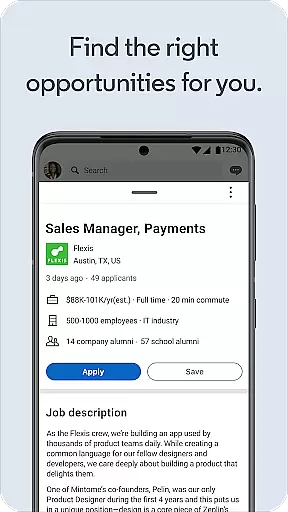
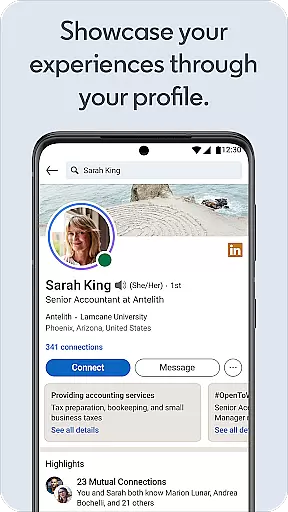
Core features include advanced job search functionalities, industry news updates, and powerful profile-building tools. Users can showcase their skills and experience through detailed professional profiles, apply for jobs directly through the app, and receive personalized job recommendations. LinkedIn's robust networking capabilities make it an essential tool for career advancement, freelance opportunities, and professional growth in today's competitive business landscape.
The application proves particularly valuable for job seekers, business professionals, and industry leaders who need to maintain an active professional presence. Whether you're looking to advance your career, expand your professional network, or stay updated on industry trends, LinkedIn provides the necessary tools to succeed in the modern business world.
LinkedIn distinguishes itself through its comprehensive suite of professional development tools. The platform's job search functionality offers sophisticated filtering options, enabling users to find positions based on specific criteria such as location, industry, and experience level. Its unique Open To Work feature allows job seekers to signal their availability to recruiters while maintaining privacy from current employers.
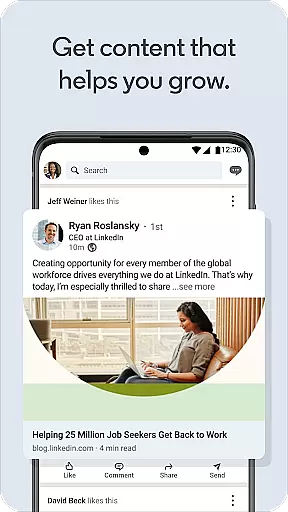
The application's content ecosystem sets it apart from other business apps. Users can access premium business insights through LinkedIn News, engage with thought leadership articles, and participate in industry-specific discussions. The platform's algorithm prioritizes relevant professional content, ensuring users receive updates that matter most to their career development.
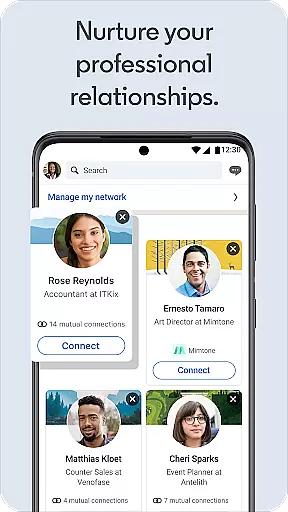
Networking capabilities are enhanced through LinkedIn's smart connection suggestions and group discussion features. The app facilitates meaningful professional interactions through its messaging system, which includes voice messaging and document sharing. Premium subscribers gain access to advanced analytics and enhanced visibility features, making it easier to track profile views and post engagement metrics.
In today's interconnected business world, collaborative work features are essential for effective communication and project management. LinkedIn offers a comprehensive platform that enables professionals to connect, share insights, and collaborate on various projects.
Through LinkedIn's social networking capabilities, users can create and join groups related to their industry or interests. These groups serve as virtual meeting spaces where ideas can be exchanged, questions can be asked, and solutions can be discussed among like-minded professionals.
Furthermore, the platform allows for seamless sharing of content such as articles, business news, and collaborative articles. This ensures that all team members are kept up-to-date with the latest developments in their field, fostering an environment of continuous learning and improvement.
The real-time interaction facilitated by LinkedIn not only enhances productivity but also helps build stronger professional relationships. By leveraging these collaborative tools, businesses can ensure smoother workflows and more cohesive teamwork, ultimately leading to better outcomes and increased success.
Efficient task management is crucial for professionals aiming to optimize their workflow and achieve their career goals. LinkedIn provides a robust framework for managing tasks related to job searching, networking, and personal branding.
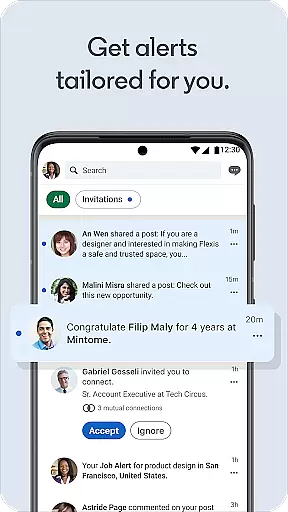
One of the key aspects of LinkedIn's task management system is its ability to set job alerts. Users can specify their preferences and receive notifications when relevant job openings arise. This feature ensures that professionals never miss an opportunity to advance their careers.
In addition to job alerts, LinkedIn allows users to track their applications and follow up with recruiters. The platform's organized interface makes it easy to monitor the status of each application, ensuring that users maintain a clear overview of their job search progress.
Moreover, LinkedIn's task management extends to building and maintaining professional connections. Users can set reminders to engage with their network, ensuring that relationships remain strong and beneficial. By utilizing these features, professionals can manage their tasks more effectively, leading to greater career satisfaction and advancement.
User-friendly interface
Extensive job listings
Professional networking
Industry insights
Career development tools
Premium features costly
Occasional spam messages
Complex privacy settings
Limited free tools
Learning curve for new users

The revolutionary flexible staffing platform
 4.40
4.40
Create curriculum vitae, a professional cover letter creator and resume designer
4.80
BuildCalc - the easiest AND the most advanced construction calculator app.
4.80
TurboScan turns your phone into a full-featured PDF document scanner.
4.80
Amazon A to Z is the place to manage your work-life at Amazon.
4.50
Finance, Investing, Stocks, Trading and Stock news
4.60
One marketplace. Hundreds of services. Unlimited possibilities. All on Fiverr.
4.40
Use Generative Summary to understand your rental or insurance docs in seconds.
4.70
Find part-time earning opportunities near you that pay within days.
3.20
USPS Mobile®Access USPS.com’s most popular tools on-the-go.
4.70
Make invoices, bills, receipts & estimates on the go with Invoice Generator.
4.70
Ship, Track, Find a Location or Get a Quote with UPS. Anytime. Anywhere.
4.60
Master crypto trading with real-time simulations and exciting challenges!
4.50
Collaborate seamlessly with Google Chat, part of Google Workspace
4.50
The Penny Puss app with DG penny finder
4.10
Find flexible, hourly jobs hiring near you in restaurant, retail & hospitality!
4.00
Quickly open and manage PDF files on your device.
3.80
view, manage, and share every PDF file you have
3.60
viewing and sharing PDFs and other files—anytime, anywhere!
4.0





User Reviews