
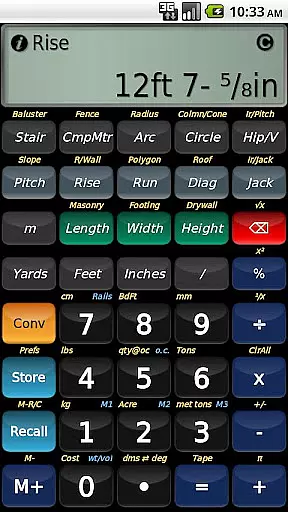
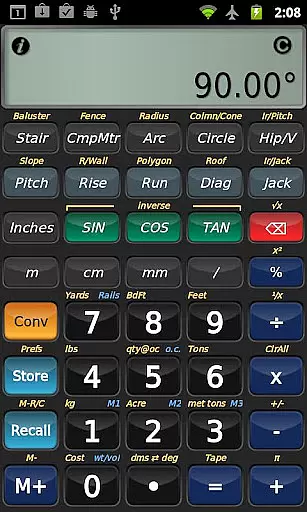
BuildCalc is a comprehensive construction calculator app designed to simplify complex calculations for professionals in the building industry. With advanced features like the Baluster Function, Stair Layouts, and Fence Function, it provides precise measurements and layouts with minimal guesswork. The app also offers interactive functions that automatically update results when input values change, ensuring accuracy and saving time.
In addition to its powerful calculation capabilities, BuildCalc includes a Full Daylight Visibility Mode and supports emailing PDF drawings directly from the app. It eliminates the hassle of remembering specific key sequences by providing checklists and on-the-spot help, making it easier to use than traditional construction calculators. Whether you're calculating materials for a fence or planning staircase dimensions, BuildCalc streamlines the process, allowing users to focus more on their projects and less on the calculations.
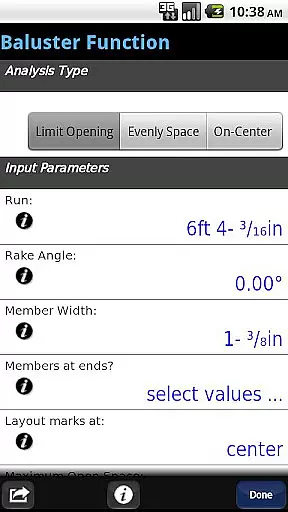
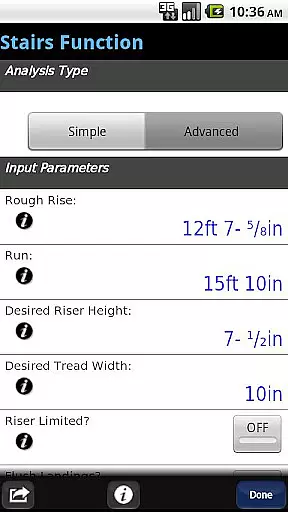
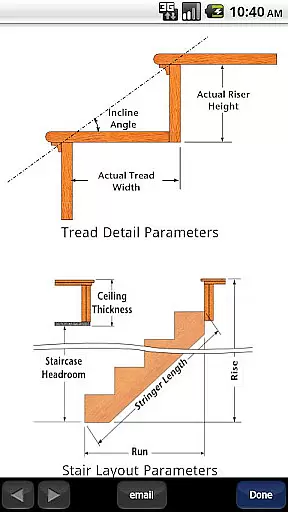
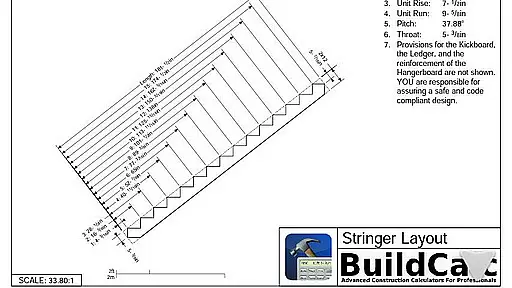
BuildCalc stands out with its array of specialized features tailored for construction professionals. The Advanced Baluster Function allows for complete railing and staircase baluster layouts with flexibility for custom jobs. The Advanced Stair function not only provides professional stair layouts but also generates dimensioned drawings of the Stringer and Finished Staircase, which can be shared via email as a PDF.
The app's interactive functions, including Stair, Baluster, Compound Miter, Diagonal, and Hip/Valley calculations, are fully interactive, updating results automatically when inputs change. This reduces complexity and potential errors. Additionally, BuildCalc offers a unique Full Daylight Visibility Mode and emulates the Construction Master® Pro, although it is not affiliated with Calculated Industries. These features collectively ensure that users have access to a wide range of tools that enhance productivity and precision on the job site.
In the realm of construction projects, seamless collaboration is key. BuildCalc excels in providing collaborative work features that streamline communication and coordination among team members.
One standout feature is its interactive functions, which allow users to modify input values on the fly. Whether it's adjusting the Run in a stair layout or switching between Regular and Irregular Hip Roof analysis, results are updated automatically without the need to remember specific key sequences. This ensures that all team members are always working with the most current data.
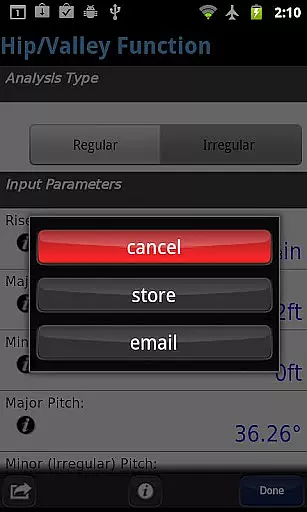
Additionally, BuildCalc enables users to share dimensioned drawings of their projects via email as PDFs. This functionality facilitates clear communication and allows for easy sharing of detailed plans, ensuring everyone involved in the project is on the same page.
By reducing complexity and offering tools that support real-time updates and effortless sharing, BuildCalc significantly enhances team productivity and accuracy in construction projects.
Effective task management is crucial in the construction industry, where precision and timing can make or break a project. BuildCalc addresses this need by offering robust task management capabilities tailored to construction professionals.
The app provides advanced functions like the Stair and Baluster layouts, which not only deliver professional results but also allow users to save their results. This means that once a calculation is made, it can be stored and recalled at any time, eliminating the need to write down or memorize complex calculations.
Moreover, BuildCalc simplifies tasks that traditionally require multiple steps and calculations. For instance, its Fence Function calculates the number of posts, rails, pickets, and panels needed based on a given fence row length, streamlining what could otherwise be a cumbersome process.
With these task management features, BuildCalc empowers users to focus more on execution and less on managing calculations, ultimately leading to more efficient project completion.
User-friendly interface
Comprehensive calculation tools
Interactive and automatic updates
Advanced visualization options
Efficient project management
May require learning curve
Some features might be overwhelming
Premium pricing model
Limited customization options
Occasional performance issues

All Your Gig Work. One App.
 4.30
4.30
Measure distances, surfaces and draw plans in seconds with CamToPlan!
4.40
Create curriculum vitae, a professional cover letter creator and resume designer
4.80
Find work, shifts and gigs near you. Jobs lasting a few hours to a few months.
4.30
Recover what matters — quickly and easily.
4.70
All your team communication in one place
4.70
Start earning fast. Apply Today.
4.80
Job search app that finds jobs for you! Takes the work out of looking for a job!
4.90
Roadie connects people with stuff to send with drivers already going that way.
3.50
FaxCover - Create fax cover pages. Works with any app or fax machine.
4.90
Permission Guard is a security app that helps you manage app permissions.
4.80
Access to Paylocity, empowering employees with information they need 24/7.
4.70
Find jobs and make money fast with JobStack.
4.60
From Gone to Back Again — In Just a Few Taps
4.50
The revolutionary flexible staffing platform
4.40
Earn crypto with secure cloud mining. Monitor, track & withdraw easily
4.40
Zoom built for Chrome OS
3.90
Windows App allows you to connect to remote PCs and virtual apps.
3.70
viewing and sharing PDFs and other files—anytime, anywhere!
4.2




User Reviews