
Zoom for Chromebook is a comprehensive business communication tool that combines team chat, video meetings, phone capabilities, and virtual whiteboard functionalities into a single web application. Designed specifically for Chromebook users, this app allows professionals to work seamlessly from anywhere. The platform offers advanced features like AI-powered meeting summaries, private and public team channels, and SMS functionality, all optimized for Chrome OS 91+. With automatic updates and remote installation options for administrators, Zoom ensures both convenience and security.
The app's key advantage lies in its ability to integrate multiple communication tools into one streamlined interface. Users can schedule or join video meetings with a single tap, brainstorm on virtual whiteboards, and even apply virtual backgrounds for a polished appearance during calls. Certain premium features, such as AI Companion and phone capabilities, require a paid Zoom One subscription, making it a flexible solution for businesses of all sizes. Whether you're managing a small team or an enterprise-level organization, Zoom for Chromebook provides the tools necessary for efficient collaboration and communication.
Zoom for Chromebook stands out with its robust feature set tailored for modern business needs. One of its core strengths is the seamless integration of multiple communication methods, including video conferencing, team chat, and phone capabilities. The AI Companion feature automatically generates meeting summaries, saving time for busy professionals. Additionally, the app supports virtual whiteboards, enabling creative brainstorming sessions directly within the platform.
Another notable feature is the app's optimization for Chrome OS 91+, ensuring smooth performance and access to the latest functionalities. Administrators benefit from centralized configuration options and remote installation capabilities, enhancing security and control. Virtual backgrounds add a professional touch to meetings, while automatic updates ensure users always have access to the most recent version without manual intervention. These features collectively make Zoom for Chromebook a versatile and powerful tool for businesses seeking efficient communication solutions.
Collaborative work features are essential for modern business applications, enabling teams to work together efficiently regardless of location. Zoom for Chromebook excels in this area by integrating multiple communication tools into a single platform.
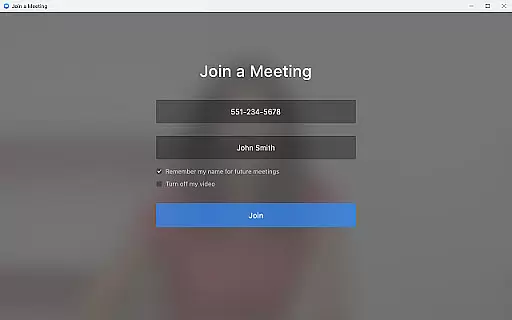
The application allows users to schedule or join video meetings with a single tap, streamlining the collaboration process. Its team chat functionality supports communication in both public and private channels, ensuring information sharing is both flexible and secure.
With the virtual whiteboard feature, teams can brainstorm and share ideas in real-time, enhancing creative collaboration. This comprehensive set of tools ensures that all team members can contribute effectively, making remote work as productive as in-office collaboration.
Effective task management is crucial for maintaining productivity in a business environment. Zoom for Chromebook offers several features that help users manage their tasks efficiently throughout the workday.
Users can receive automated meeting summaries with AI Companion, allowing them to quickly review key points and action items from past meetings. This feature helps keep projects on track and ensures no important details are overlooked.
The application also supports placing and receiving phone calls or sending SMS text messages, which can be useful for task-related communications. These capabilities, combined with the ability to use virtual backgrounds for a more professional appearance, create a robust platform for managing daily business tasks.
User-friendly interface
Integrated communication tools
AI-powered meeting summaries
Automatic software updates
Remote admin configuration
Paid features require subscription
Limited to Chrome OS devices
AI Companion has regional restrictions
Phone capabilities incur extra cost
Dependent on stable internet connection

FaxCover - Create fax cover pages. Works with any app or fax machine.
 4.90
4.90
Convert Your Lovable.dev Website into a Mobile App Instantly!
4.4
The MyWalmart App is available for all associates in stores.
4.70
Recover what matters — quickly and easily.
4.70
Deliver and earn money
4.30
We are a dynamic team of creatives people of design, marketing, web & apps
3.00
Master crypto trading with real-time simulations and exciting challenges!
4.50
Access All PDF Files
3.40
Work happy with AI Companion
4.10
Employee Management Made Easy
4.80
Manage work life on the go
4.50
From Gone to Back Again — In Just a Few Taps
4.50
Collaborate seamlessly with Google Chat, part of Google Workspace
4.50
The revolutionary flexible staffing platform
4.40
A secure, all-in-one team collaboration app
4.30
Make money as a delivery driver with DoorDash and work when you want as a Dasher
4.30
VSD Viewer - Visio Drawings Viewer for Android Preview VSD, VDX, VSDX drawings
4.10
Quickly open and manage PDF files on your device.
3.80
All document reader, pdf viewer app, read docs & excel files
3.80







User Reviews