
Zoom Workplace is an AI-first collaboration platform that combines team chat, meetings, phone, whiteboard, calendar, mail, and docs. It enables seamless teamwork for both free and paid users, with enhanced AI Companion features available for Pro or Business license holders. The app allows mobile productivity through AI assistance, streamlining communications, improving productivity, and ensuring enterprise-grade security.
The platform supports various work scenarios such as scheduling meetings, placing calls, brainstorming on virtual whiteboards, and moving live meetings between devices. With a Zoom Workplace Pro subscription, users can host unlimited meetings, record to the cloud, and assign meeting co-hosts, making it ideal for businesses seeking comprehensive communication tools.
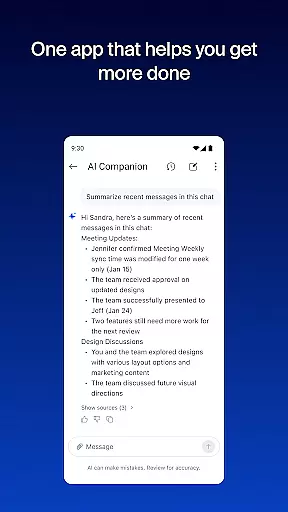
Zoom Workplace offers a complete suite of business communication tools including video meetings, team chat, phone calls, SMS messaging, and virtual whiteboards. Its AI Companion feature helps summarize unread messages, draft content, and prepare for meetings, enhancing productivity on the go.
The app also supports cross-device functionality, allowing users to bounce between locations while maintaining active calls or meetings. Features like Picture in Picture and Split Screen enable multitasking, while enterprise-grade security ensures data safety. Paid subscribers gain access to advanced features like cloud recording, extended meeting durations, and administrative controls.
Zoom Workplace revolutionizes collaborative work by integrating essential communication tools into a single platform. The application combines team chat, video meetings, phone capabilities, and collaborative whiteboards, all accessible from your mobile device.
With a Pro or Business license, users gain access to AI Companion, enhancing productivity by summarizing unread messages, drafting new content, and maintaining focused conversations. This personal assistant ensures you stay prepared for meetings and manage communications effectively while on the move.
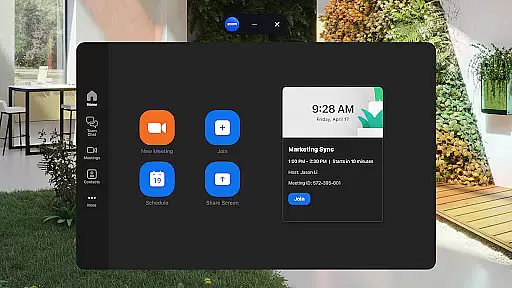
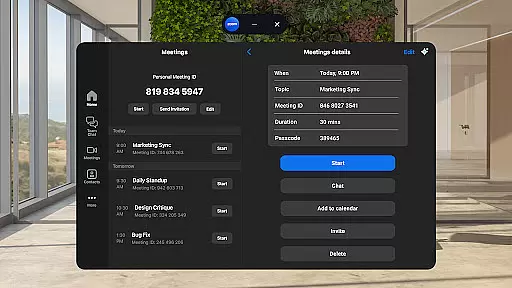
The app's seamless integration allows users to schedule or join meetings with a single tap, chat with colleagues, and even place phone calls or send SMS messages. These features streamline daily communications, making remote work more efficient and organized.
Task management within Zoom Workplace is designed to improve overall productivity through smart organization tools. Users can leverage Zoom Docs to share and manage information efficiently at scale, ensuring that important documents are always accessible and up-to-date.
AI Companion further enhances task management by providing automated meeting summaries, allowing users to quickly review key points discussed during meetings. This feature helps keep projects on track and ensures no critical details are overlooked.
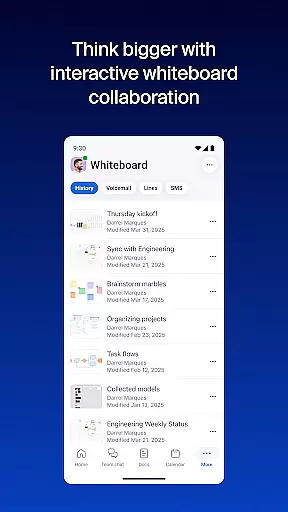
Additionally, the virtual whiteboard feature facilitates brainstorming sessions, enabling teams to visually map out ideas and strategies. With these robust task management capabilities, Zoom Workplace empowers users to maintain high levels of productivity regardless of their location.
Comprehensive communication tools
AI-powered productivity features
Seamless cross-device functionality
Enterprise-grade security measures
Included AI Companion for paid licenses
Limited AI features on free plans
Paid subscription required for advanced tools
Some features region-restricted
High cost for small businesses
Dependent on internet connectivity

Zoom built for Chrome OS
 3.90
3.90
GoTo Mobile is a simple & secure calling, messaging & meetings solution
4.80
ANDROID'S TOP MOBILE OFFICE - Word, Excel, PowerPoint and PDF at your fingertips
4.50
Create curriculum vitae, a professional cover letter creator and resume designer
4.80
TurboScan turns your phone into a full-featured PDF document scanner.
4.80
Earn free swag, G-Cards & food • Enter sweepstakes • Find stores • So much more.
4.70
Your employer must have UKG Ready software configured for Mobile.
4.60
Grow your business and connect with more people with Meta Business Suite.
4.60
Smarter career moves start here. AI job alerts, insights & the right tools.
4.20 4.70
4.70
Recover what matters — quickly and easily.
4.70
Make invoices, bills, receipts & estimates on the go with Invoice Generator.
4.70
We help people get jobs
4.70
The app that lets you deliver with Amazon.
4.50
All Your Gig Work. One App.
4.30
Deliver and earn money
4.30
The Penny Puss app with DG penny finder
4.10
The All-in-One File Manager for Phone, TV, Watch, Cars, XR / VR, Chromebook
4.10
Take the stress out of storage with the all-in-one app to manage your space.
3.70









User Reviews