
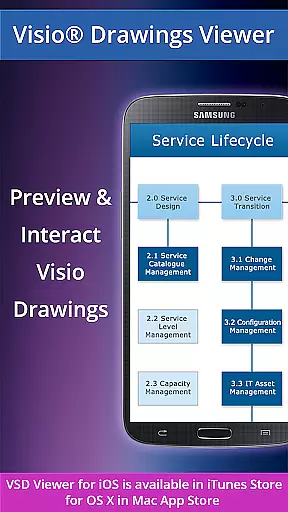
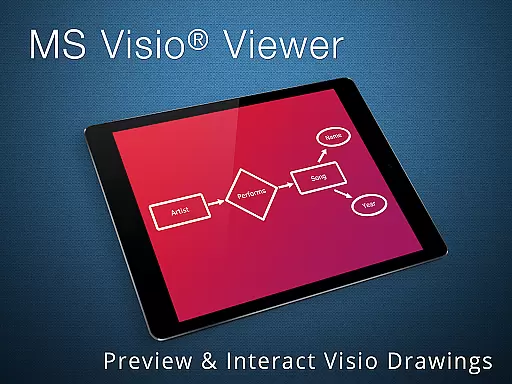
VSD Viewer for Visio Drawings is a professional Android application designed specifically for viewing MS Visio drawings. This app supports multiple Visio file formats including VSD, VDX, and VSDX, making it versatile for users who need to open and preview any MS Visio 2000-2013 VSD drawing. With its comprehensive feature set, users can scroll, zoom, and navigate through multipage documents with ease.
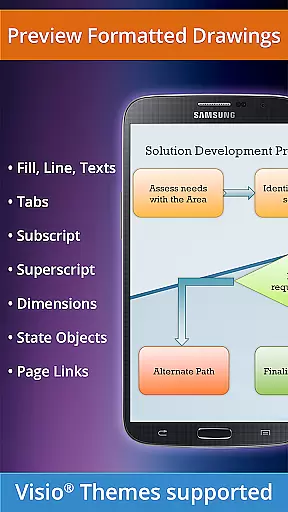
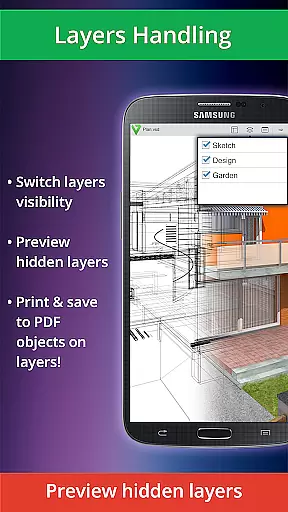
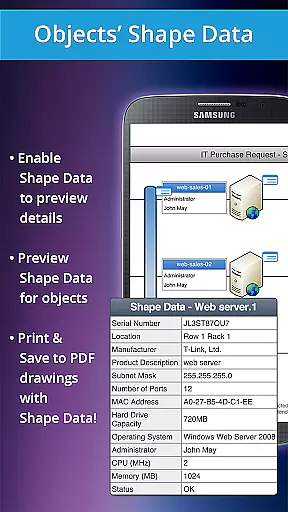
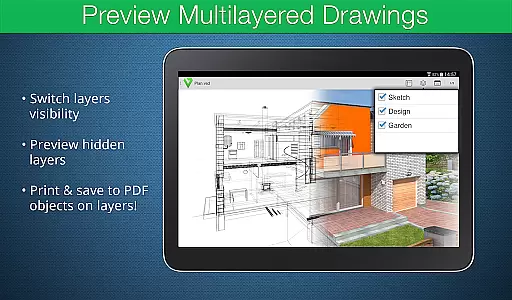
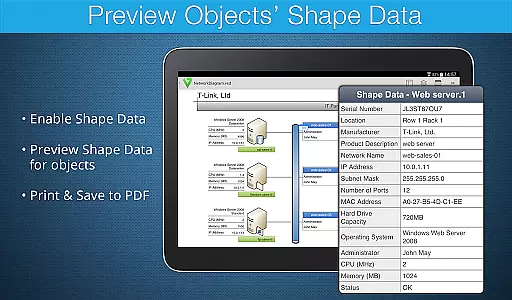
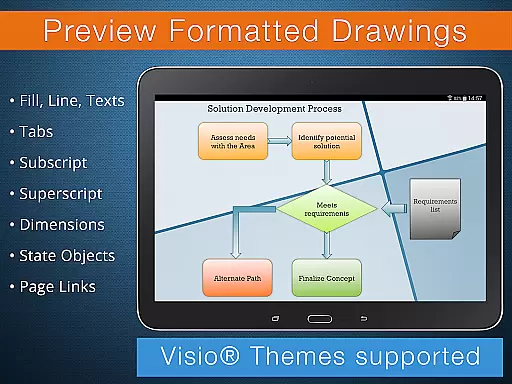
One of the standout features of VSD Viewer is its ability to handle complex formatted objects such as lines, fill, color, gradients, text formatting, and more. Additionally, it offers advanced options like previewing hidden layers, switching layer visibility, and viewing object shape data. These capabilities make it an invaluable tool for professionals who work extensively with technical diagrams and multilayered drawings.
The app is particularly useful in business environments where collaboration and detailed document examination are crucial. Whether you're reviewing architectural plans or intricate flowcharts, VSD Viewer ensures that every detail is clear and accessible. Its support for MS Visio 2013 themes and built-in metafiles further enhances its utility, providing a seamless experience for users across different industries.
VSD Viewer for Visio Drawings boasts a rich array of features tailored to meet the needs of business professionals. The app supports a wide range of file formats, including VSD, VDX, and VSDX, ensuring compatibility with various versions of MS Visio drawings from 2000 to 2013. Users can effortlessly open, preview, and interact with these files, thanks to intuitive navigation tools that allow scrolling, zooming, and moving through multipage documents.
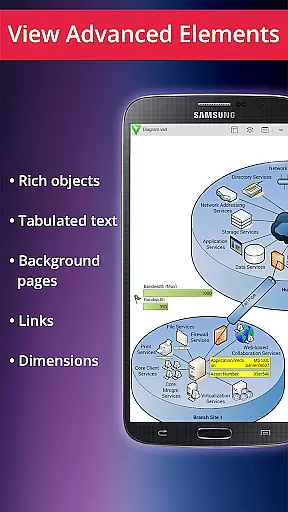
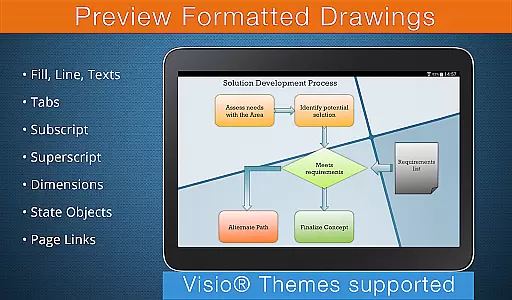
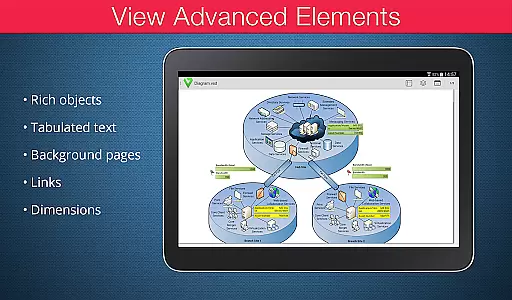
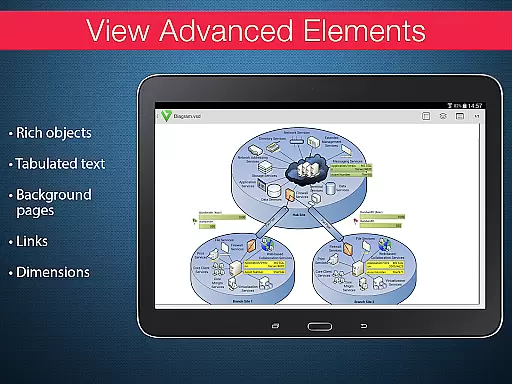
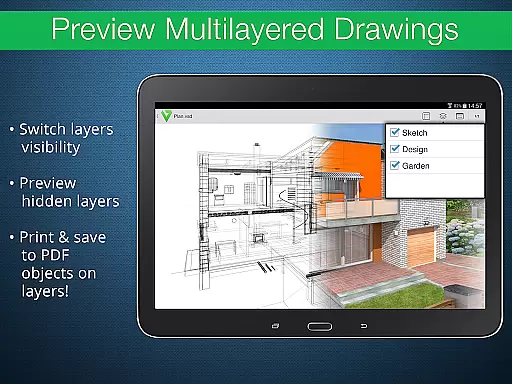
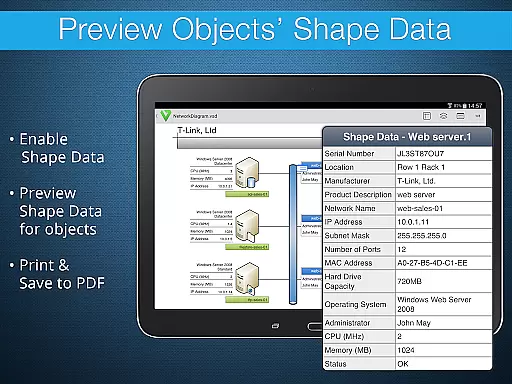
In addition to basic functionalities, VSD Viewer offers advanced options that cater to more complex requirements. Users can preview hidden layers and switch layer visibility, which is particularly beneficial when working with multilayered technical diagrams. The app also allows viewing object shape data, providing deeper insights into the components of each drawing. Furthermore, it handles complex formatted objects with precision, supporting features like text subscript and superscript, gradients, and tabulated text commonly found in technical diagrams.
Another notable aspect of VSD Viewer is its support for MS Visio 2013 themes and built-in metafiles. While processing large documents may take some time and rendering metafiles requires an internet connection, these minor limitations are outweighed by the app's robust performance and comprehensive feature set. Overall, VSD Viewer stands out as a powerful tool for anyone needing to view and analyze Visio drawings on their Android device.
In today's interconnected work environments, the ability to collaborate effectively is essential. VSD Viewer for Visio Drawings facilitates this by allowing teams to view and interact with MS Visio drawings on Android devices. This ensures that all team members, regardless of location, can stay informed about project details and visual plans.
The application supports a variety of file formats including VSD, VDX, and VSDX, which means users can open and preview any MS Visio 2000-2013 VSD drawing. With capabilities such as scrolling, zooming, and navigating multipage documents, collaboration becomes seamless. Team members can easily discuss complex formatted objects like lines, fill, color, gradients, and text formatting since these elements are accurately rendered in the viewer.
Advanced options further enhance collaborative efforts. Users can preview hidden layers and switch layer visibility, which is crucial when dealing with complex multilayered drawings. The ability to view objects' shape data adds another dimension to teamwork, allowing for detailed discussions on specific elements within the drawings.
While there are current version restrictions, such as the need for an internet connection for built-in metafiles rendering, the overall benefit of having a mobile Visio viewer cannot be overstated. Teams can quickly share insights and updates, ensuring that projects move forward efficiently and without unnecessary delays.
Effective task management is pivotal for productivity, especially when handling detailed technical diagrams. VSD Viewer for Visio Drawings offers robust features that aid in managing tasks associated with viewing and analyzing Visio files. By providing clear previews of drawings, it allows users to focus on their specific tasks without distraction.
One significant advantage is the vieweru2019s support for complex formatted objects, including tabulated texts often used in technical diagrams. This feature helps users understand object and document frames better, leading to more accurate task execution. Additionally, the ability to copy drawing texts directly from the app streamlines workflows, making information readily accessible for reports or further analysis.
Multipage document navigation is another critical aspect of task management facilitated by VSD Viewer. Users can scroll through different sections of extensive documents effortlessly, ensuring they never lose track of important details. Moreover, functionalities like switching document guides visibility and viewing original dimension units help maintain precision in task-related activities.
Though processing huge documents may take time and certain advanced features require an internet connection, the core benefits remain strong. Overall, VSD Viewer equips users with tools necessary for efficient task management, enhancing both individual performance and team productivity.
User-friendly interface
Wide format support
Advanced layer management
High-quality rendering
Comprehensive feature set
Large files may load slowly
Internet required for metafiles
Limited editing capabilities
No offline mode for all features
Premium version needed for full access

viewing and sharing of PDFs
 3.60
3.60
Completed Course Lectures on how to use IBM Maximo in Maintenance issues
4.5
Quickly open and manage PDF files on your device.
3.80
The Penny Puss app with DG penny finder
4.10
All document reader, pdf viewer app, read docs & excel files
3.80
Find jobs near you and temp work in minutes, from your phone.
4.50
Collaborate seamlessly with Google Chat, part of Google Workspace
4.50
On the go? Take FedEx with you.
4.00
Make money as a delivery driver with DoorDash and work when you want as a Dasher
4.30
Job search app that finds jobs for you! Takes the work out of looking for a job!
4.90
Create curriculum vitae, a professional cover letter creator and resume designer
4.80
TurboScan turns your phone into a full-featured PDF document scanner.
4.80
All your team communication in one place
4.70
Mobile POS for any business: sales, invoices, retail, restaurants & appointments
4.60
Earn crypto with secure cloud mining. Monitor, track & withdraw easily
4.40
One marketplace. Hundreds of services. Unlimited possibilities. All on Fiverr.
4.40
Formerly Facebook Ads Manager. Manage and create ads on the go.
4.20
Build a store in minutes with our full suite of AI tools. Start for free!
4.20
Convert Your Lovable.dev Website into a Mobile App Instantly!
4.3




User Reviews