
PDF Reader is a versatile business application designed to streamline document management for professionals on the go. This app allows users to view, manage, and share PDF files with ease, making it an essential tool for anyone dealing with digital documents in a professional setting.
The app features a sleek and intuitive interface that simplifies navigation and enhances productivity. With capabilities such as one-click PDF reading, quick page navigation, and integrated support for various document types including Doc, PDF, PPT, and Excel, this app ensures seamless access to all necessary files. Whether you're preparing for a meeting or reviewing documents remotely, PDF Reader provides the flexibility and convenience needed in today's fast-paced business environment.
PDF Reader stands out with its comprehensive feature set tailored for business professionals. The app offers one-click PDF reading, allowing users to open and view documents instantly without any hassle. Its powerful file management system supports multiple document formats, ensuring compatibility across different file types.
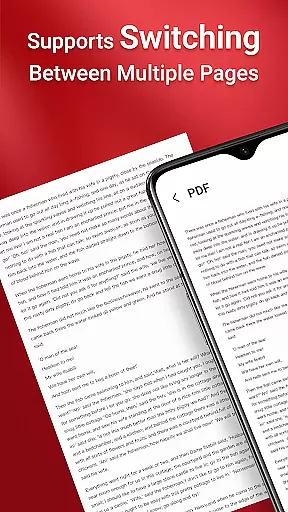
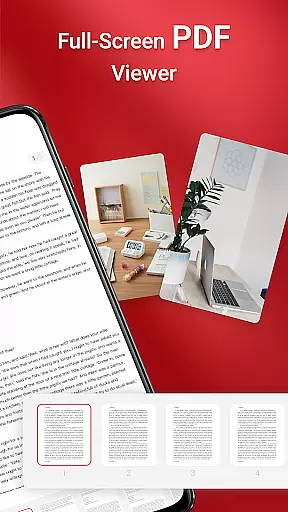
Another notable feature is the quick page navigation, which enables users to skim through lengthy documents effortlessly. Additionally, the app facilitates seamless sharing of PDFs, empowering teams to collaborate efficiently. For users on Android 11 and later, the app requires MANAGE_EXTERNAL_STORAGE permission to ensure uninterrupted access to files stored in various locations, including SD cards. This permission allows the app to perform essential file operations reliably, even when offline.
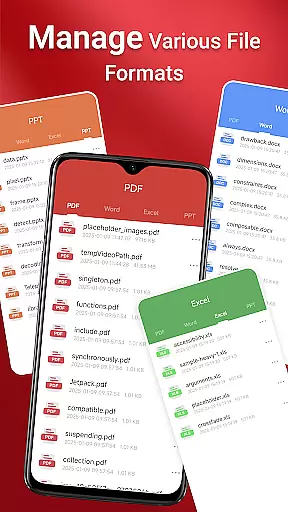
In today's interconnected world, collaborative work features are essential for any business application. PDF Reader excels in this area by providing seamless integration with various document types, including Doc, PDF, PPT, and Excel files. This ensures that teams can work together efficiently, regardless of the file format they are using.
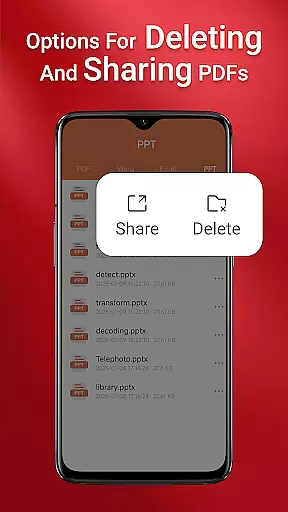
The app allows users to share PDFs effortlessly with colleagues, making collaboration both simple and effective. Whether you're sending a report for review or sharing meeting notes, the process is streamlined and hassle-free. This functionality is particularly beneficial for remote teams who rely on digital communication.
Moreover, the quick page navigation feature enhances the collaborative experience by allowing users to pinpoint specific sections within large documents easily. This saves time and improves productivity, as team members can quickly find and reference the information they need without sifting through pages of content.
Effective task management is crucial for maintaining productivity, and PDF Reader offers several features that support this need. The app provides an intuitive interface that simplifies the organization and retrieval of PDF files, ensuring that important documents are always at your fingertips.
One standout feature is the ability to access all PDF files on your device with just one click. This makes it easy to manage multiple tasks simultaneously, as you can switch between documents without losing focus. The integrated support for various document types further enhances task management by consolidating all your files into a single, easy-to-navigate platform.
Additionally, the requirement for MANAGE_EXTERNAL_STORAGE permission on Android 11 and later underscores the app's commitment to reliable file management. This permission enables operations across folders without user interaction, which is vital for managing documents in the background or offline. As a result, users can trust that their tasks will be handled efficiently, even in less-than-ideal connectivity conditions.
User-friendly interface
Multi-format support
Quick navigation
Seamless sharing
Reliable offline access
Permission requirements
Limited free features
Occasional bugs
Ads in free version
Large app size

Quickly open and manage PDF files on your device.
 3.80
3.80
Measure distances, surfaces and draw plans in seconds with CamToPlan!
4.40
BuildCalc - the easiest AND the most advanced construction calculator app.
4.80
Your employer must have UKG Ready software configured for Mobile.
4.60
Find the right fit, faster.
4.70
Master crypto trading with real-time simulations and exciting challenges!
4.50
Make invoices, bills, receipts & estimates on the go with Invoice Generator.
4.70
Collaborate seamlessly with Google Chat, part of Google Workspace
4.50
Ship, Track, Find a Location or Get a Quote with UPS. Anytime. Anywhere.
4.60
GoTo Mobile is a simple & secure calling, messaging & meetings solution
4.80
TurboScan turns your phone into a full-featured PDF document scanner.
4.80
Start earning fast. Apply Today.
4.80
AI-powered document scanner with auto enhance for perfect PDFs.
4.60
Mobile POS for any business: sales, invoices, retail, restaurants & appointments
4.60
No more passwords, easier sign-in, and greater protection for your accounts.
4.60
A secure, all-in-one team collaboration app
4.30
FX Plus adds media, networking, and cloud capabilities to FX File Explorer.
4.10
Find flexible, hourly jobs hiring near you in restaurant, retail & hospitality!
4.00
Simple, Fast & Lightweight
3.90



User Reviews