
Inbox Homescreen is a communication app designed to streamline email management across multiple platforms. This app serves as an all-in-one email launcher, integrating seamlessly with services like Gmail, Outlook, and Yahoo. Users can send, receive, and organize emails efficiently while enjoying advanced features such as email filtering, prioritization, and scheduling.
One of the standout aspects of Inbox Homescreen is its high level of customization. The app offers various themes and layouts, allowing users to tailor their email interface to their personal preferences. Its user-friendly design ensures smooth navigation, making it easier than ever to manage your inbox. Whether you're at work or on the go, this app provides a reliable solution for staying organized and productive.
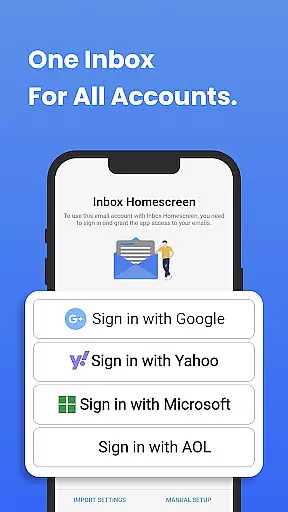
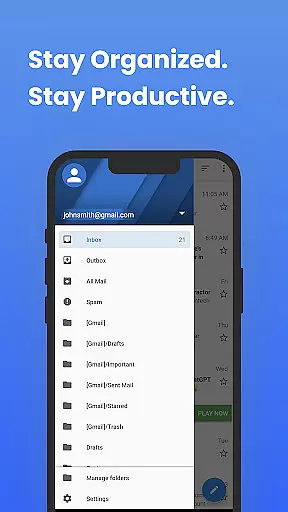
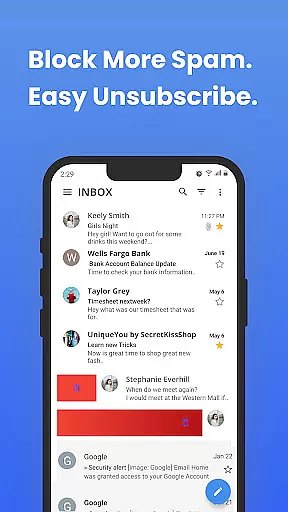
Inbox Homescreen boasts a variety of features that enhance email management. One key feature is its ability to integrate multiple email accounts into a single platform. This allows users to manage all their inboxes without switching between different apps or services. Additionally, the app supports advanced filtering options, enabling users to categorize emails automatically based on predefined rules.
Another notable feature is the ability to schedule emails for later delivery. This functionality is particularly useful for professionals who need to send emails at specific times. Furthermore, Inbox Homescreen offers customizable themes and layouts, giving users control over the visual appearance of their email client. With its intuitive interface and robust feature set, this app ensures a seamless and efficient email experience.
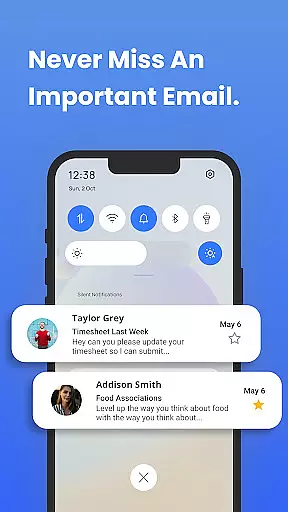
In the realm of digital communication, the speed and reliability of message delivery are paramount. Inbox Homescreen excels in providing real-time messaging capabilities that ensure your emails are sent and received instantly without delays.
The app achieves this through seamless integration with major email services like Gmail, Outlook, and Yahoo. This compatibility allows for an uninterrupted flow of messages, making it easier to maintain timely correspondence across different platforms.
For users, this means no more waiting for emails to send or frustration over delayed receipts. Whether you're coordinating with a team or simply staying in touch with friends and family, Inbox Homescreen ensures your communications are always punctual and dependable.
Ultimately, the reliability of real-time messaging enhances productivity and peace of mind, allowing users to focus on content rather than worrying about delivery issues.
Sharing media files is a common requirement in today's digital age, and Inbox Homescreen rises to the occasion by offering robust media sharing support. The app facilitates the easy attachment and transmission of various file types, including images, videos, and documents.
This feature is bolstered by the app's integration with multiple email services, ensuring that regardless of the platform, media sharing remains smooth and hassle-free. Users can attach large files without worrying about compatibility or size restrictions commonly associated with email services.
Moreover, the customizable interface of Inbox Homescreen allows users to optimize their media sharing experience according to personal preferences. With options to choose from different themes and layouts, managing and sharing media becomes not only efficient but also enjoyable.
By streamlining media sharing, Inbox Homescreen significantly boosts productivity, making it an invaluable tool for both personal and professional communication needs.
User-friendly interface
Multi-account integration
Advanced filtering options
Email scheduling capability
Customizable themes
Limited third-party integrations
No offline mode available
Occasional syncing issues
Privacy concerns with search settings
Requires constant internet connection

Call Forwarding is easy and simple application to use.
 3.80
3.80
Secure Messaging App to Enhance Messenger Texting Experience and Organize SMS.
3.50
Messenger app for faster and simpler SMS text messaging, and personalized themes
4.10
WazzapMigrator: transfer your WhatsApp history from iPhone to Android
4.00
Chill zone on your phone: relax with fun reels & hype shorts!
4.20
A softphone with crystal clear SIP Calling & Reliable VoIP dialer
4.00
Use this SMS app standalone or as a TREK: Total Interface companion.
4.30
Stay in touch with the people who matter most.
4.60
Enhance browsing with AI-powered features and Copilot.
4.70
Fast internet with AI, Adblock & VPN. Browse on a safe, incognito web browser.
4.70
Manage BoostMobile Account
4.60
Manage your data, talk & text - affordable phone plans & data usage made simple
4.30
BiP is a fast, secure, free messaging and HD video calling app!
4.10
Federated instant messaging for your mobile device (Jabber, XMPP, Snikket)
4.10
Message and video call your family and friends in HD!
3.80
Quickly and easily identify and block unknown callers
3.70
Call & Text Anywhere With A Canadian Number.
3.60
A softphone app with seamless SIP calling and an intuitive VoIP dialer
3.50
Manage Phone Calls, call history, and contacts easily with Phone Pro.
4.1



User Reviews