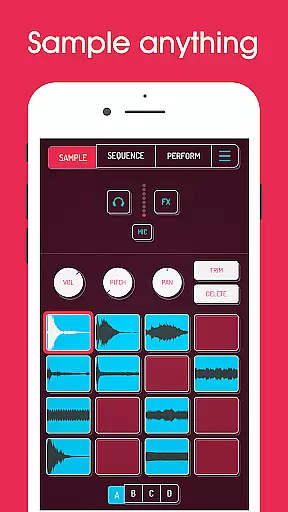
Koala Sampler is a pocket-sized music production tool that allows users to record sounds via their phone's microphone or import custom samples. Designed for both amateur beatmakers and professional musicians, this app provides an intuitive interface for creating beats, applying effects, and producing tracks with ease. The app focuses on instant music creation, keeping users engaged without getting bogged down by complex parameters.
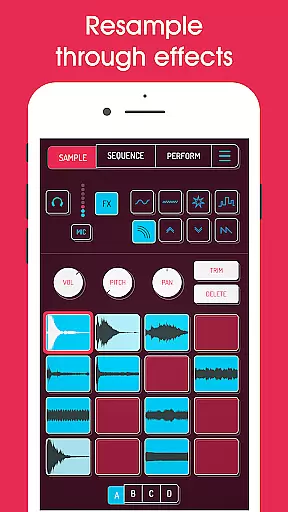
One of Koala Sampler's standout features is its ability to resample audio through built-in effects, offering endless sonic possibilities. With support for up to 64 unique samples, 16 high-quality effects, and advanced tools like AI-powered sample separation, the app caters to a wide range of creative workflows. Whether you're transforming your voice, crafting loops, or exporting studio-grade WAV files, Koala ensures a seamless experience for all music enthusiasts.
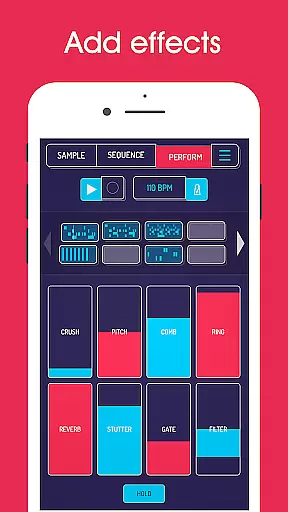
Koala Sampler offers a robust set of features tailored for music creators. Users can record directly using their phone’s mic or upload pre-existing samples, which can then be transformed using one of 16 built-in effects such as reverb, fuzz, and synthesizer. The app also supports AI-driven sample separation, breaking down tracks into individual components like drums, bass, and vocals, enabling precise control over each element.
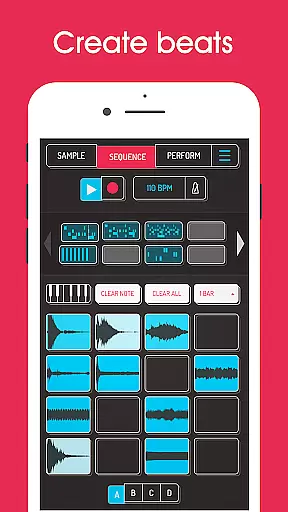
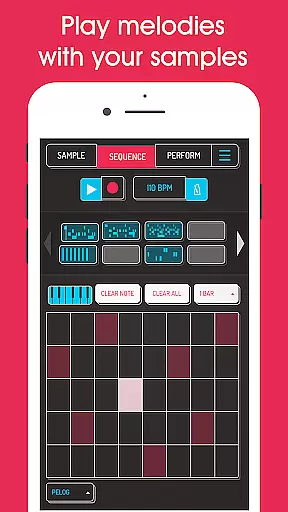
The app includes a high-resolution sequencer for beat-making, quantization options, swing adjustments, and multiple playback modes (normal, one-shot, loop, reverse). Each sample can be fine-tuned with attack, release, and tone controls, while global effects can be applied to the entire mix. Additional functionalities include MIDI compatibility, note repeat, mute/solo controls, and tempo delay, making it a versatile tool for any musician looking to create professional-quality tracks on the go.
Koala Sampler offers an extensive music library that includes a variety of built-in effects and the ability to import your own samples, ensuring a rich and diverse sound palette for users. The app allows for recording up to 64 different samples with your device's microphone.
Regarding copyright authenticity, Koala Sampler enables creators to use their sounds or leverage AI technology to separate samples into individual instruments, which maintains the integrity and legality of music production. This feature provides peace of mind for artists concerned about copyright infringement.
The app also supports MIDI controllability, allowing musicians to play their samples on a keyboard, thus expanding the creative possibilities while respecting original content ownership. With these capabilities, users can be confident in the authenticity of their music creations within the digital space.
Audio quality is paramount in music production, and Koala Sampler excels by offering professional-quality WAV file exports, ensuring that tracks maintain high fidelity throughout the production process. The inclusion of 16 superb built-in FX and 8 microphone FX enhances the sonic characteristics of the samples created or imported by the user.
Moreover, the app features pro-quality Timestretch with four modes as part of its SAMURAI In-App Purchase package, providing even more control over audio manipulation without compromising quality. These timestretching options allow producers to mold their sounds precisely as they envision.
With adjustable attack, release, and tone on each sample, along with mute/solo controls and note repeat functions, Koala Sampler delivers comprehensive tools for achieving the desired audio output. Such attention to detail empowers users to craft tracks with clarity and depth, rivaling industry standards.
Intuitive interface
Extensive effects library
AI-powered sample separation
MIDI compatibility
High-quality export options
In-app purchases required
Microphone input issues
Complex for beginners
Limited free features
Occasional bugs

More downloads than any other metronome. Includes drum machine & tempo trainer.
 4.80
4.80
The ultimate media player for Android devices
3.90
No wifi music app. Mp3 offline. Tuner radio, young radio music. Music downloader
4.20
Simple mp3 and mp4 player with advanced features.
3.40
Slow music down without changing pitch.
3.70
Turn your Android phone into a professional audio analyser with up to 120 bands.
4.00
Travel To The Music Universe
3.40
Uninterrupted Tunes, Unmatched Vibes
3.90
One-tap booster for max volume - enjoy powerful sound with this audio booster
4.50
Music, News & Sports Radio Tuner App. Tune in Live FM & AM Radio Stations.
4.80
Pay Once, no monthly payment
4.60
Recording studio w/ 10k beats, pro vocal FX and a network of 20M rappers & fans!
4.60
Reverse your voice & songs instantly! Fun singing challenge with cool effects.
4.60
DJ Music Mixer - DJ Remix: remix songs, make beat music & record mix of DJ.
4.40
The Music Journey in Your Hands
4.30
Time Trainer: accurate metronome w tools to help you develop your internal time!
4.20
The original SP-1200 experience on your iPad
4.20
The official Sonos app
4.10
USB audio recording and playback finally possible on Android 3.1 or higher!
3.90




User Reviews