
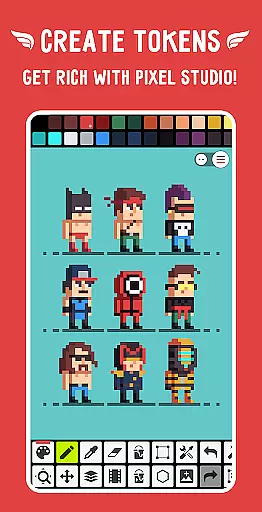
Pixel Studio PRO is a premium pixel art editor tailored for both artists and game developers. This special edition comes without ads or in-app purchases, offering all PRO features unlocked. The application supports advanced functionalities like layers, animations, music integration, and MP4 video export. With over 5 million downloads globally and support for more than 25 languages, it stands as a versatile tool for creating pixel art anytime, anywhere.
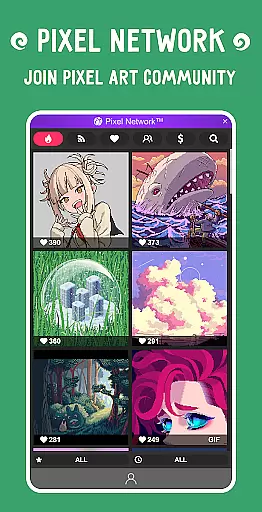
The app facilitates seamless work synchronization across devices via Google Drive and fosters a creative community through Pixel Network™. Whether you're a beginner or a professional, Pixel Studio PRO provides the tools necessary to create impressive pixel art projects efficiently. Its compatibility with various platforms and support for multiple formats make it an indispensable tool for pixel artists.
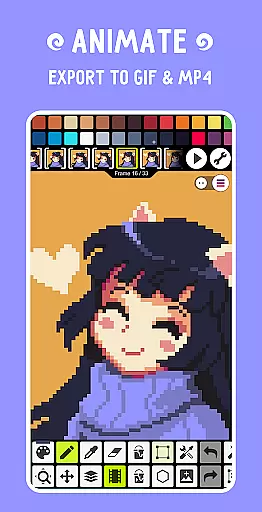
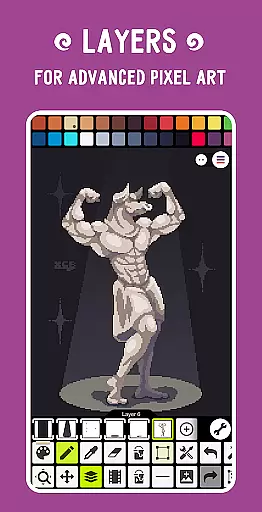
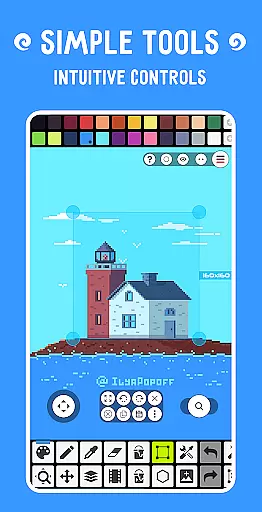
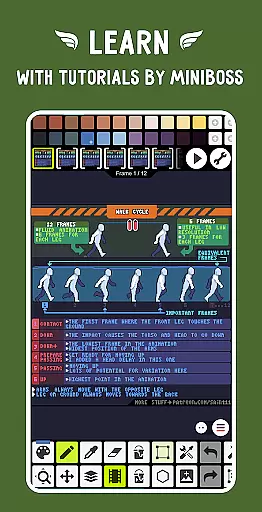
Pixel Studio PRO boasts an extensive array of features designed to enhance the pixel art creation process. It includes intuitive tools such as layers for complex artwork, frame-by-frame animation capabilities, and exporting animations to GIF or sprite sheets. Additionally, users can add music to their animations and export them as MP4 files, providing a multimedia dimension to their creations.
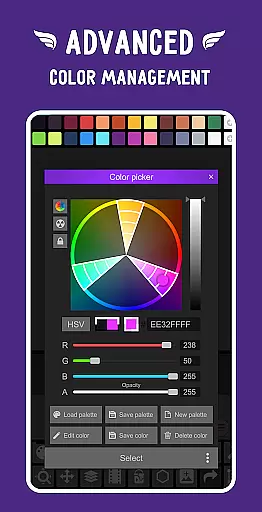
Advanced functionalities include customizable palettes, an advanced color picker with RGBA and HSV modes, and support for Samsung S-Pen, HUAWEI M-pencil, and Xiaomi Smart Pen. The app also offers unique tools like Shape Tool, Gradient Tool, and Symmetry Drawing, alongside professional features such as Onion Skin for refined animations and unlimited canvas size. These robust features ensure that users have everything they need to bring their artistic visions to life.
Pixel Studio PRO offers an extensive suite of creative tools that cater to both beginners and professionals in the pixel art space. The application supports layers, animations, and even music integration for creating dynamic multimedia projects.
With features like shape tools, gradient options, custom brushes, and text tools with various fonts, users can execute detailed artwork with precision. Advanced functionalities such as symmetry drawing, dithering pens for shadows, and pixel art scalers provide a versatile environment for complex designs.
The software's compatibility with numerous formats including PNG, JPG, GIF, BMP, TGA, and more, ensures that artists have the flexibility to work with their preferred file types. Additionally, support for professional formats like PSD (Adobe Photoshop) and Aseprite files enhances its appeal to seasoned designers.
One of Pixel Studio PRO's standout features is its canvas and format flexibility, allowing creators to work on projects without constraints. Users can enjoy unlimited canvas sizes, which means they are not restricted by space when bringing their artistic visions to life.
The application provides customizable settings such as background color and grid adjustments, giving artists control over their workspace aesthetics. This level of personalization helps in creating a comfortable and productive working environment tailored to individual preferences.
Moreover, Pixel Studio PRO supports a wide array of file formats, from common ones like PNG and JPG to specialized formats like SVG and WEBP. This versatility ensures that regardless of where your artwork ends upu2014be it web or printu2014you'll be able to export it in the most suitable format without compromising quality.
User-friendly interface
Extensive format support
Advanced animation tools
Active community network
Professional-grade features
High system requirements
Limited free features
No iOS version
Premium cost
Complex for beginners

Create trending AI photos & videos with powerful effects and 3D styles.
 3.20
3.20
Text to Image, Image to Video & AI Chat
4.20
Create stunning art with AI.
4.80
Your AI soulmate — meaningful chats, and unique emotional moments
4.70
Resize photos and print photos in exact size with our powerful photo printer!
3.80
Create and Design Custom Logos in Seconds with AI-Powered Tools!
4.40
Turning simple sketches into captivating tales filled with life and motion
3.90
Create Logos, Tattoos, AI Art & more with our AI Photo Generator & Design Editor
4.20
All-in-One art, logo & collage maker. Design photos and edit video backgrounds
4.80
See Color, Paint Color
4.90
Digital, Abstract, Classic - all types of color wheels in one app!
4.60
Turn your drawings into flipbook-style animations with simple creative tools
4.60
Draw anime & manga drawing, art with templates to create stunning picture!
4.50
AI generated images & photos, turn your words into drawing, painting & pictures.
4.30
Your homescreen as an elegant glass with customized blur, lighting, and visuals.
3.70
Vidu is an AI video generator made for creators and aspiring makers.
3.30
Meet the magic aı 3d photo generator and smart AI video generator app.
3.20
Retouch photos. Create or edit images. Endless capabilities.
2.70
Art of Combination Wear OS Watch Faces
4.2




User Reviews