
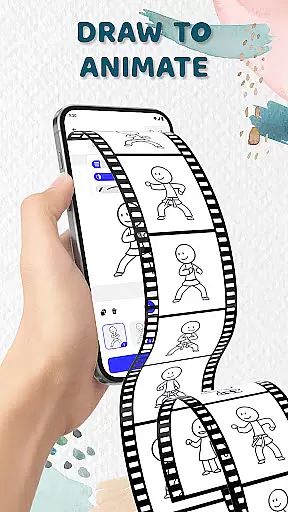
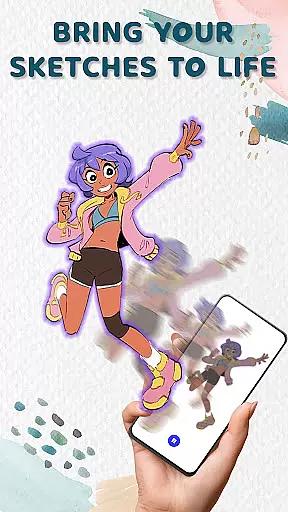
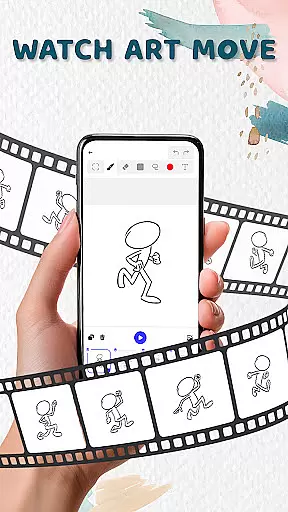
Animation Draw: Flip Maker is a creative app designed for artists and hobbyists who want to bring their sketches to life through animation. The app offers an intuitive platform where users can create frame-by-frame animations, transforming simple drawings into dynamic cartoons or short stories.
With features like flipbook-style animation, users can relive the classic experience of creating motion through sequential art. The app provides essential tools such as adjustable pen sizes, color options, and onion skinning, which help in achieving smooth and professional-looking animations. Whether you're a beginner or an enthusiast, Animation Draw serves as your pocket studio for all things creative.
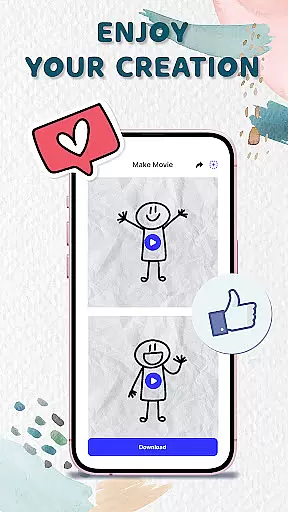
The app is particularly useful for those interested in storytelling, character design, or experimenting with visual ideas. By exporting animations in popular formats like GIF or MP4, users can easily share their creations on social media or with friends, making it a complete package for artistic expression and fun.
Animation Draw stands out with its comprehensive set of creative tools tailored for both beginners and experienced animators. One of its key features is the frame-by-frame animation capability, allowing users to build movement by adding frames incrementally. This approach gives full control over how each drawing evolves into a moving sequence.
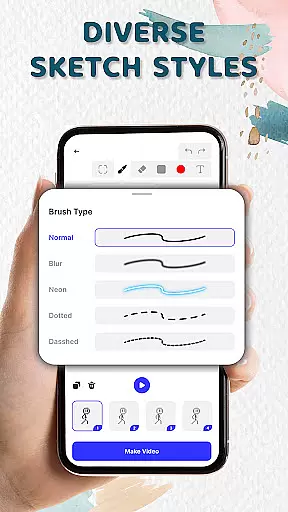
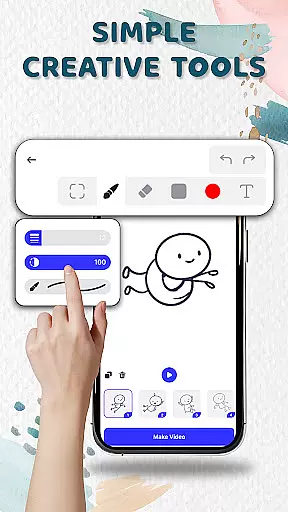
The app also includes onion skinning functionality, enabling users to see faint outlines of previous and upcoming frames. This feature ensures smoother transitions between frames and helps maintain consistency in animations. Additionally, customizable pen settings and color palettes provide flexibility in style and presentation, empowering users to experiment with different aesthetics.
Another notable aspect is the ability to export animations in multiple formats, including GIF and MP4. This versatility allows creators to distribute their work across various platforms, from social media to personal websites. With these robust features, Animation Draw caters to a wide range of creative needs while maintaining ease of use.
In the realm of digital creativity, having access to comprehensive tools is essential for unleashing one's artistic potential. Animation Draw: Flip Maker offers a robust suite of features that cater to both budding artists and seasoned creators.
With options to adjust pen size, incorporate vibrant colors, and utilize onion skinning for seamless motion, this app ensures every creator has what they need to produce high-quality animations. These tools are designed to be intuitive, making it easy for users of all skill levels to dive into animation without a steep learning curve.
The inclusion of flipbook-style animation brings an element of nostalgia while enhancing modern storytelling techniques. Users can experiment with different sketch styles, transforming static images into dynamic scenes full of life and expression.
Ultimately, Animation Draw empowers its users by providing them with everything necessary to tell their stories through engaging animated content. This complete creative package not only meets but exceeds expectations in delivering a fulfilling artistic experience.
A versatile canvas is crucial for artists seeking to express their visions without constraints. Animation Draw: Flip Maker excels in offering flexible canvas options that adapt to various project requirements and personal preferences.
Artists can explore endless possibilities as they create stickman adventures, short comics, or playful cartoons on a customizable workspace. The ability to modify dimensions and formats allows for greater creative freedom, ensuring each piece reflects the artistu2019s unique style.
Moreover, exporting finished works in popular formats such as GIF or MP4 enhances sharing capabilities. Whether presenting creations to friends, family, or a global audience online, these flexible export options ensure animations look polished and professional across platforms.
This adaptability not only enriches the creative process but also amplifies the joy of bringing imaginations to life. With Animation Draw, artists enjoy unparalleled flexibility, empowering them to craft compelling narratives in their preferred format.
User-friendly interface
Powerful drawing tools
Supports multiple formats
Great for beginners
Fun and engaging
Limited advanced features
No collaborative tools
Fewer tutorials
Basic export options
Occasional bugs

Premium version of Shimeji-ee app with no ads & no limit active shimeji
 4.2
4.2
Digital Drawing: Draw & Paint
4.10
Draw anime easily with AR guidance, sketch templates & trace tools!
3.10
Create stunning art with AI.
4.80
Novices can also easily complete diamond painting masters
4.70
Your AI soulmate — meaningful chats, and unique emotional moments
4.70
Turning simple sketches into captivating tales filled with life and motion
3.90
Sketch and paint on your device with the feel and freedom of drawing on paper
4.00
An intuitive, high-performance painting app that lets you focus on creating
4.40
Discover Cartoon Dream : Unleash Your Creativity with CuttingEdge AI
4.50
Digital illustration drawing & painting pad app to paint Anime and Manga art
4.50
Video AI: Revolutionize Your Content Creation with Advanced Video Generation
4.50
Customizable Outlined Fonts. Watch Face Format. Battery friendly Digital Clock.
4.20
OneUI 8.5 icons ✨ Smooth, modern & based on the latest Play Store design ??
4.10
Unleash the artist in you with our AR drawing and tracing tool for photo drawing
4.10
Paint with oils and sketch with natural tools on a realistic virtual canvas.
3.80
Design unique, funny and adorable cat stickers that reflect your own style!
3.80
Create sweet, cool and unique couple avatars easily, in just a few steps!
3.40
A luxurious gold watch face for an elegant and refined look.
4.2



User Reviews