
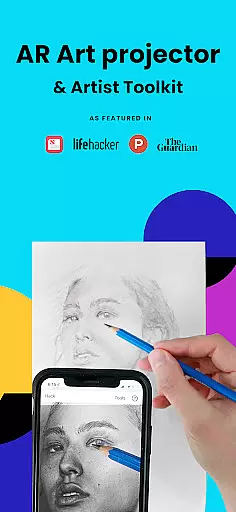
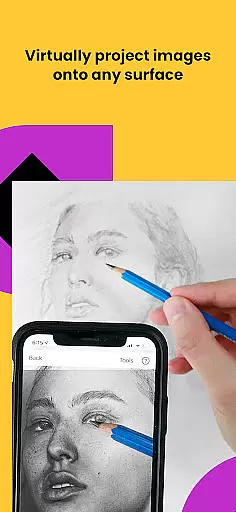
Da Vinci Eye's AR Art Projector is a revolutionary drawing and sketching tool that combines augmented reality technology with traditional art techniques. This app allows artists of all levels to create incredible artwork by projecting images directly onto their canvas, making the tracing and drawing process more intuitive and efficient.
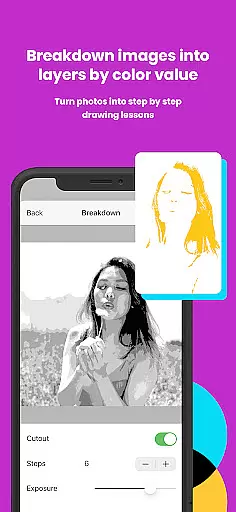
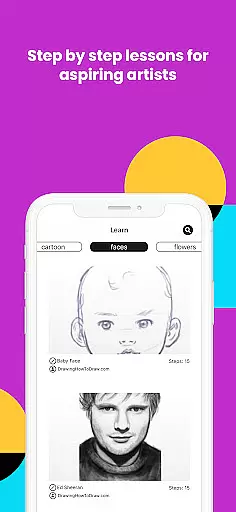
The application offers a complete suite of features including hyper-realistic drawing with a strobe feature, time-lapse recording of artwork, color value layer separation, step-by-step image breakdowns, video tutorials, and various filters to simplify the drawing process. Additionally, it fosters a supportive community where users can share their creations and receive rapid customer support.
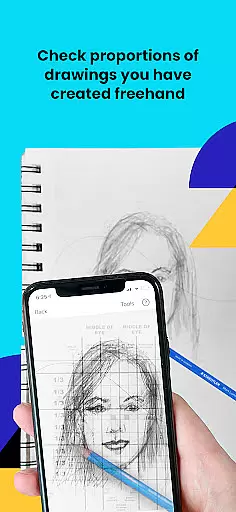
Whether you're a professional illustrator or a hobbyist, Da Vinci Eye adapts to your needs, providing tools for bakers, cartoonists, tattoo artists, and more. The app helps in mastering proportions, light and shadow placement, and refining hand precision, thus significantly improving drawing skills over time.
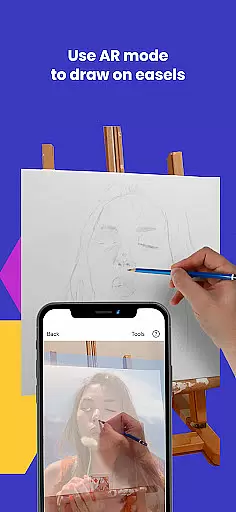
Da Vinci Eye stands out with its innovative use of AR technology as a modern take on the classic Camera Lucida. The AR Tracing Mode anchors images to real-world objects, allowing artists to move their canvas or device while maintaining alignment - perfect for easel painting. Meanwhile, Classic Mode provides a simpler, traditional art projector experience.
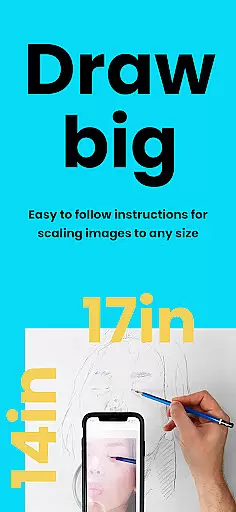
This app caters to different learning styles with unique patent-pending methods, offering drawing tutorials and lessons. Users can transform any photo into a detailed shading lesson, practice micro-details with zoom functionality, and work on any surface without constraints. The app's comprehensive approach ensures that users not only copy but also learn foundational artistic principles.
Device compatibility is crucial for optimal performance in AR Mode. High-end devices with quality cameras and fast processors are recommended to handle the app's rendering requirements. Despite these demands, both AR and Classic Modes provide flexible options for artists to refine their craft efficiently.
In the realm of digital artistry, having access to comprehensive creative tools is paramount. AR Art Projector offers an extensive suite of features that cater to artists at all levels. The app provides functionalities such as breaking down images into step-by-step instructions and offering video tutorials which are essential for learning and mastering the craft of drawing.
Furthermore, the application includes unique capabilities like the strobe feature for hyper-realistic drawings and filters that simplify the drawing process. These tools not only enhance the drawing experience but also provide practical solutions for common artistic challenges, such as light and shadow placement.
The ability to separate images into layers by color value and view these areas on your canvas is a testament to the app's dedication to detail and precision. This functionality allows artists to focus on specific elements of their work with unparalleled accuracy.
By equipping users with a robust set of drawing and sketching tools, AR Art Projector ensures that creatives can produce incredible artwork with confidence. Whether you're a professional or a hobbyist, this app supports your journey in developing impressive pieces through its complete and versatile toolkit.
Flexibility in canvas and format options is crucial for artists who wish to explore various mediums and styles. AR Art Projector excels in providing adaptable solutions that accommodate different artistic needs. With the ability to sketch or draw on any surface, the app removes traditional constraints, allowing for greater freedom in creation.
The zoom function further enhances this flexibility by enabling artists to capture micro-details in their drawings. This feature is particularly beneficial when working on intricate designs where precision is key. By facilitating detailed work, AR Art Projector empowers artists to push the boundaries of their creativity.
Moreover, the app's support for both AR tracing mode and classic drawing mode caters to diverse preferences and environments. While AR mode anchors the image to real-world objects, making it ideal for easel work, classic mode offers a familiar setup akin to using an art projector or lightbox.
This dual-mode functionality underscores the app's commitment to versatility, ensuring that whether you're creating on-the-go or within a studio setting, AR Art Projector adapts to your workflow seamlessly, thus enhancing your overall artistic expression.
User-friendly interface
Innovative AR features
Comprehensive learning tools
Vibrant artist community
Responsive customer support
High-end device required
AR mode can be complex
Subscription fees apply
Limited offline functionality
Steep learning curve

Pose and morph realistic male and female models! 3D poser app
 3.00
3.00
Design your dream room with AI. Get decor ideas & plan home interiors
3.90
Easy 3D drawing design maker & creator. Model designing, Sculpting. Create&paint
4.00
Paint with oils and sketch with natural tools on a realistic virtual canvas.
3.80
Photo blender app to create overlay photos & double exposure.
4.40
Photo editor for art, avatars, filters & fun transformations.
4.60
Mobile pixel art editor. Simple. Fast. Portable.
4.80
Share the joy of painting with ibis Paint! Drawing anime and manga art.
4.50
Just trace a projected picture on paper and color! Draw & Paint with AR drawing
4.40
Draw on screen: FP sDraw is a simple and lightweight drawing app
4.70
Digital illustration drawing & painting pad app to paint Anime and Manga art
4.50
The perfect place to start sketching! Use Sketchbook to draw and paint sketches.
4.50
Beauty Camera - Selfie Camera is the ultimate beauty camera and selfie app
4.30
Sketch, plan, take notes and illustrate on an infinite canvas.
4.20
Text to Image, Image to Video & AI Chat
4.20
Draw anime easily with AR guidance, sketch templates & trace tools!
3.10
Create stunning video, photo & magic from text with FlixAI GPT video generator.
3.10
Retouch photos. Create or edit images. Endless capabilities.
2.70
Art of Combination Wear OS Watch Faces
4.4




User Reviews