
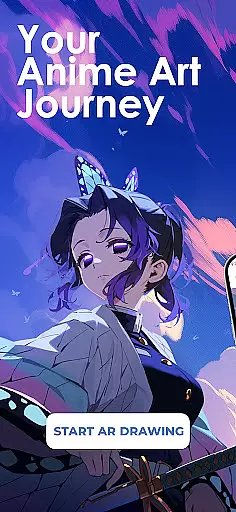
Draw Anime: AR Sketch & Trace is a revolutionary drawing application designed specifically for anime enthusiasts and artists. This app combines the traditional art of anime sketching with cutting-edge Augmented Reality (AR) technology, offering users an innovative way to improve their drawing skills. Whether you're a beginner or a professional artist, this app provides guided AR drawing, anime templates, and simple sketch tutorials that cater to all skill levels.
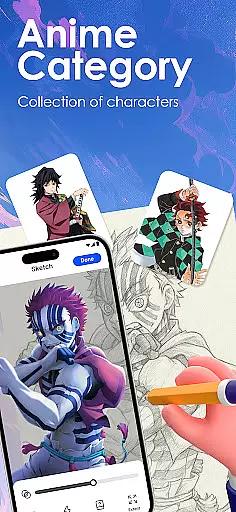
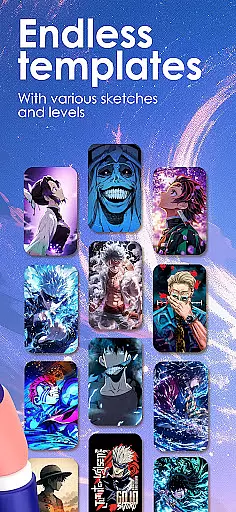
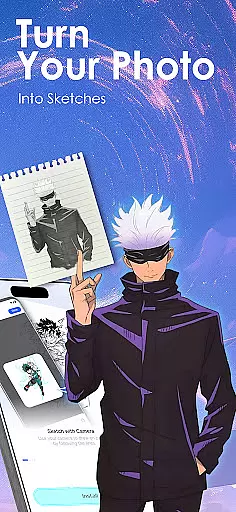
The core feature of Draw Anime is its ability to turn your phone into a smart tracing tool. Through the camera, users can trace anything from anime characters to real objects, following clear outlines projected onto paper. The app also offers a growing library of anime, manga, chibi, fanart, and trending templates, making it easy to practice and perfect various styles. Additionally, users can import their own photos and instantly convert them into traceable outlines, allowing for unlimited creativity.
This app is particularly useful for those looking to improve their anatomy, proportions, and anime art techniques. With features like adjustable opacity, zoom, and the ability to record your drawing process, Draw Anime ensures a personalized and comprehensive learning experience. Users can also share their artwork with a community of like-minded creators, track their growth, and access tailored content that matches their favorite genres.
Draw Anime: AR Sketch & Trace stands out due to its rich array of features designed to enhance the drawing experience. One of the key highlights is the AR Guidance feature, which allows users to trace anything through their camera. This includes anime characters, real objects, or even personal designs, providing clear outlines for confident sketching. The app's extensive library includes various styles such as anime, manga, chibi, and more, ensuring that users have plenty of templates to practice with.
Another significant feature is the app's educational aspect. Users can learn to draw anime easily with the help of simplified sketch outlines and practice at beginner, intermediate, and expert levels. Detailed video tutorials are available, specifically created for anime lovers, helping users improve their skills step by step. The ability to import personal photos and convert them into traceable outlines adds another layer of customization and creativity.
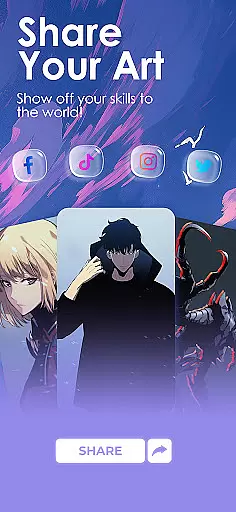
Draw Anime also emphasizes community and sharing. Users can showcase their finished artwork, save progress videos, and engage with a creative community. Personalized learning features allow users to track their growth and discover lessons that match their preferred anime genres. These features collectively ensure that Draw Anime is not just a drawing tool but a comprehensive platform for artistic development and community engagement.
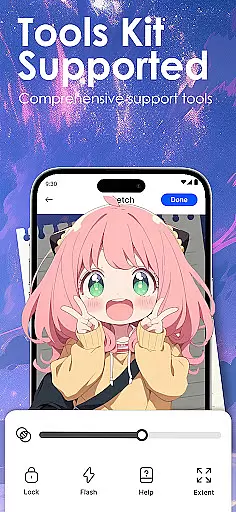
In the realm of digital artistry, having a comprehensive set of creative tools is paramount. Draw Anime: AR Sketch & Trace offers an extensive suite designed to cater to anime enthusiasts and artists at all levels.
From beginners taking their first steps into the world of anime drawing to seasoned professionals seeking refinement, this app provides guided AR drawing, diverse anime templates, and sketch tutorials that cover a wide spectrum of artistic needs.
Users can trace through their camera, accessing a library filled with anime, manga, chibi styles, and more, ensuring they have everything required for unlimited creativity.
This complete toolkit empowers users not only to draw but also to learn and grow within the anime art form, making it an invaluable resource for anyone looking to enhance their skills.
A canvas in the digital age should offer more than just a space to draw; it should adapt to the artist's vision. Draw Anime: AR Sketch & Trace understands this need and offers remarkable canvas and format flexibility.
Artists can import personal photos and convert them into traceable outlines, adjust opacity, zoom levels, and even record their creative process. This flexibility allows for personalized expression and learning tailored to individual styles.
Moreover, the ability to save progress videos means artists can review their growth over time, providing valuable insights into their development journey.
With these adaptable features, Draw Anime: AR Sketch & Trace stands out as a dynamic platform where creativity knows no bounds.
User-friendly interface
Extensive template library
Advanced AR technology
Customizable learning paths
Active creative community
Requires good device specs
Some features may need in-app purchases
Limited offline functionality
Occasional AR inaccuracies
Learning curve for beginners

Apply cartoon, caricature, and portrait effects to make your photos stand out!
 3.60
3.60
AI Face Swap, Video Effects Editor, Realtime Morph, Funny Video FX,AI Filters
3.70
Draw on screen: FP sDraw is a simple and lightweight drawing app
4.70
Art of Combination Wear OS Watch faces
4.4
Draw Trace image sketch by, AR art projector app, Easy to trace any image.
4.50
Minecraft & Roblox Clothes
4.70
Bring One UI 8.5 Icons to life -elegant dark icons with a modern, premium touch.
4.30
Just trace a projected picture on paper and color! Draw & Paint with AR drawing
4.40
How to draw anime step by step for beginner easily by AR drawing sketch & paint.
3.60
Make your phone cooler and have a fantastic experience
4.80
Create color palette from Image, RGB & RYB Color wheel harmonies, Color Scheme
4.50
Draw, make movies & animate cartoons easily with our 2D animation maker app
4.40
Beauty Camera - Selfie Camera is the ultimate beauty camera and selfie app
4.30
Customizable Outlined Fonts. Watch Face Format. Battery friendly Digital Clock.
4.20
Easy 3D drawing design maker & creator. Model designing, Sculpting. Create&paint
4.00
AI Assistant, powered by ChatGPT GPT-4 & GPT-4o. Your intelligent companion.
3.50
Pose and morph realistic male and female models! 3D poser app
3.00
Premium version of Shimeji-ee app with no ads & no limit active shimeji
4.4
Download now for a stylish and functional timepiece
4.4



User Reviews