
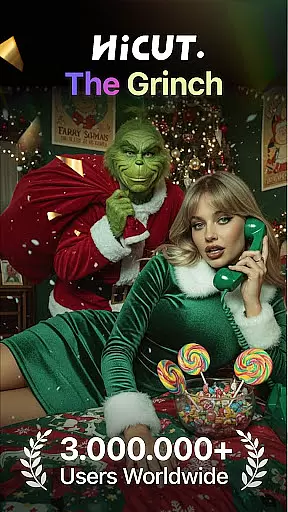
AI Video Generator-HiCut is a cutting-edge Art & Design application that specializes in AI-powered photo editing and video creation. The app offers an impressive suite of features including AI filters, video style conversion, and the unique AI hugging video technology. These tools enable users to transform their photos into various artistic styles such as anime, comic, game characters, and sketches instantly. Whether you're looking to create innovative content, personalized avatars, or capture unforgettable moments with loved ones, HiCut provides all the necessary tools driven by advanced AI technology.
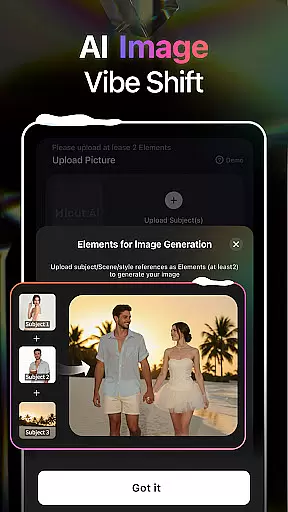
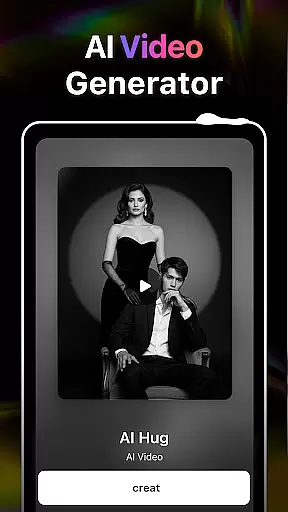
The app's standout feature is its ability to generate realistic virtual hugs by uploading two single-person photos, allowing users to create heartfelt moments even with those who are no longer present. Additionally, the Anime Photo Editor and Cartoon Filters offer hundreds of styles to choose from, making it easy to turn your photos into two-dimensional masterpieces or cartoon avatars. With these capabilities, HiCut empowers users to unleash their creativity and explore new dimensions in digital art and design.
AI Video Generator-HiCut stands out with its diverse and powerful features tailored for creative professionals and hobbyists alike. One of its most innovative features is the AI Hugging Video technology, which uses advanced algorithms to create realistic virtual hugs from two uploaded photos. This feature not only bridges distances but also transcends time, allowing users to create emotional connections with loved ones who may no longer be present.
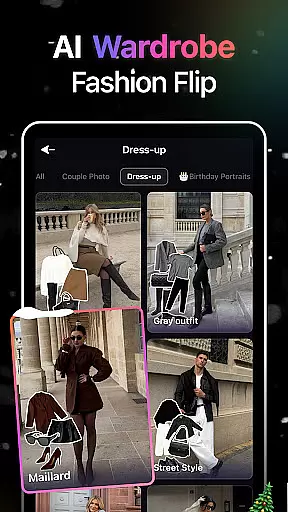
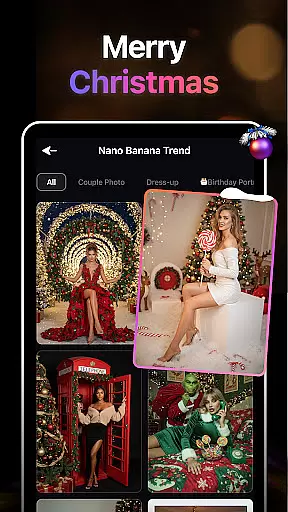
In addition to the hugging video, HiCut offers an extensive range of artistic filters and tools. The Anime Photo Editor lets users convert their photos into stunning anime-style images with hundreds of customizable options. The Cartoon Filters and Cartoon Avatars feature transforms ordinary photos into vibrant comic book characters, while the Game Character Maker allows users to design unique game characters in various styles like retro, film noir, cyberpunk, and more. These features collectively provide a comprehensive toolkit for unleashing creativity and producing professional-quality designs.
In the realm of digital creativity, having a comprehensive suite of tools is paramount. AI Video Generator-HiCut rises to this occasion by offering an extensive array of features that cater to various artistic needs. The application includes AI filters, video style conversion, and the pioneering AI hugging video technology, which collectively enable users to transform static images into dynamic anime, comic book characters, or detailed sketches.
Each tool within HiCut is engineered using state-of-the-art AI technology, ensuring high-quality output with every use. Users can explore different creative avenues, from crafting innovative content and personalized avatars to immortalizing cherished moments in a unique format. This diversity not only enhances user engagement but also significantly broadens the scope of projects that can be undertaken within the app.
The true value of HiCut's creative toolkit lies in its ability to democratize art creation. By simplifying complex processes into user-friendly interfaces, it empowers individuals without prior artistic training to produce professional-grade work. Thus, whether you're looking to dive into the world of anime or seeking to create compelling game characters, HiCut stands as a robust companion on your creative journey.
Flexibility in canvas and format options is crucial for unleashing full creative potential, and AI Video Generator-HiCut excels in providing this versatility. The application supports a wide range of photo editing styles and video formats, accommodating everything from anime transformations to realistic virtual hugs. This adaptability ensures that creators are never limited by the medium but are instead free to explore their imagination fully.
HiCut's advanced AI technology facilitates seamless transitions between different artistic expressions, allowing users to experiment with hundreds of styles at their fingertips. Whether one desires to step into the shoes of a superhero through cartoon avatars or wishes to craft nostalgic memories with loved ones via the AI hugging video feature, the possibilities are virtually limitless.
Moreover, the ease with which these transformations can be achieved adds another layer of appeal to HiCutu2019s offerings. By prioritizing intuitive design and straightforward functionalities, the app makes sophisticated artistic endeavors accessible to everyone. As such, HiCut not only meets the demands of seasoned artists but also invites novices to embark on their creative explorations without intimidation.
User-friendly interface
Advanced AI technology
Versatile style options
Unique hugging video
Comprehensive editing tools
May require high device specs
Some features might need subscription
Occasional processing delays
Limited free style choices
Steep learning curve for beginners

Pose and morph realistic male and female models! 3D poser app
 3.00
3.00
Draw glowing spinners, relax, and spin your creative art
4.60
800+ Drawing, Painting Lessons App to Practice, Sketch & Paint Art.
4.30
Art of Combination Wear OS Watch Faces
3.30
Experience next-gen icons with a modern liquid glass look.
3.60
Photo stitcher for automatically screenshot stitching into a long screenshot
4.70
Just trace a projected picture on paper and color! Draw & Paint with AR drawing
4.40
Create amazing pictures and unleash your creative genius with AR Drawing Sketch
4.40
Multiplayer Drawing game, Coloring, Painting・Sketch, Handwriting・Paint, draw
4.30
Mobile pixel art editor. Simple. Fast. Portable.
4.80
Get an overview over all your embroidery threads, projects and more.
4.60
Kling AI is an image and video generation and editing studio powered by AI.
4.50
Photo blender app to create overlay photos & double exposure.
4.40
Everything you need to create hand drawn animation, anywhere you go!
4.40
Nano Banana AI Image Generator, Anime Filter, AI Portrait, AI Photo Generator
4.30
Unleash Your Creativity with Draw Cartoon - AR Drawing App
4.10
Create trending AI photos & videos with powerful effects and 3D styles.
3.20
Download now for a stylish and functional timepiece
4.1
A luxurious gold watch face for an elegant and refined look.
4.5



User Reviews