
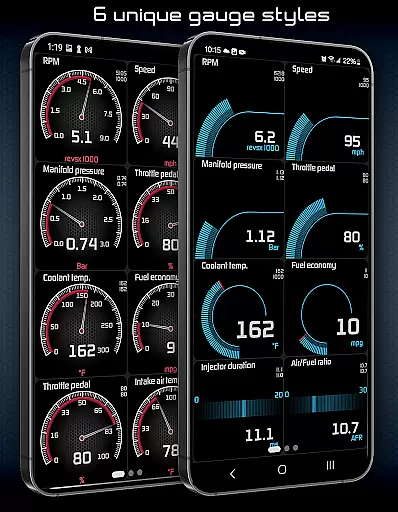
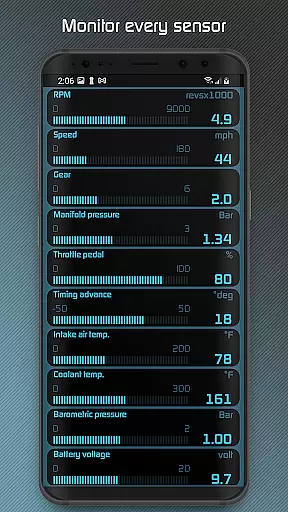
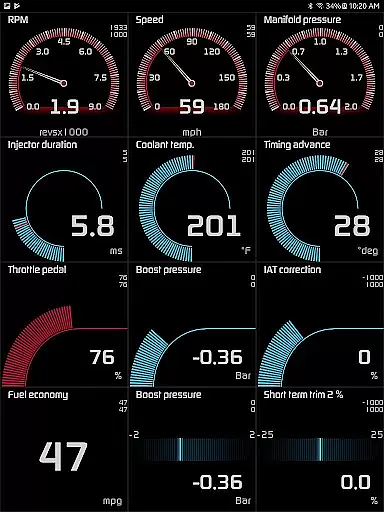
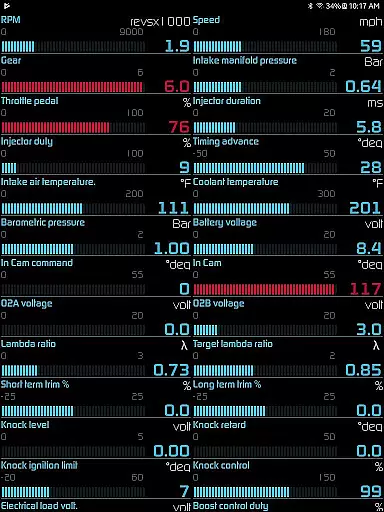
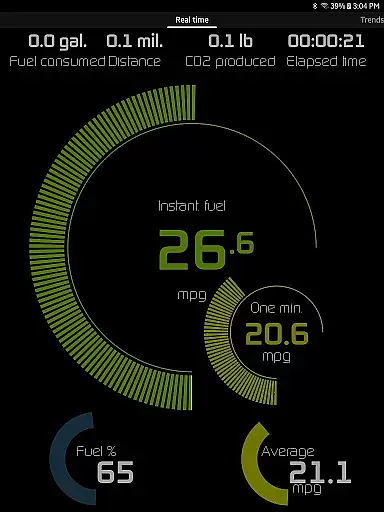
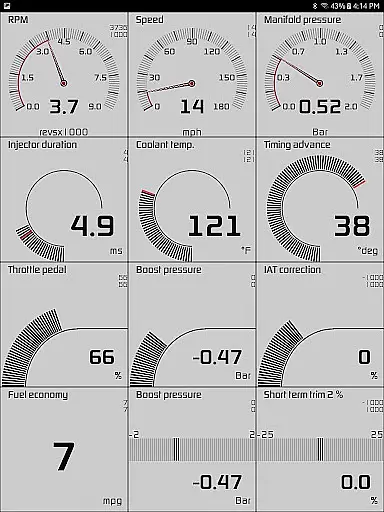
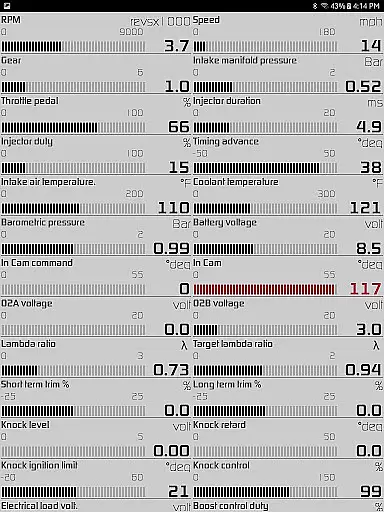
Hondata app transforms your Android device into a comprehensive performance tracking and troubleshooting tool for Honda vehicles. It allows real-time monitoring of 80 sensors through customizable gauges, providing critical data such as fuel economy, boost pressure, and battery voltage.
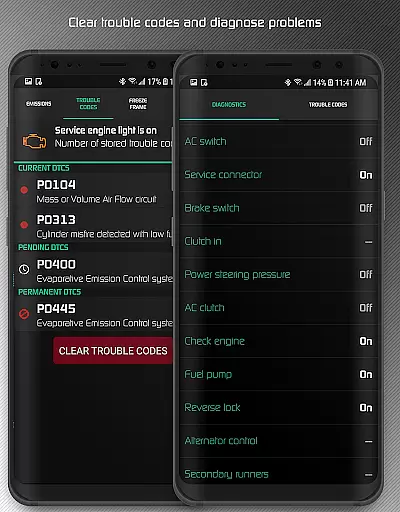
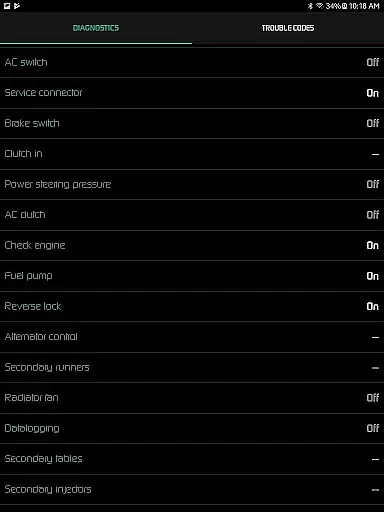
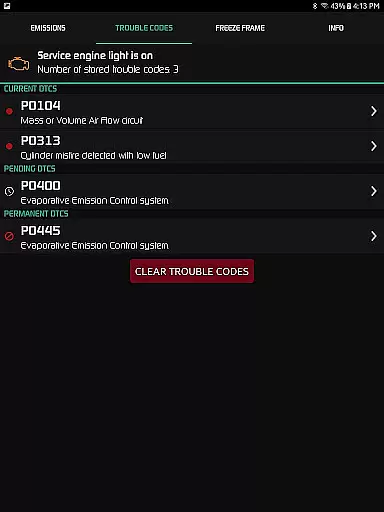
One standout feature is the ability to read and clear vehicle trouble codes, helping users understand issues before visiting a mechanic. The app also offers advanced diagnostic capabilities, fuel economy tracking in multiple units, and even drag race timing functionalities.
Ideal for car enthusiasts and everyday drivers, Hondata ensures better vehicle maintenance and performance optimization. Its compatibility with specific hardware like Flashpro and Kpro4 makes it especially valuable for users with performance-oriented Hondas.
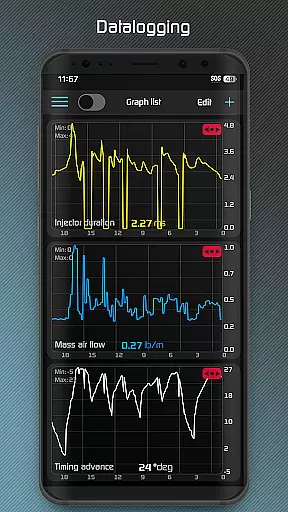
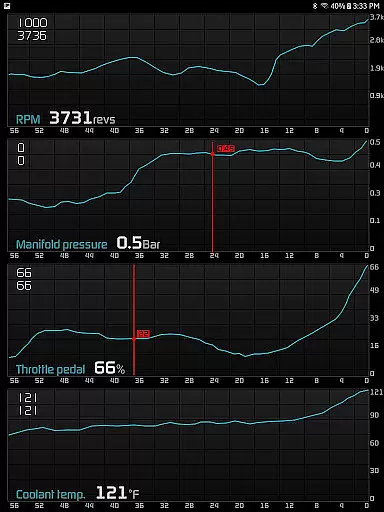
The Hondata app boasts an impressive range of features designed for detailed vehicle analysis. Users can plot real-time sensor data onto interactive graphs, recording up to four sensors simultaneously and exporting the data as CSV files for further analysis.
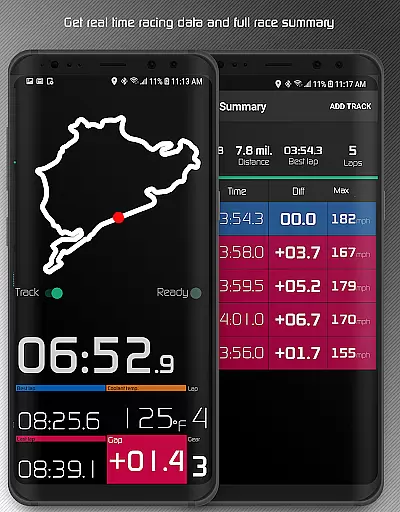
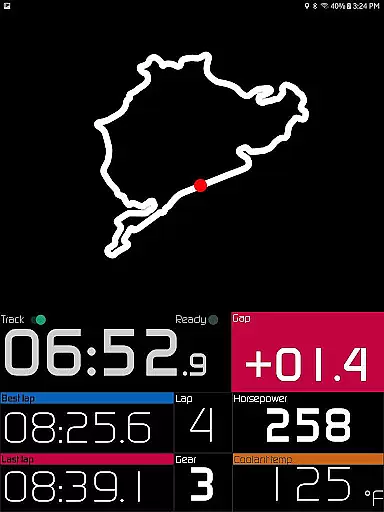
Its diagnostics suite reads up to 40 parameters, including engine knock count and VTEC pressure, while offering five methods of fuel economy calculation. The racetrack feature provides drag race times, lap times, and GPS-based track positioning, appealing to motorsport enthusiasts.
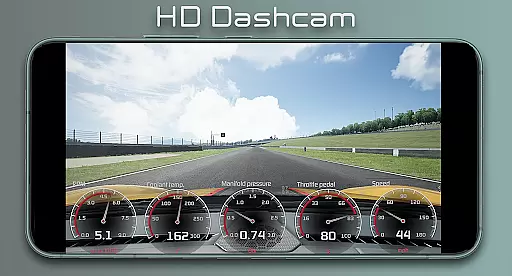
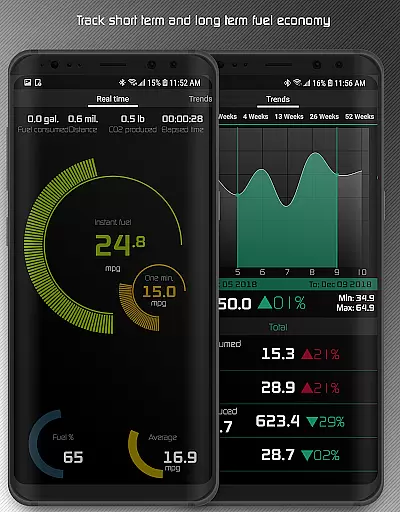
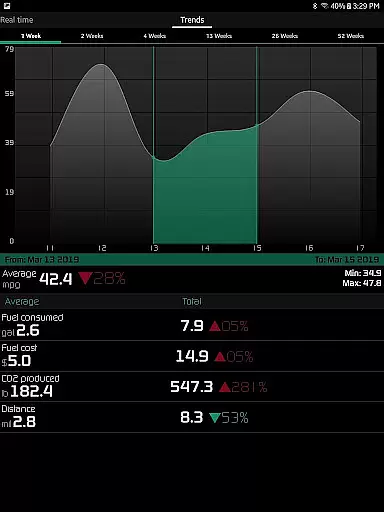
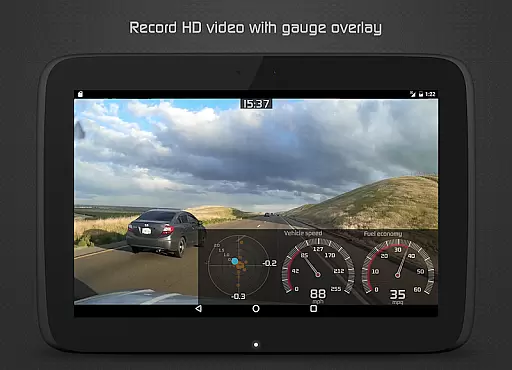
Additional highlights include high-definition video recording with superimposed gauges, long-term fuel economy tracking with interactive graphs, and visual/sound notifications for user-defined sensor limits. These tools collectively enhance both daily driving and competitive racing experiences.
The Hondata app excels in providing precise and effective core functionalities that transform your Android device into a comprehensive car performance tracking and troubleshooting tool. With the ability to monitor up to 80 real-time sensors, including fuel economy and boost pressure, it ensures accurate data representation through customizable gauges and interactive graphs.
One of the key features is its capability to read and clear vehicle trouble codes, which empowers users with preliminary diagnostics before visiting a mechanic. The app supports up to 40 diagnostic parameters, offering insights into engine knock counts and other critical metrics, thus enhancing the understanding of your Honda's health status.
For performance enthusiasts, the Hondata app offers advanced tracking such as drag race times and lap statistics. By recording high-definition videos with superimposed gauges, users can analyze their driving dynamics while ensuring all data is exportable for further scrutiny. This positions the Hondata app as an indispensable tool for both daily drivers and racers alike.
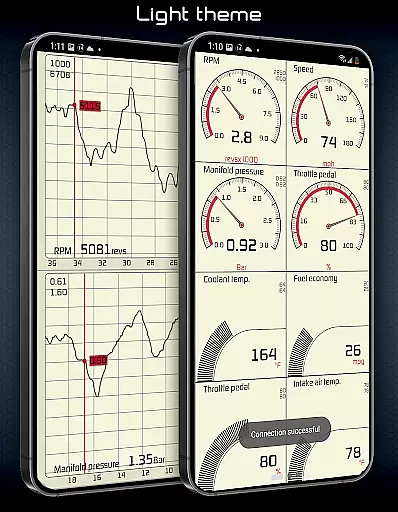
Hondata stands out by offering an intuitive interface that simplifies complex automotive data into digestible information. Users can easily navigate through various views thanks to two selectable themes and landscape mode availability, making it convenient to use whether you're tuning your car at home or monitoring performance on the go.
The app provides an accessible way to track fuel economy over different time intervals using an easy-to-understand interface. With visual and sound notifications when sensor limits are reached, drivers remain constantly informed about their vehicleu2019s condition without needing to interpret raw data, showcasing the app's user-centric design.
Additionally, features like speed limit warnings and heads-up display (HUD) gauges for night driving ensure safety and compliance with traffic laws. These thoughtful inclusions highlight Hondata's commitment to delivering not just powerful analytics but also practical tools that enhance overall driving experience while maintaining operational simplicity.
Real-time performance tracking
Advanced diagnostic tools
Fuel economy optimization
Racetrack timing features
Customizable gauge interface
Limited device compatibility
No Android Auto support
Requires specific hardware
Potential complexity for novices
Dependent on vehicle sensors

Transfer Files, APK from Phone to Watch & Install.
 4.4
4.4
A recovery soft,it features photo recovery, video recovery, file recovery.
3.40
Safely recover deleted photos, videos, and files with a single easy tap.
3.70
An easy-to-use calculator designed to save time calculating and bending conduit
4.30
Smart and comfortable browsing experience.
3.80
Detect hidden spy camera with advanced scanning {{ Premium version }}
4.00
WiFi Signal Strength Meter help you detect WiFi Signal Strength in real time.
4.80
The ultimate tool for network analysis, wifi scanning and problem detection.
4.90
Download any file easily and quickly with Downloader
4.5
Change your GPS location instantly. Simulate routes anywhere in the world.
4.90
Learn the vast amount of system information about device and monitor it's state
4.70
Protect your device with antivirus, storage cleanup, and system monitoring
4.70
Play your X-Box games remotely in 1080p with any controller and zero latency
4.60
With videos, electrical calculators, and built-in ebook, Ugly’s has your answer.
4.50
Game Booster, GFX Tool is now compatible with newer game update
4.50
Effortlessly run ADB commands directly on your device without a PC.
4.20
Automate everything from settings to photos, SMS to speech. ADC2 prize winner.
4.10
Create your own live wallpaper or check out thousands already made presets
3.90
Unleash gamepad precision for ultimate mobile gaming dominance.
3.90




User Reviews