
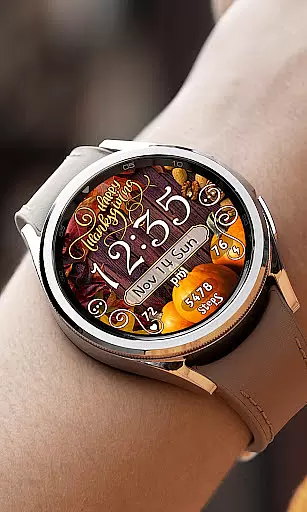
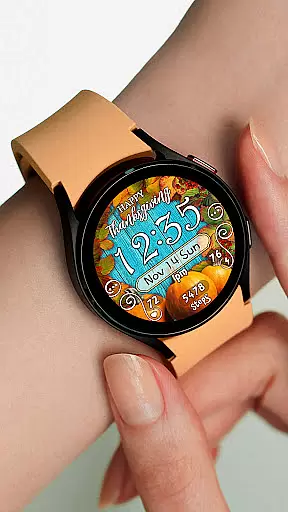
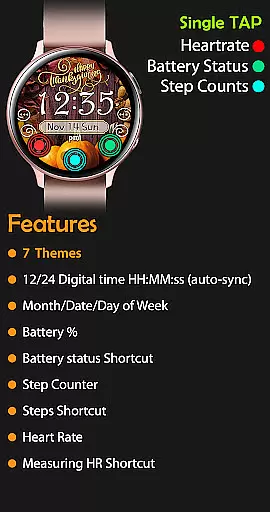
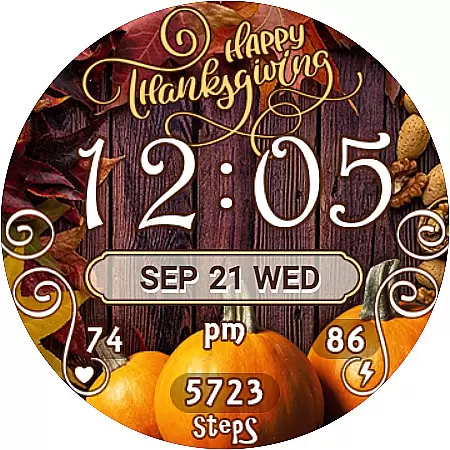
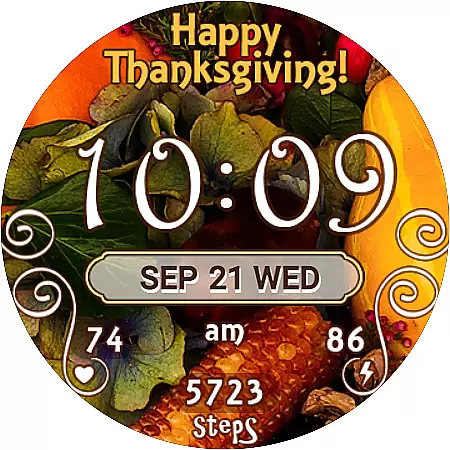
Thanksgiving Day Watch Face is a specially designed app for Wear OS devices, offering users a festive watch face experience tailored to the Thanksgiving holiday. The app features a 12/24 digital time display that automatically syncs with your phone's time settings, ensuring accurate timekeeping without unnecessary leading zeros in 12-hour mode.
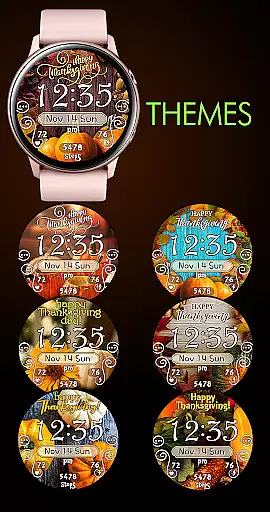
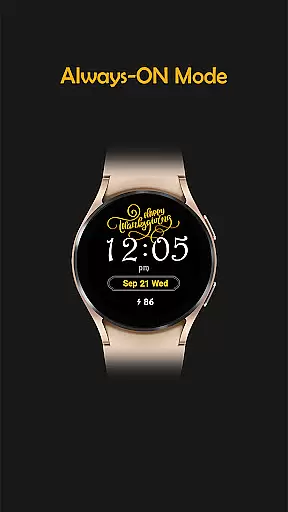
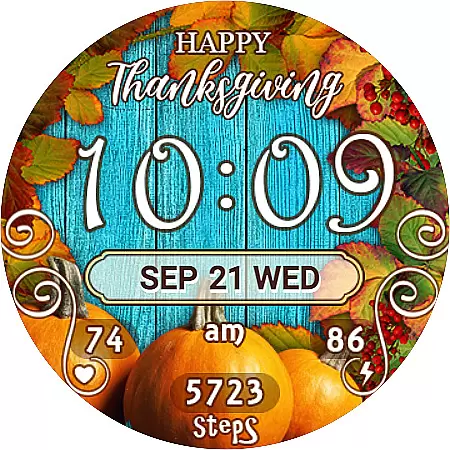
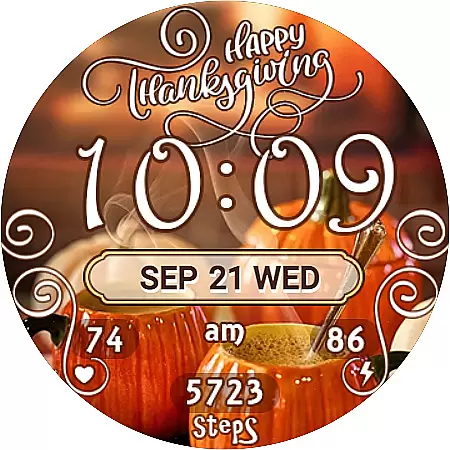
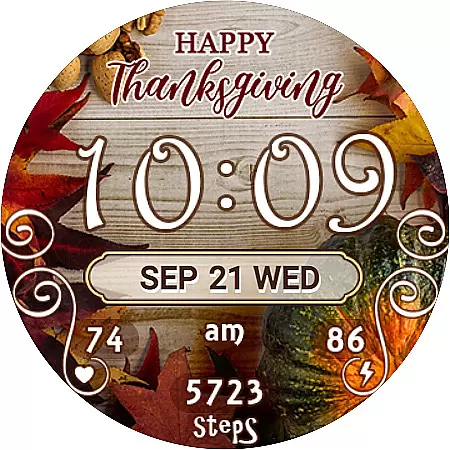
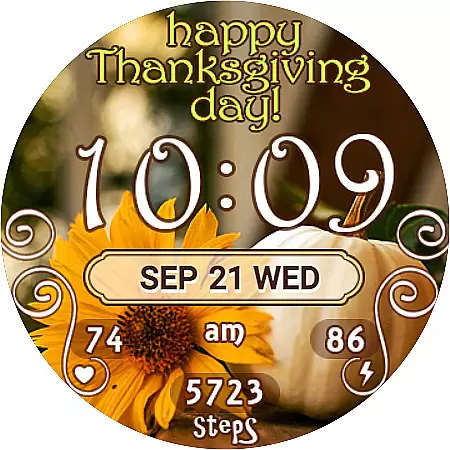
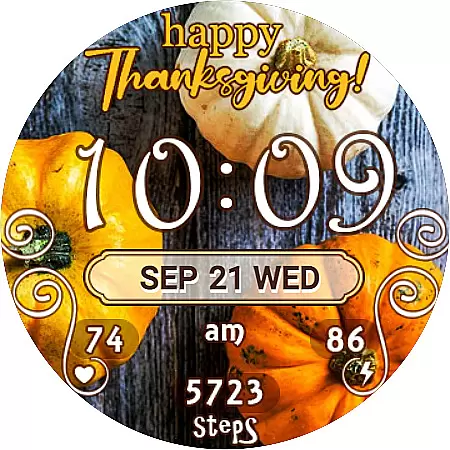
With seven unique background themes, users can easily customize their watch face to match their personal style. The active mode provides essential widgets and shortcuts including date, battery percentage, step counter, and heart rate monitoring. The always-on display ensures key information remains accessible even when the watch is idle, making it both functional and festive.
This watch face stands out with its thoughtful design elements and practical features. The automatic time synchronization ensures users always have the correct time, while the no-leading-zero format creates a cleaner look in 12-hour mode. The seven background themes offer versatile customization options, allowing users to switch between different Thanksgiving-inspired designs.
The active mode includes essential widgets like step counter, heart rate monitor, and Samsung Health shortcut, providing users with quick access to their health data. The always-on display maintains crucial information visibility while conserving battery life. These features combine to create a watch face that's both visually appealing and functionally practical for daily wear.
Companion app integration is essential for a seamless experience between your mobile device and wearable. The Thanksgiving Day Watch Face ensures that all features are perfectly synced with your phone, providing real-time updates.
This watch face auto-synchronizes the time with your phone, ensuring you always have the correct time. It also supports 12/24-hour digital time formats, adapting automatically based on your phone settings.
Users benefit from an intuitive setup process where features like battery percentage, step counter, and heart rate are easily accessible. This synchronization allows for instant updates and changes to your watch face preferences directly from your phone.
The value of this integration lies in its ability to keep all your devices updated and consistent, enhancing usability and convenience. With just a few taps, users can customize their watch faces to suit their style while enjoying the full range of functionalities.
Ensuring compatibility across various Wear OS devices is crucial for a versatile user experience. The Thanksgiving Day Watch Face is designed to work seamlessly with multiple devices, offering extensive support for different models.
This application provides seven unique background themes, allowing users to personalize their watch faces effortlessly. These themes are optimized for different screen sizes and resolutions, ensuring high-quality visuals on any device.
By supporting both active mode and always-on display features, this watch face guarantees that users can access important information at a glance, regardless of their device type. Features such as day of week, date, month, battery percentage, and step counter are readily available.
The true advantage of this compatibility is the flexibility it offers. Whether you're using a smartwatch for fitness tracking or daily convenience, the Thanksgiving Day Watch Face adapts to meet your needs, providing a reliable and visually appealing solution.
Perfect for Thanksgiving
Easy to install
7 unique themes
Health widgets included
Always-on functionality
Limited to Wear OS
No analog option
Few advanced features
Holiday-specific design
Premium price point

Watch the sharpness of the sky on your wrist..
 3.70
3.70
A heartwarming Christmas scene featuring a cute image of Santa and Rudolf
4.5
Authentic military-tactical design with ZULU time! Realistic and functional!
3.80
Find EV charging stations
4.30
Real-time results, stats, schedules and player profiles for all leagues
4.60
A realistic hybrid watch face with many customization options.
4.60
Your local weather forecast, storm tracker, radar maps & live weather news
3.40
Want to take charge of your health? Let Google Fit help you reach your goals.
3.50
Download full tracks, listen to music offline, make unlimited playlists.
4.80
Period, ovulation & pregnancy tracker. Fertility insights & menstrual calendar.
4.90
The Chevron App allows you to pay for fuel from the comfort of your car!
4.80
Retro digital watch face with customizable colors and a unique lighting effect
4.60
Connect to your Bluelink equipped Hyundai vehicle from your smartphone.
4.50
Digital watch face with big numbers and many customization for Wear OS devices
4.40
Bold, Modern Hybrid Watch Face for Wear OS. 10 Colors, Rich Info Display.
4.30
Locate your family members by GPS phone location tracker everywhere and anytime
4.30
an Analog Watch Face for winter season with freeze winter background for Wear OS
4.3
Simple Analog-Digital Watchface For Wear OS 3.0 and Up Smartwatches
4.4
Hybrid Vibrant Health Watch Face for Wear OS
4.1



User Reviews