
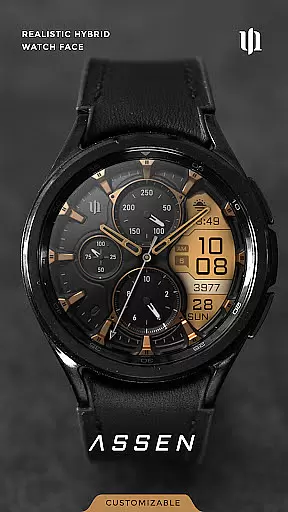
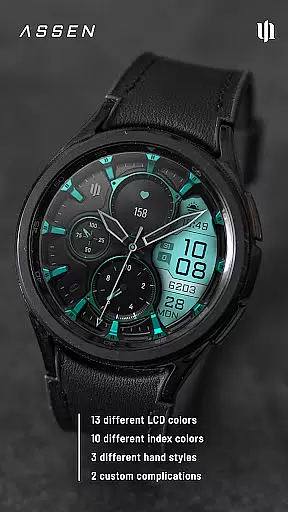
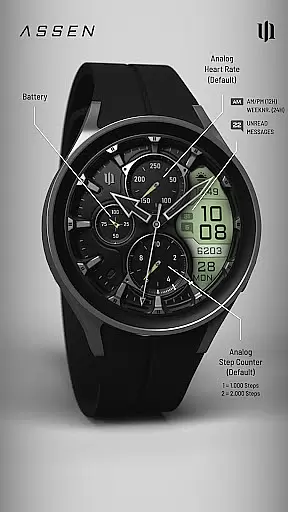
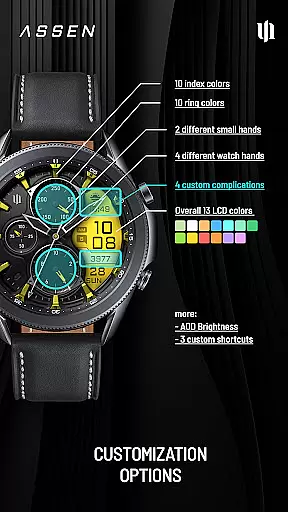
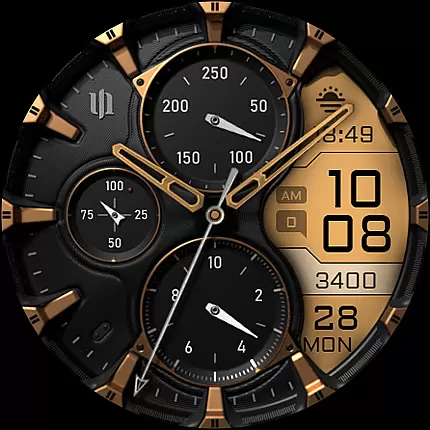
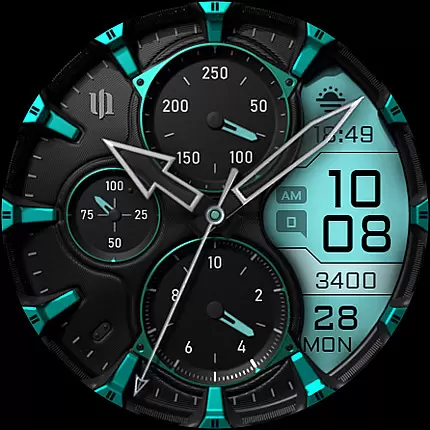
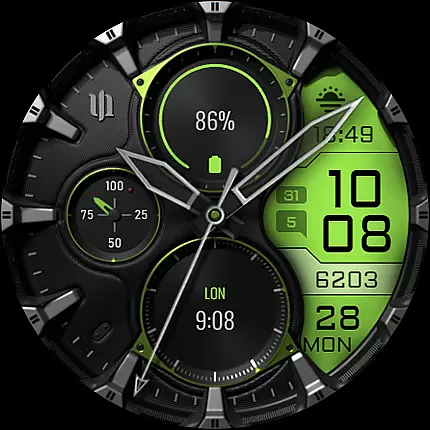
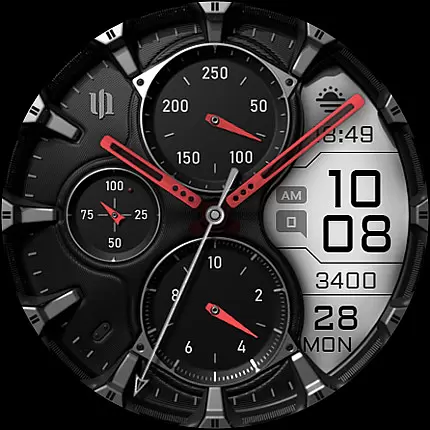
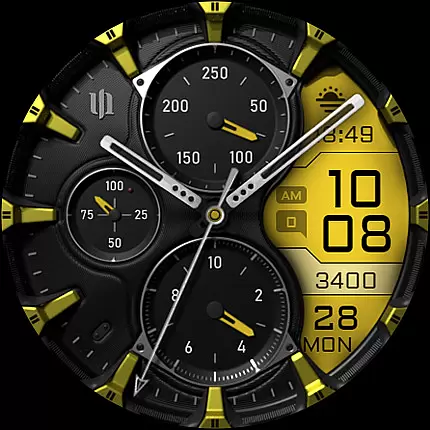
S4U Assen is a premium Wear OS watch face that combines realistic analog design with practical digital elements. Featuring a hybrid dial, it displays essential information such as time, steps, heart rate, and unread messages while offering customization options like 13 LCD colors and 10 index colors. With support for complications and shortcuts, users can personalize their experience to suit their needs.
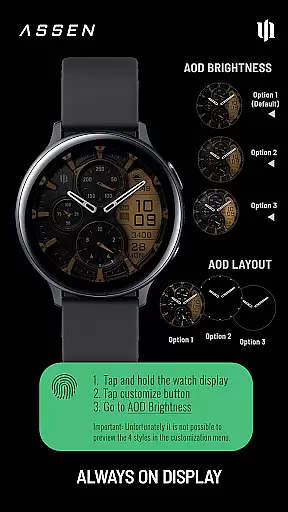
This app is ideal for users seeking both style and functionality on their smartwatches. Compatible with Wear OS 4 and above, it works seamlessly on devices like Samsung Galaxy Watch series and Google Pixel Watch. The always-on display (AOD) ensures visibility at all times, with adjustable brightness levels to balance utility and battery life.
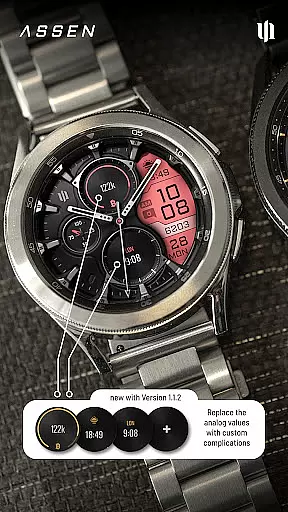
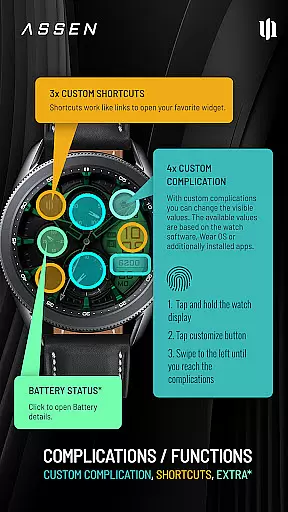
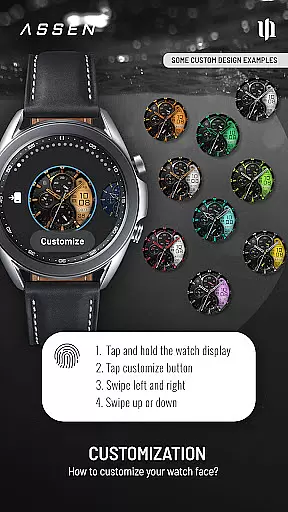
The S4U Assen stands out with its extensive customization capabilities. Users can choose from 4 clock hand styles, 2 small hand designs, and multiple color themes for the LCD display, indices, and rings. Additionally, the app supports 4 custom complications and 3 app shortcuts, allowing users to access their most-used widgets and data effortlessly.
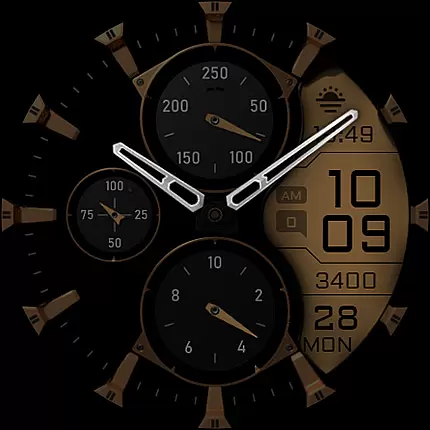
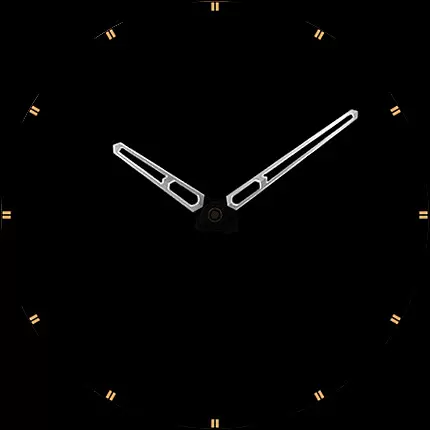
A key highlight is the Always-On Display (AOD), which offers three brightness levels and an optional minimal layout mode. While enhancing convenience, the AOD feature is optimized to minimize battery drain based on ambient light conditions. Furthermore, interactive elements like the battery indicator provide quick access to additional details, making this watch face both versatile and user-friendly.
Companion app integration is essential for a seamless Wear OS experience. The S4U Assen watch face requires the use of a companion app to unlock its full potential. This app serves as the control center where users can manage all customization options and troubleshoot any issues.
The companion app provided with your purchase ensures that installation and setup are straightforward. If you encounter any problems, the app includes an Install/Issues section that guides you through resolving common challenges. This integrated approach simplifies the user experience, making it easier to enjoy the watch face's features without frustration.
For additional support, users can directly email wear@s4u-watches.com. This direct line to customer service enhances the reliability of the companion app integration, ensuring that help is readily available when needed.
Ensuring compatibility with Wear OS and specific devices is crucial for the S4U Assen watch face. This app supports smartwatches running Wear OS 4 or higher (Wear OS API 33+), including popular models like Samsung Galaxy Watch 4, 5, 6, 7, 7 Ultra, and Google Pixel Watch 1u20133. Compatibility with these advanced devices guarantees optimal performance and access to the latest features.
Device compatibility extends beyond just the operating system. The S4U Assen offers extensive customization options, which are best experienced on high-resolution screens and devices with robust processing power. Users can fully utilize color customization, complications, and always-on display settings without worrying about performance lags.
Moreover, the app provides clear guidance on compatibility and troubleshooting steps. If issues arise, users can refer to the companion appu2019s Install/Issues section or contact support at wear@s4u-watches.com. This comprehensive support system ensures that users can maximize their experience with the S4U Assen on compatible devices.
Highly customizable
Realistic analog design
Supports complications
Always-On Display
Wide device compatibility
Battery consumption
Complex setup
Limited free options
Premium cost
Device restrictions

Embrace the holiday spirit with this magical animated watch face!
 4.40
4.40
Rose gold watch face with festive lights & customizable features.
4.60
Snowflake Rose Gold Watch Face - Digital, modern, & sleek with GYRO effect.
4.10
Authentic military-tactical design with ZULU time! Realistic and functional!
3.80
Funny animated watch face for Thanksgiving
4.2
A modern hybrid informative watch face for Wear OS designed by BALLOZI
4.80
Hybrid Vibrant Health Watch Face for Wear OS
4.0
Premium hybrid watch face with many customizations for Wear OS devices.
4.40
Download full tracks, listen to music offline, make unlimited playlists.
4.80
Christmas - Festive - Christmas Village - Winter - Christmas lights
5.00
Gym Log & Workout Tracker | Fitness Journal, Training & Weight Lifting Planner
4.90
Real-time weather radar with temperatures, warnings, hurricanes, and widgets
4.80
The most customizable minimal watch face. For Wear OS 5.0, API 34+ and later
4.70
Simple, helpful messaging by Google
4.60
The #1 source of faces for your smartwatch!
4.00
Watch face designed for Thanksgiving Day. 7 Background Styles included.
3.20
Analog watch face with 8 complications and expedition styling
4.1
A heartwarming Christmas scene featuring a cute image of Santa and Rudolf
4.3
Artistic Digital Watchface
4.3



User Reviews