
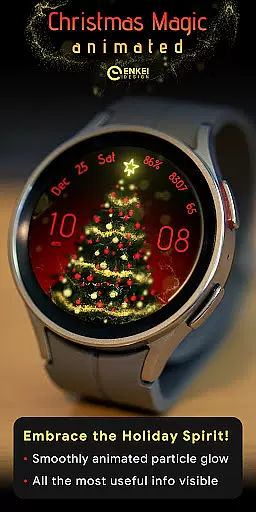
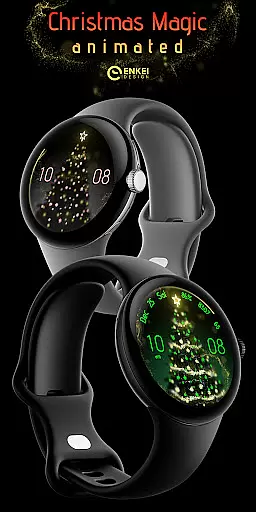
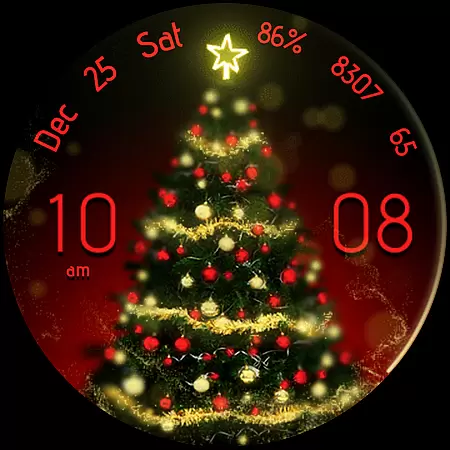
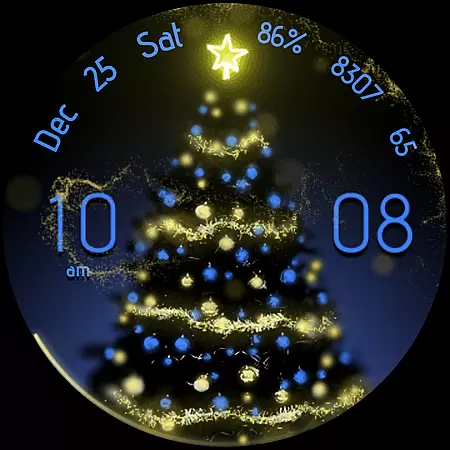
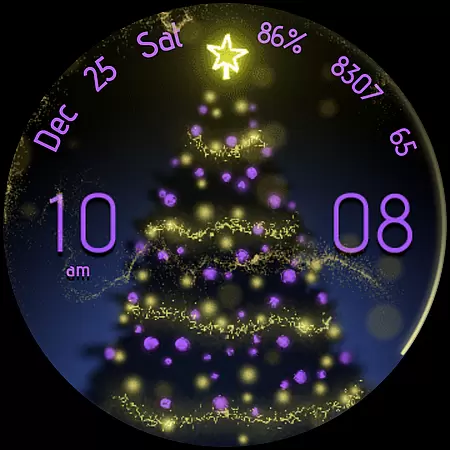
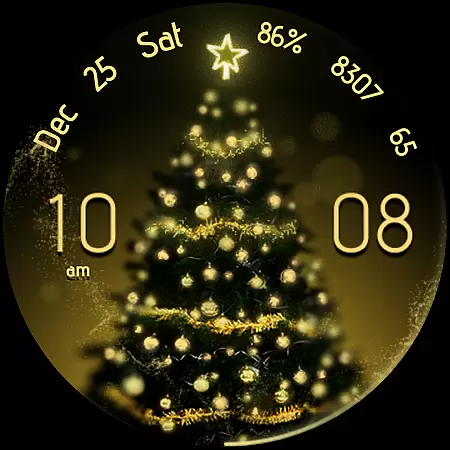
Christmas Magic is a premium watch face designed exclusively for Wear OS devices running version 5.0 and above. This magical watch face features stunning golden 'fairy dust' animations that create an enchanting visual effect on your smartwatch display. Beyond its eye-catching design, Christmas Magic offers practical functionality with useful indicators like digital clock, date, battery percentage, and step counter.
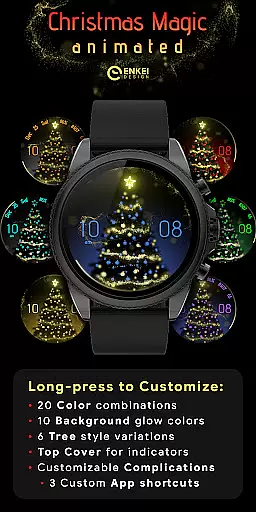
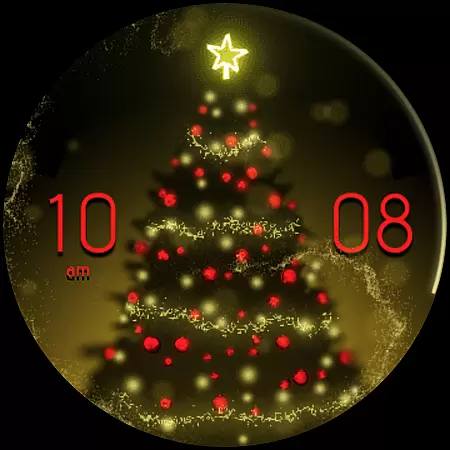
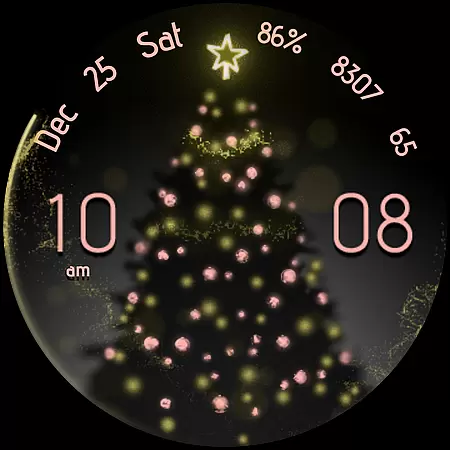
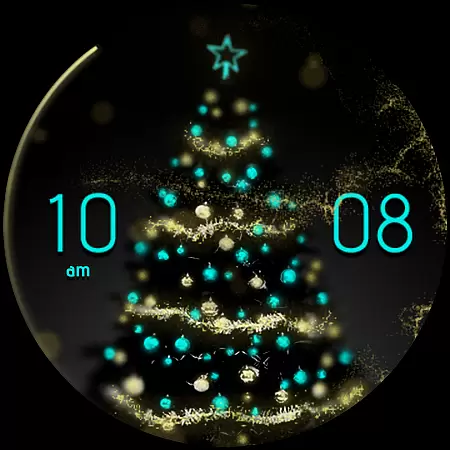
The watch face stands out through its deep customization options powered by Watch Face Format technology. Users can personalize accent colors, background styles, tree designs, and more through the intuitive Customize menu. The interface also includes interactive elements - tapping different sections opens corresponding apps or settings. With efficient Always-On Display mode and hidden app shortcuts, this watch face combines beauty with utility while maintaining good battery efficiency.
Ideal for users who want to add festive charm to their smartwatch during holiday seasons while keeping essential information readily accessible. The combination of visual appeal and functional features makes it suitable for both casual users and tech enthusiasts who appreciate sophisticated wearable interfaces.
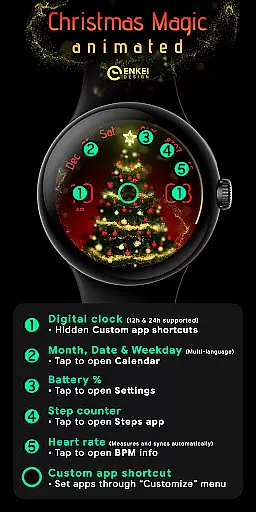
Christmas Magic watch face distinguishes itself through several notable features. The most striking element is its signature 'fairy dust' animation - a beautiful golden particle effect that creates a magical atmosphere on your watch display. The digital clock supports both 12h/24h formats and hides three customizable app shortcuts within its hour, minute, and center sections, offering quick access to frequently used applications.
Practicality meets customization in its comprehensive set of indicators. The watch face displays month, date, and weekday in multiple languages, alongside essential metrics such as battery percentage, step counter, and BPM indicator. Each element is interactive - tapping them opens relevant apps or settings. The Long-press Customize menu provides extensive personalization options including 20 accent colors, 10 background colors, and 6 tree styles, allowing users to tailor the appearance to their preference.
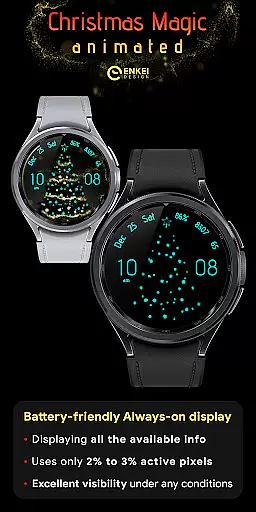
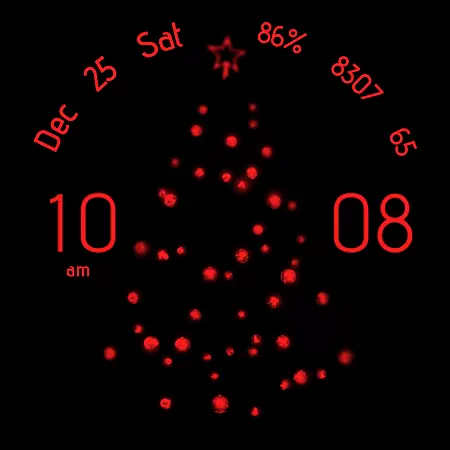
Performance optimization is evident in its battery-efficient Always-On Display (AOD) mode, which uses less than 3% of active pixels while maintaining visibility. The implementation of hidden complications and top cover toggle demonstrates thoughtful design that balances information density with clean aesthetics. These features collectively create a sophisticated smartwatch experience that caters to both visual appeal and functional requirements.
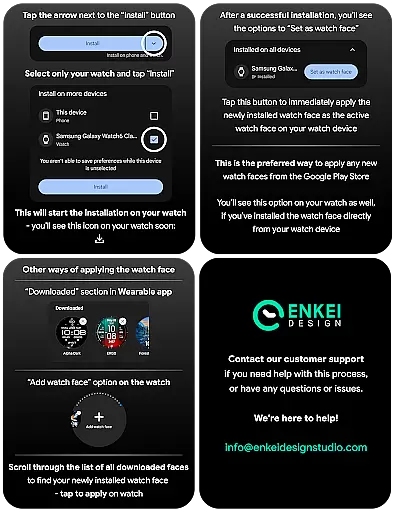
For Christmas Magic - watch face, companion app integration is a crucial feature that enhances the user experience. The phone companion app serves as a bridge to facilitate direct installation of the watch face onto your Wear OS device. This ensures a seamless setup process without requiring users to manually search for the app on their smartwatch.
The integration goes beyond mere installation assistance. It allows for synchronization of settings between the phone and the watch, ensuring that customizations made through the companion app reflect accurately on the wearable device. Users can access advanced customization options, such as color schemes, background styles, and app shortcuts, directly from their phones.
This level of integration provides significant convenience, especially when setting up new devices or restoring previous configurations. By centralizing control through the companion app, users can easily manage their watch face settings alongside other smartwatch features, creating a unified and efficient management system.
Christmas Magic - watch face is specifically optimized for Wear OS 5.0 and newer versions (API 34+), ensuring maximum compatibility with the latest smartwatch operating systems. This strict compatibility requirement guarantees that users will experience the full range of features without encountering performance issues or missing functionalities.
The watch face takes advantage of Wear OS's advanced capabilities, including expanded customization options and battery-efficient Always-On Display (AOD) modes. These features are only possible due to the tight integration with the Wear OS platform, which enables the use of less than 3% of active pixels in AOD mode, significantly conserving battery life.
By focusing on newer Wear OS versions, the application ensures better stability, security, and access to the latest platform improvements. Users can be confident that their smartwatch will maintain optimal performance while running this watch face, providing both aesthetic appeal and functional reliability.
Stunning visual effects
Extensive customization
Interactive elements
Battery efficiency
Useful indicators
Wear OS 5.0+ only
Premium price point
Complex setup
Limited phone features
Resource intensive

Highly customizable hybrid watch face for Wear OS, perfect for everyday use.
 4.60
4.60
Wear Os Watch Face - Animated Snow - Sesonal for Christmas & Winter
4.3
Christmas is near, let's count together the days left until Santa comes
4.5
Elegant animated Christmas tree with multiple customization options
4.20
A modern premium sporty hybrid watch face for Wear OS by Ballozi
4.70
3 Complications. All shadow on/off. 30 Themes color palette...
4.5
Stylish digital watch face for Wear OS devices with customizable features
4.0
Want to take charge of your health? Let Google Fit help you reach your goals.
3.50
Track airplanes and follow flights with our real-time flight tracker
4.50
Real-time weather radar with temperatures, warnings, hurricanes, and widgets
4.80
Current temperature, weather hourly, weather radar by the weather forecast app
4.40
Digital watch face. For Wear OS devices.
4.40
Watch face for Wear OS.
4.20
Let's celebrate Thanksgiving - Wear Os watch face
4.20
The #1 source of faces for your smartwatch!
4.00
Viewer for Wyze/Yi/Eufy/Arlo/ONVIF/RTSP/P2P IP cams w/ adv. features & DIY DVR
4.00
Get helpful reminders, take progress photos and find answers to your questions.
3.90
Authentic military-tactical design with ZULU time! Realistic and functional!
3.80
Stay in touch with your friends and family using LINE!
3.40




User Reviews