
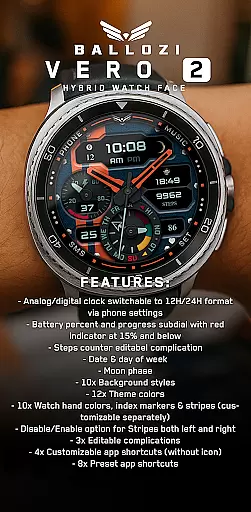
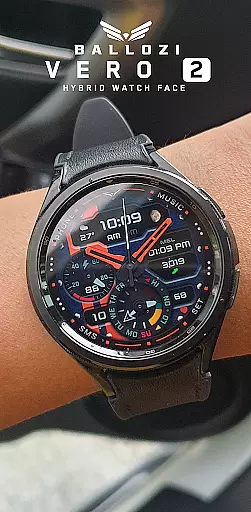
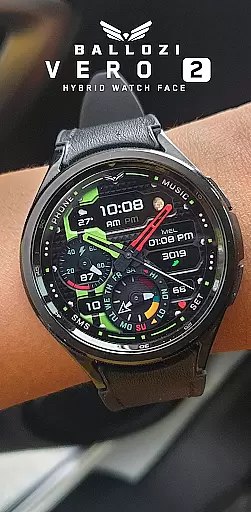
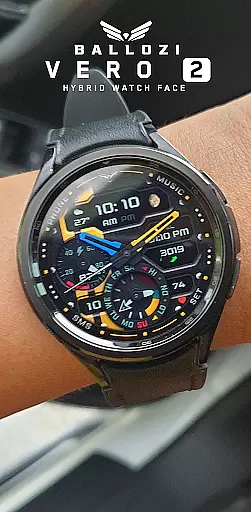
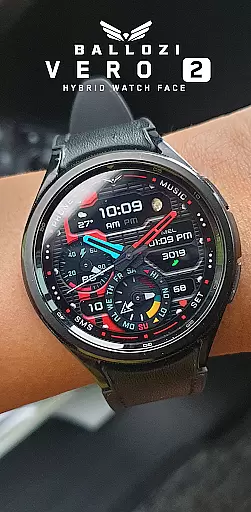
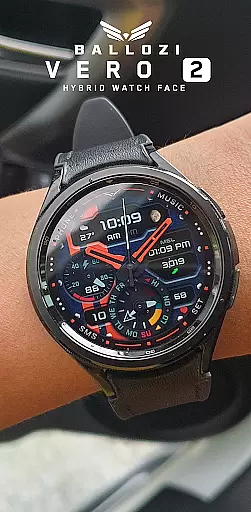
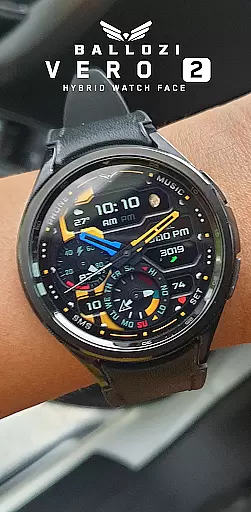
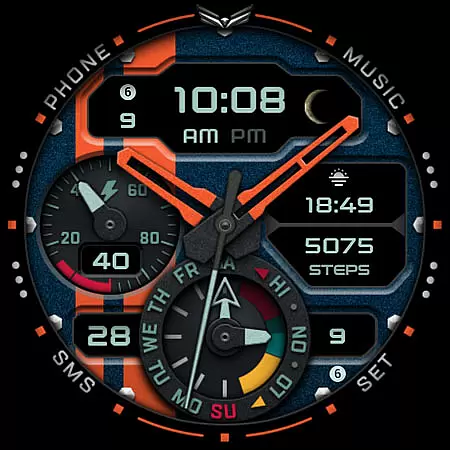
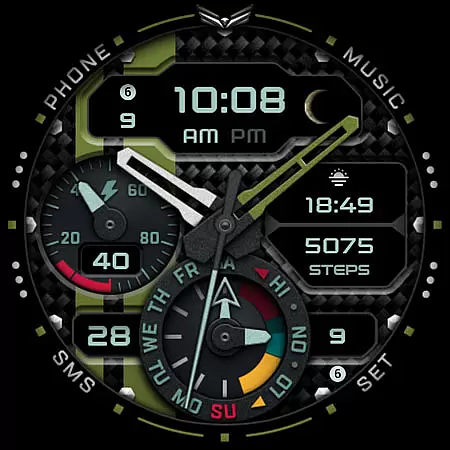
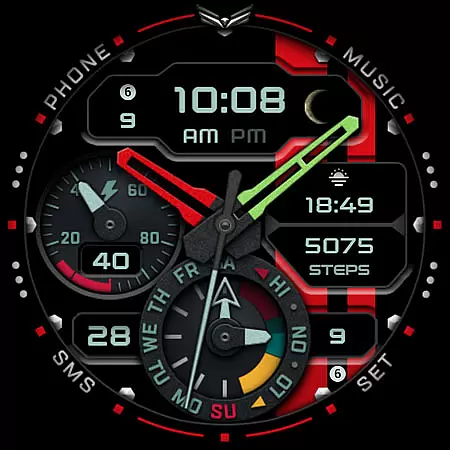
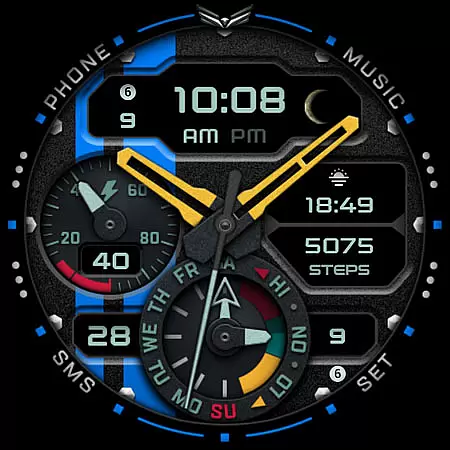
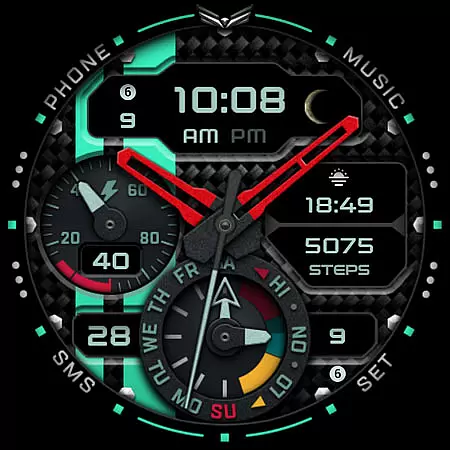
Ballozi VERO 2 Hybrid Analog is a feature-rich Wear OS watch face that combines modern design with practical functionality. This hybrid watch face offers both analog and digital clock displays, switchable between 12H and 24H formats through phone settings. It includes customizable complications, informative subdials, and multiple customization options for backgrounds, themes, and watch hands.
The watch face provides users with essential information at a glance, including battery percentage, steps counter, date, day of the week, and even moon phase. With compatibility limited to Wear OS 5.0 or higher, it ensures optimal performance on supported devices. Its extensive customization capabilities make it suitable for users who value both aesthetics and functionality in their smartwatch display.
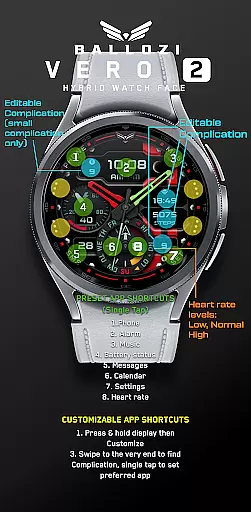
Ballozi VERO 2 stands out with its comprehensive feature set tailored for Wear OS users. The watch face includes an innovative analog/digital clock system that can be configured via phone settings, allowing users to choose their preferred time format. The battery subdial provides visual feedback with a red indicator warning when battery levels drop to 15% or below.
Customization is at the core of this watch face's design. Users can select from 10 background styles, 12 theme colors, and 10 watch hand color combinations. The interface supports three editable complications and offers both preset and customizable app shortcuts. Unique features include independent enable/disable options for design elements like stripes and multiple app shortcut configurations, giving users precise control over their watch face's appearance and functionality.
Companion app integration is essential for Android Wear applications as it ensures seamless synchronization between the watch and paired smartphone. Ballozi VERO 2 excels in this area by providing users with comprehensive installation options that cater to various devices and operating systems. The application offers clear, step-by-step guidance for installing the watch face on both Samsung and other Wear OS devices, ensuring that users can easily access and activate the new watch face from their phone's interface.
The level of detail provided for different smartwatch brands showcases Ballozi VERO 2's commitment to compatibility and user convenience. Whether through the Galaxy Wearable app or other brand-specific apps, users are guaranteed a smooth setup process. This attention to cross-device functionality means that regardless of the user's specific Wear OS device, they can enjoy a hassle-free experience when customizing their watch face.
Moreover, the availability of support and request via email adds an extra layer of reliability. Users experiencing issues during installation or customization can reach out for assistance, ensuring that help is readily available. This robust companion app integration ultimately enhances the overall utility and accessibility of Ballozi VERO 2, making it a versatile choice for Wear OS users seeking a feature-rich hybrid watch face.
Device compatibility is a critical factor for Wear OS applications, determining the range of devices that can effectively run the software. Ballozi VERO 2 specifies its compatibility with smartwatches running Wear OS 5.0 or higher (API level 34+), ensuring that users with up-to-date devices can take full advantage of its features. This deliberate choice of compatibility criteria reflects the application's focus on delivering a modern and optimized user experience.
The application's wide array of features, including analog/digital clock formats, battery indicators, customizable complications, and app shortcuts, are all designed to function seamlessly within the specified compatibility parameters. By aligning with the latest Wear OS standards, Ballozi VERO 2 guarantees that users benefit from enhanced performance and stability. This strategic decision also allows the application to leverage the most recent technological advancements in smartwatch hardware and software.
Furthermore, the emphasis on compatibility extends to the detailed installation instructions provided for different smartwatch brands. Whether using a Samsung Galaxy Watch or another Wear OS device, users can follow tailored steps to install and customize their watch face. This inclusive approach to Wear OS/device compatibility ensures that Ballozi VERO 2 remains accessible to a broad audience, enhancing its appeal among tech-savvy consumers looking for a reliable and versatile hybrid watch face solution.
Highly customizable
Informative subdials
Multiple theme options
Preset app shortcuts
Wear OS optimized
Limited device compatibility
Complex setup process
No built-in icon support
Advanced features require configuration
Higher API level requirement

Calming & relaxing sounds for sleeping and stress relief. Stay focused all day!
 4.20
4.20
Artistic Digital Watchface
4.3
Ideal for surviving in the wasteland left after nuclear fallout
4.50
Stay in touch with your friends and family using LINE!
3.40
Funny animated watch face for Thanksgiving
4.3
Real-time weather radar with temperatures, warnings, hurricanes, and widgets
4.80
Viewer for Wyze/Yi/Eufy/Arlo/ONVIF/RTSP/P2P IP cams w/ adv. features & DIY DVR
4.00
Hybrid Vibrant Health Watch Face for Wear OS
4.2
Connect, create, and collaborate with Gmail, part of Google Workspace.
4.10
Digital, flexibly customizable watch face. For Wear OS 5.0, API 34+ and later.
5.00
Highly customizable hybrid watch face for Wear OS, perfect for everyday use.
4.60
Fast and smart typing with Emojis, GIFs, and more
4.50
A white realistic classic analog watch face with many customization options.
4.40
A customizable Christmas watch face for Wear OS with a countdown.
4.20
Wear Os Watch Face - Animated Snow Effect & Christmas Lights
4.1
an Analog Watch Face for winter season with freeze winter background for Wear OS
4.2
Precision analog watch face with 7 complications and style options
4.5
Christmas is near, let's count together the days left until Santa comes
4.1
Stylish digital watch face for Wear OS devices with customizable features
4.5



User Reviews