
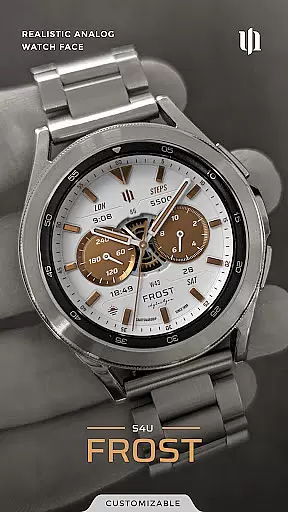
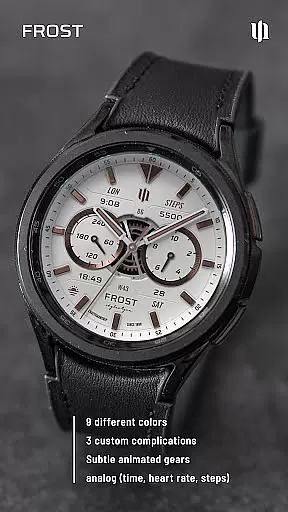
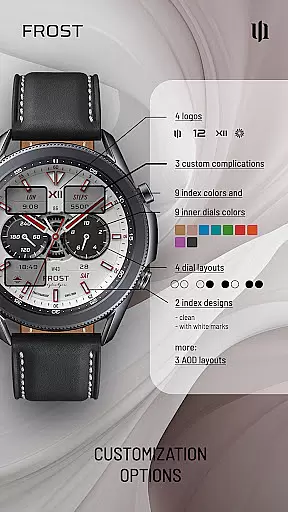
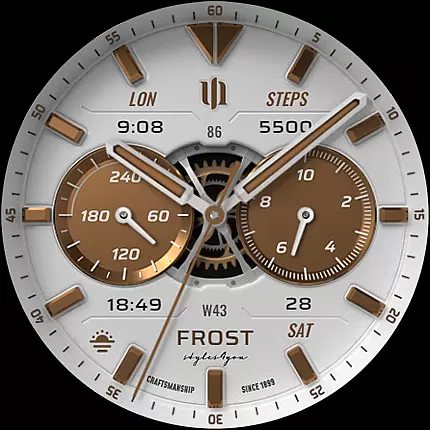
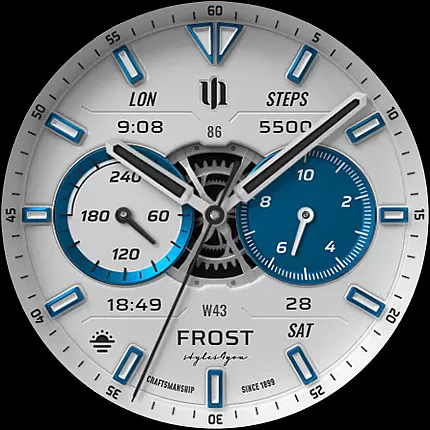
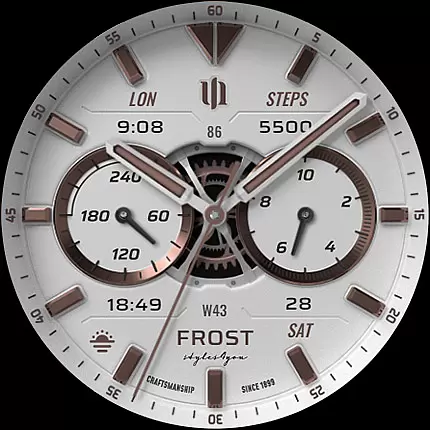
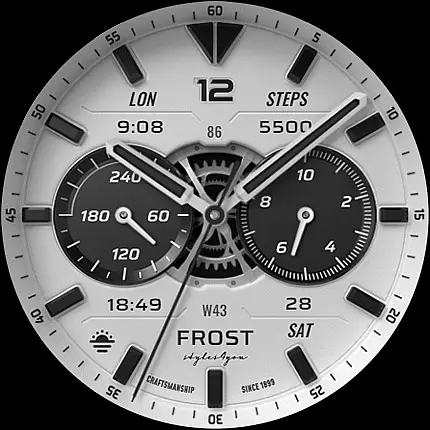
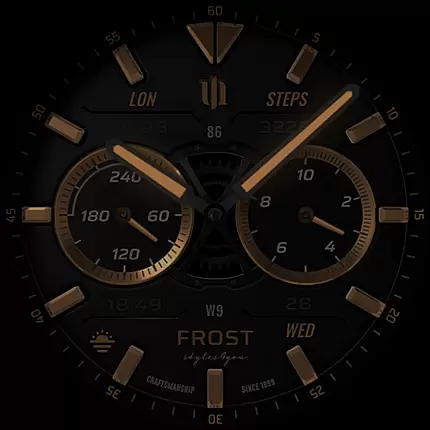
S4U Frost is a premium Wear OS watch face that combines classic analog design with modern smartwatch functionality. Featuring a realistic white analog dial, this app offers users extensive customization options including 3 custom complications and 9 color choices.
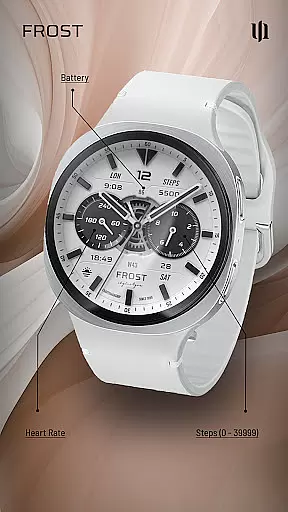
The watch face displays essential information such as time, steps, heart rate, battery level, and calendar data through its customizable interface. With support for Always-On Display (AOD) and compatibility with Wear OS 4+ devices, it provides both aesthetic appeal and practical utility for smartwatch users.
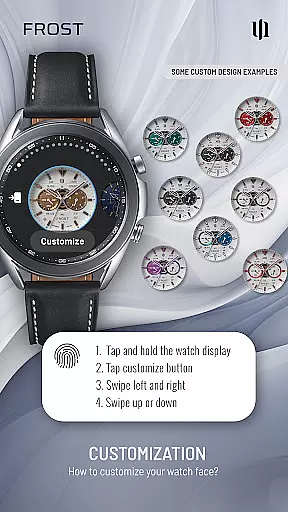
Users can personalize their experience through various customization options including dial colors, index marks, and background settings. The app's 3 AOD layouts and 4 custom shortcuts make it a versatile choice for those seeking both style and functionality in their wearable device.
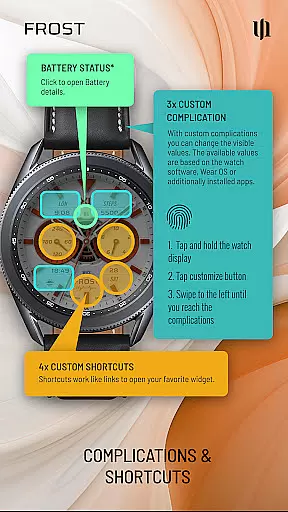
S4U Frost distinguishes itself through its comprehensive feature set tailored for Wear OS users. The watch face includes 3 customizable complications alongside 4 quick-access shortcuts to favorite widgets, allowing users to display the most relevant information.
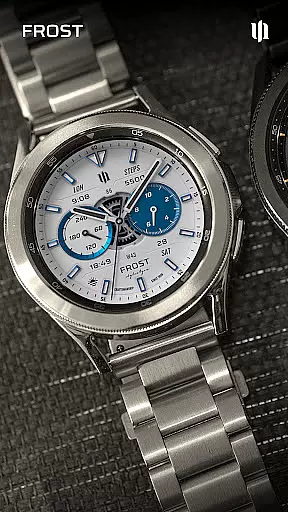
Customization is at the core of this application with 10 color options for main hands, secondary complications, index colors, and inner dial backgrounds. Users can choose from 4 inner dial layouts, 2 background styles, and 3 gear designs while personalizing their watch face through simple swipe gestures.
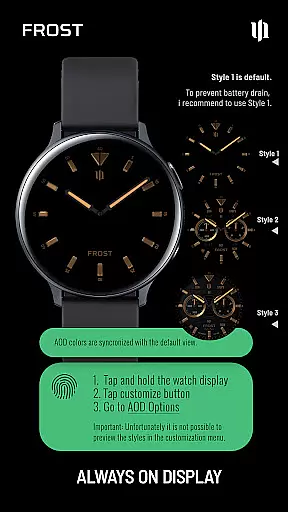
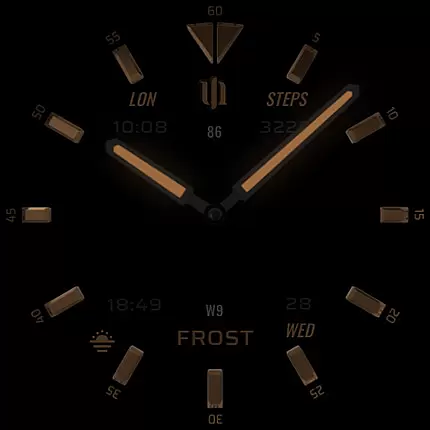
The Always-On Display functionality offers 3 distinct layout options while maintaining power efficiency. The app maintains compatibility with latest Wear OS devices including Samsung Galaxy Watch series and Google Pixel Watch models, ensuring broad device support for this feature-rich watch face.
Companion app integration is essential for a seamless Wear OS experience. S4U Frost offers a dedicated companion app that simplifies the setup and customization process. This ensures users can easily access all features and make adjustments without hassle.
The companion app provides clear instructions for installation and troubleshooting. If users encounter any issues, they can follow the step-by-step guide in the app's Install/Issues section. This guarantees a smooth setup process even for those new to Wear OS devices.
Additionally, the companion app allows users to unlock the full potential of S4U Frost. With intuitive controls, users can customize watch faces, set complications, and adjust display settings. This deep level of integration enhances user satisfaction and device functionality.
Ensuring broad device compatibility is crucial for any Wear OS application. S4U Frost supports smartwatches running Wear OS 4 or higher (Wear OS API 33+), covering popular models like Samsung Galaxy Watch series and Google Pixel Watch 1-3.
This wide compatibility range allows more users to enjoy the realistic analog dial and customization options. The application is optimized for various screen sizes and resolutions, ensuring consistent performance across different devices.
Moreover, S4U Frost takes advantage of the latest Wear OS features, such as enhanced battery management and improved always-on display functionality. This commitment to compatibility ensures users receive the best possible experience regardless of their specific device model.
Highly customizable
Realistic analog design
Multiple color options
Extensive complication support
Wide device compatibility
Wear OS only
May drain battery
Complex setup
Paid features
Limited free options

Wear Os Watch Face - Animated Snow Effect & Christmas Lights
 4.5
4.5
Christmas - Festive - Christmas Village - Winter - Christmas lights
5.00
A full-featured Amazon Alexa voice assistant that can show you things.
3.70
A watch face that fuses motorsport precision with contemporary smartwatch design
4.3
Deck out your Wear OS Watch face with a beautifully decorated pine wreath!
4.50
3 Complications. All shadow on/off. 30 Themes color palette...
4.2
Digital watch face. For Wear OS devices.
4.40
Stylish, Energizing and Modern Watch Face crafted by Dominus Mathias.
4.50
Retro digital watch face with customizable colors and a unique lighting effect
4.60
Christmas Theme Watch Face for Wear Os
5.00
Period, ovulation & pregnancy tracker. Fertility insights & menstrual calendar.
4.90
Diet tracker for weight loss - track calories, food and macros. Simple and easy!
4.70
Highly customizable hybrid watch face for Wear OS, perfect for everyday use.
4.60
Calming & relaxing sounds for sleeping and stress relief. Stay focused all day!
4.20
Watch face for Wear OS.
4.20
Professional weather radar and more
3.90
Your local weather forecast, storm tracker, radar maps & live weather news
3.40
Wear Os Watch Face - Animated Snow - Sesonal for Christmas & Winter
4.3
Sleek, highly customizable watch face inspired by Galaxy Watch Circle Dashboard.
4.2



User Reviews