
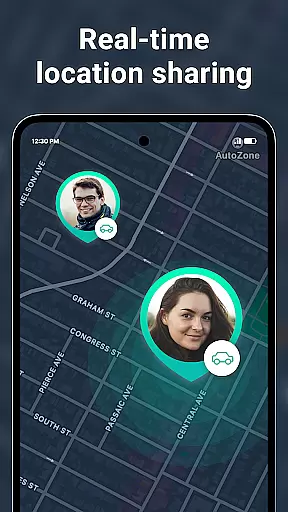
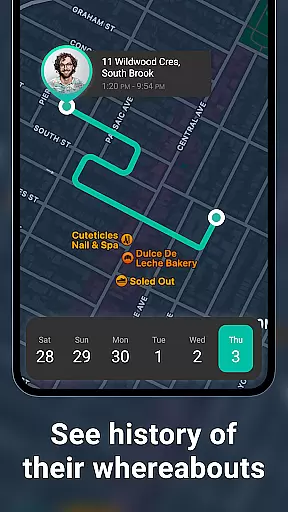
Geozilla is a comprehensive family safety app designed specifically for Android Wear devices, enabling real-time location sharing and emergency monitoring among trusted family members. The app's core functionality revolves around creating private family circles where members can securely share their live GPS locations, receive arrival/departure notifications, and access detailed location history.
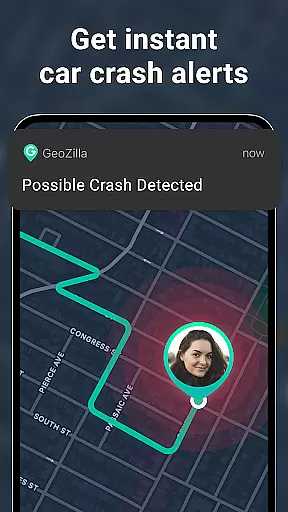
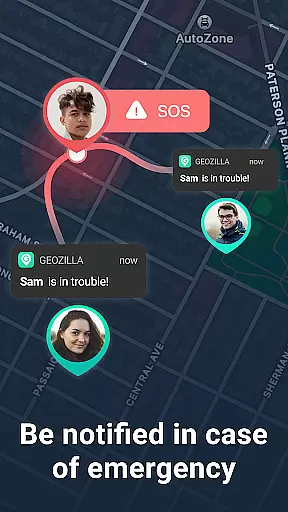
Beyond basic tracking, Geozilla incorporates advanced safety features including driving behavior reports, battery status alerts, and emergency crash detection with SOS notifications. The application maintains strict privacy standards by requiring explicit user consent at every stage - from circle invitations to location sharing permissions. This ensures complete transparency and mutual agreement between all participating members.
The app's Wear OS compatibility allows users to monitor family locations directly from their smartwatches, making it particularly valuable for parents who need to keep track of their children's whereabouts while on the go. With its combination of safety features, transparent consent mechanisms, and wearable device integration, Geozilla provides peace of mind for families who prioritize both safety and privacy.
Geozilla distinguishes itself through its sophisticated feature set tailored for family safety. The app's real-time location tracking system operates seamlessly across both mobile devices and Wear OS smartwatches, providing continuous monitoring capabilities regardless of distance. Its geofencing technology enables customizable alerts for specific locations like home or school, automatically notifying designated contacts when these boundaries are crossed.
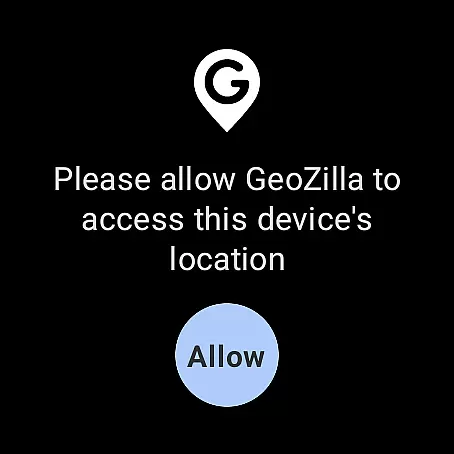
A key innovation lies in its multi-layered permission architecture. Unlike many location-sharing apps, Geozilla requires explicit consent at multiple levels - invitation acceptance, permission granting, and active location sharing activation. This ensures that all participants are fully aware and agreeable to the data being shared. The app's driving insights feature goes beyond simple location tracking by analyzing movement patterns to generate detailed safety reports for parents concerned about teenage drivers.
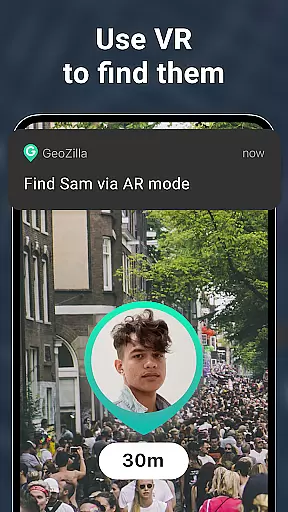
Additional notable features include AR Finder for locating nearby family members, automatic crash detection with emergency response protocols, and comprehensive battery monitoring to prevent unexpected disconnections. These capabilities are supported by a robust notification system that delivers critical alerts through both mobile devices and compatible wearables, ensuring timely information delivery even when users aren't actively monitoring their phones.
Companion app integration is essential for wearable devices to function seamlessly with smartphones. Geozilla excels in this area by ensuring that its Android Wear application works in harmony with its mobile counterpart. This integration allows users to access critical features directly from their smartwatches, such as viewing the location of family members or sharing their own position without needing to take out their phone.
The app's architecture supports real-time data synchronization between the smartphone and the wearable device. This means that whether you're checking location history or receiving geofenced alerts, the information displayed on your watch is current and accurate. Such a feature provides convenience and peace of mind, especially when you're on the move and cannot easily access your phone.
Moreover, Geozilla's Wear OS compatibility extends its safety features to your wrist. You can receive important notifications like arrival and departure alerts, low battery warnings, and even SOS signals directly on your smartwatch. This ensures that you are always informed about your family's status, regardless of where you are or what you are doing at the moment.
By prioritizing companion app integration, Geozilla enhances user experience by providing quick access to vital information and controls right from your wrist. This not only streamlines daily interactions with the app but also reinforces the safety net it creates for families who rely on its functionalities every day.
Device compatibility is crucial for any application targeting wearable technology, and Geozilla has been optimized to work flawlessly with Wear OS. This compatibility ensures that whether you're using a smartwatch from a major manufacturer or a lesser-known brand, as long as it runs Wear OS, you can benefit from Geozilla's suite of safety features designed specifically for family security.
Geozilla leverages the capabilities of Wear OS to deliver an intuitive user interface tailored for smaller screens. The app's design takes into account the limited space available on smartwatches, presenting key information in a clear and concise manner. Users can easily navigate through different features, such as live location tracking and emergency alerts, without feeling overwhelmed by unnecessary details.
In addition to visual optimization, Geozilla ensures that all core functionalities perform efficiently within the constraints of wearable devices. Battery life is a significant concern for smartwatch users, and Geozilla addresses this by implementing power-saving measures that maintain performance without draining the device's battery too quickly. This balance between functionality and resource management demonstrates the app's commitment to providing a reliable service.
Ultimately, Geozilla's dedication to Wear OS/device compatibility reflects its broader mission to keep families connected and safe. By expanding its reach to include smartwatches, the app empowers users to stay informed and responsive, enhancing overall family safety and peace of mind.
User-friendly interface
Real-time tracking
Emergency alerts
Driving reports
Wear OS support
Requires constant data
High battery usage
Limited free features
Complex setup
Permission intensive

Christmas Theme Watch Face for Wear Os
 5.00
5.00
Embrace the holiday spirit with this magical animated watch face!
4.40
Deck out your Wear OS Watch face with a beautifully decorated pine wreath!
4.50
Connect to your Bluelink equipped Hyundai vehicle from your smartphone.
4.50
The ultimate destination for kids ages 3-8 to explore the Marvel Universe!
4.30
Period, ovulation & pregnancy tracker. Fertility insights & menstrual calendar.
4.90
Minimalistic design modern digital watch face.
4.0
Viewer for Wyze/Yi/Eufy/Arlo/ONVIF/RTSP/P2P IP cams w/ adv. features & DIY DVR
4.00
From periods to pregnancy & perimenopause, Flo helps you track it all. Try now.
4.70
Beautiful, colorful and practical watch face. For Wear OS devices.
5.00
WTW M17 is a premium and luxurious hybrid watch face
4.70
A modern premium sporty hybrid watch face for Wear OS by Ballozi
4.70
Walking app for weight loss: walk & step tracker, pedometer, indoor treadmill
4.60
Nutrition, Macro tracker: Food, fitness & healthy diet tracking for weight loss
4.60
Ideal for surviving in the wasteland left after nuclear fallout
4.50
Bold weather Digital watchface with forecast & optional animated background
4.40
Christmas watch face. For Wear OS devices.
4.30
Your music, your playlists, and more—offline and unlimited.
4.20
Want to take charge of your health? Let Google Fit help you reach your goals.
3.50





User Reviews