
The MyHyundai app with Bluelink is a comprehensive vehicle management solution designed specifically for Hyundai car owners. This innovative application allows users to remotely interact with their Bluelink-enabled vehicles directly from their mobile devices, providing unprecedented convenience and control.
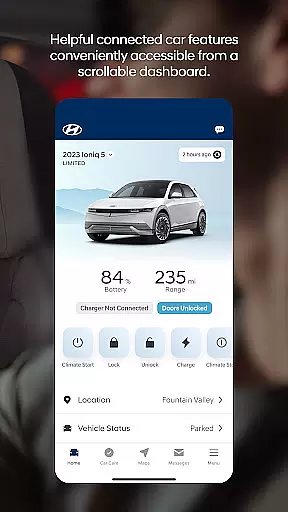
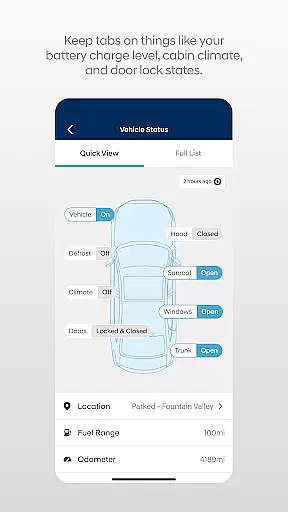
Key features include remote start/stop functionality, door lock/unlock capabilities, horn and light activation, and vehicle location services. The app also offers advanced functionalities for electric and hybrid vehicles, such as charging management and status monitoring. With support for Wear OS smartwatches, users can access essential features through voice commands or smartwatch interface.
This application is particularly valuable for busy professionals who need to manage their vehicles while on the go. Whether it's pre-heating the car in winter, checking charging status during work hours, or finding the parked vehicle in a crowded lot, MyHyundai with Bluelink streamlines vehicle management through intuitive digital controls.
The MyHyundai app distinguishes itself through its comprehensive suite of remote vehicle management tools. The core functionality revolves around Bluelink technology, which enables users to maintain constant connection with their vehicles through multiple access points including smartphones and Wear OS devices.
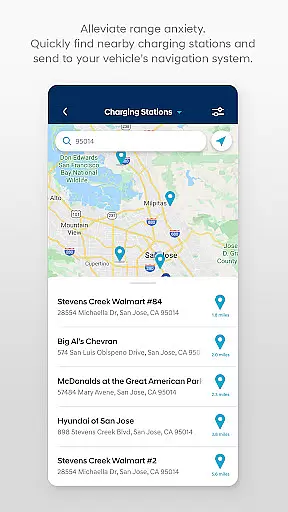
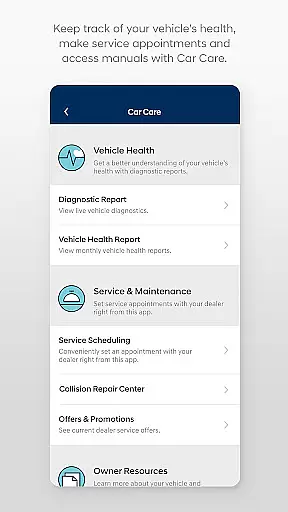
One of the standout features is the customizable remote start system, allowing users to create personalized presets for climate control and other settings. The app's integration with navigation systems enables seamless Point of Interest (POI) search and transmission to the vehicle's onboard system. Maintenance management tools provide timely service reminders and facilitate easy appointment scheduling.
Security features are equally robust, with multiple authentication methods including biometric verification, PIN protection, and traditional password login. The app's modular design supports various subscription levels, allowing users to choose the feature set that best matches their needs while maintaining compatibility across different Hyundai models.
Companion app integration is a crucial feature for wearable devices, ensuring seamless connectivity between the main application and its wearable counterpart. The MyHyundai app excels in this area by extending its core functionalities to Wear OS smartwatches.
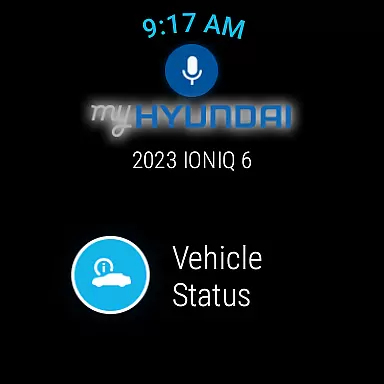
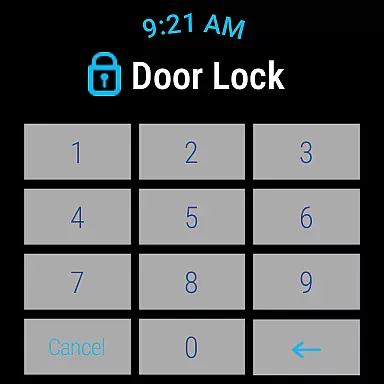
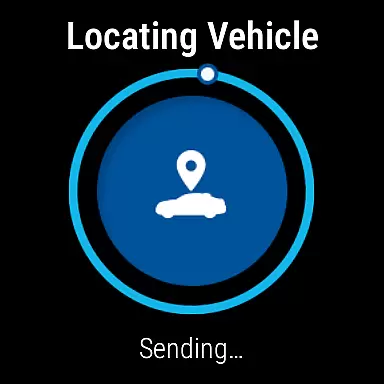
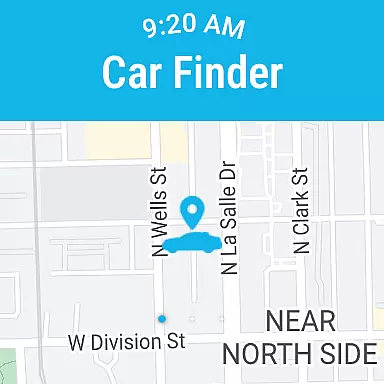
Through the MyHyundai app, users can access key features directly from their smartwatches. This includes remote vehicle commands such as starting the engine, locking or unlocking doors, activating the horn and lights, and locating the parked car. These functions are accessible via voice commands or the smartwatch menu, providing maximum convenience.
The benefit of this integration is significant. Users with Bluelink-equipped vehicles can manage their cars without needing to take out their phones. Whether at home, in the office, or on the go, the ability to control vehicle functions from a smartwatch enhances accessibility and saves time.
This level of companion app integration demonstrates Hyundai's commitment to creating a cohesive ecosystem that bridges smartphones and wearables. By offering consistent functionality across devices, the MyHyundai app ensures users have reliable access to essential vehicle controls regardless of the device they're using.
Device compatibility is a critical aspect of any Android Wear application, determining how well the software works across different Wear OS devices. The MyHyundai app has been optimized to function smoothly on all Wear OS smartwatches that support the required features.
The app supports fundamental smartwatch capabilities such as voice commands and menu navigation. These features allow users to execute commands like starting their vehicle, locking or unlocking doors, activating the horn and lights, and finding their car. The compatibility extends to biometric authentication methods including fingerprint and face recognition, enhancing security and ease of use.
For users, this broad compatibility means they can choose from a wide range of Wear OS devices while still enjoying full access to MyHyundai's features. Whether they own a high-end smartwatch or an entry-level model, the essential functionalities remain accessible and responsive.
By prioritizing Wear OS/device compatibility, Hyundai ensures that its customers can enjoy the benefits of wearable technology without being limited by their choice of device. This approach maximizes user convenience and reinforces the value proposition of both the MyHyundai app and Bluelink-enabled vehicles.
User-friendly interface
Comprehensive vehicle control
Advanced security features
Customizable settings
Wear OS integration
Subscription required
Limited free features
Model-specific functions
Occasional connectivity issues
Premium feature costs

A Wintery Snow Globe on Your Wrist; now celebrating Christmas!
 4.1
4.1
A heartwarming Christmas scene featuring a cute image of Santa and Rudolf
4.5
Artistic Digital Watchface
4.4
Sleek, highly customizable watch face inspired by Galaxy Watch Circle Dashboard.
4.4
Stylish digital watch face for Wear OS devices with customizable features
4.2
Monitor health with the stress test and pulse checker in the heart rate app.
4.60
The ultimate destination for kids ages 3-8 to explore the Marvel Universe!
4.30
Reliable phone calls with spam protection, caller ID and more helpful features
4.40
Funny animated watch face for Thanksgiving
4.3
Walking app for weight loss: walk & step tracker, pedometer, indoor treadmill
4.60
Embrace the holiday spirit with this magical animated watch face!
4.40
Bold, Modern Hybrid Watch Face for Wear OS. 10 Colors, Rich Info Display.
4.30
Find EV charging stations
4.30
Locate your family members by GPS phone location tracker everywhere and anytime
4.30
Elegant animated Christmas tree with multiple customization options
4.20
Animated video-game inspired “secret agent” simulation, right on your wrist!
4.20
Authentic military-tactical design with ZULU time! Realistic and functional!
3.80
Want to take charge of your health? Let Google Fit help you reach your goals.
3.50
Christmas is near, let's count together the days left until Santa comes
4.0





User Reviews