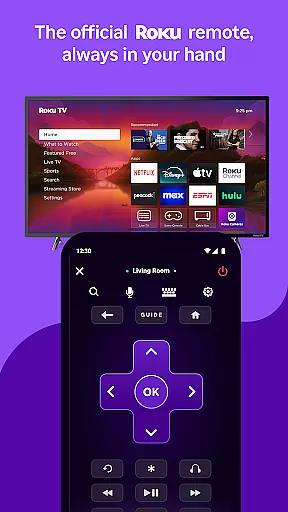
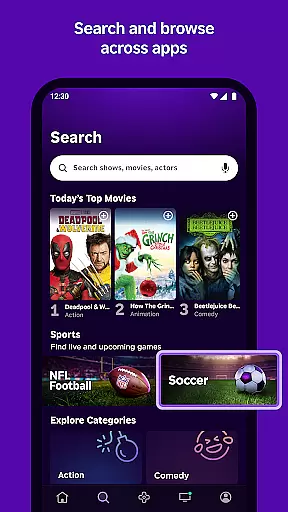
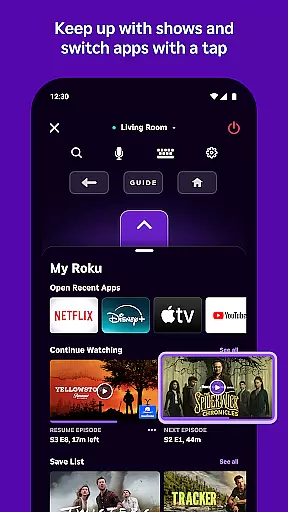
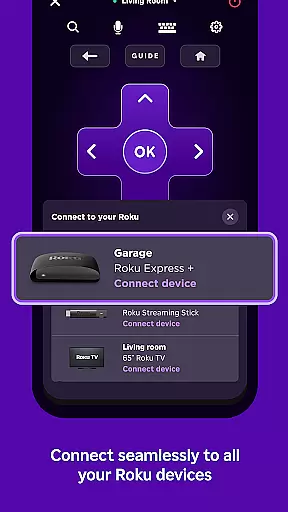
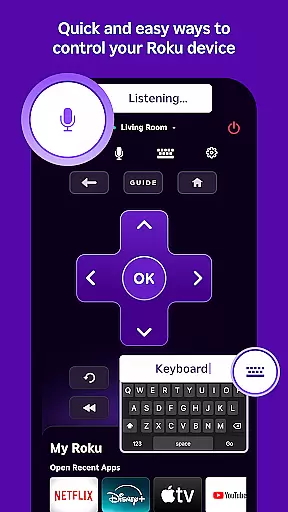
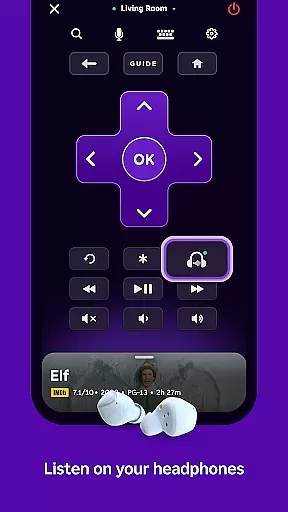
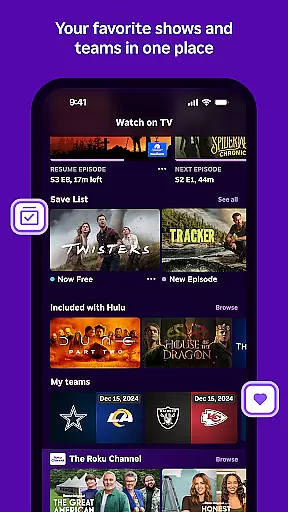
The Roku App is an essential entertainment companion that enhances your streaming experience. This versatile application allows you to control Roku devices with a convenient remote, use voice or keyboard search for quick content discovery, and enjoy private listening through headphones. You can also stream free movies and live TV on the go using The Roku Channel, cast media files from your phone to your TV, add and launch channels, and enter text more easily with your mobile keyboard.
By connecting your mobile device to the same wireless network as your Roku device, you unlock additional functionalities. Some features require a compatible Roku device and account login, ensuring seamless integration across your entertainment ecosystem. With localized features like voice search in multiple languages and region-specific channel availability, the Roku App delivers a personalized streaming experience tailored to your preferences.
The Roku App boasts an array of innovative features designed to elevate your streaming sessions. One standout capability is the voice search function, available in English in the US, UK, and Canada, as well as in Spanish in Mexico and the US. This feature enables effortless content discovery by simply speaking your query. Additionally, The Roku Channel offers a diverse selection of free movies and live TV, accessible directly through the mobile app within the US.
Another remarkable feature is the ability to cast media files such as videos and photos from your phone directly to your TV screen. This functionality bridges the gap between personal content and big-screen viewing. Moreover, users can add and launch channels on their Roku devices, streamlining access to favorite entertainment options. The app's mobile keyboard further simplifies navigation by facilitating easier text entry on your Roku device, enhancing overall usability.
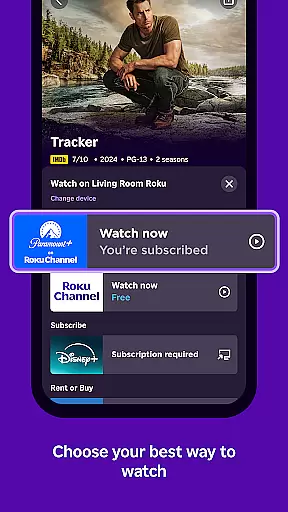
The Roku App offers a diverse range of content, ensuring users have access to the latest entertainment options. With The Roku Channel, users can stream free movies and live TV directly on their mobile devices.
Users are not limited to just streaming; they can cast media files such as videos and photos from their phone to their TV. This feature enhances user engagement by allowing personal content sharing on a larger screen.
In addition to streaming and casting, the app provides regular updates to its channel offerings. Some channels may require payment, but the variety ensures that there is something for every user's preference.
Feature availability varies by region, with certain functionalities like voice search and The Roku Channel being accessible in specific countries. This localized approach ensures that users receive relevant and fresh content tailored to their location.
User engagement is a key focus of The Roku App, designed to keep users connected to their favorite entertainment. By offering features like private listening with headphones, users can enjoy entertainment without disturbing others, thus increasing session durations.
The convenience of controlling Roku devices with a mobile remote and entering text with a mobile keyboard simplifies interactions. These user-friendly features contribute to longer usage sessions and encourage frequent app usage.
Retention is further enhanced by the ability to add and launch channels directly from the app. Users can personalize their entertainment lineup, making it more likely they will return to the app for their viewing needs.
While some advanced features require a compatible Roku device and account login, the core functionalities ensure that users remain engaged regardless of their setup. This balance between accessibility and advanced features supports sustained user retention.
User-friendly interface
Voice search functionality
Private listening mode
Free content streaming
Cross-device compatibility
Limited regional features
Requires wireless connection
Some channels are paid
Device compatibility issues
Account login necessary

Exclusive Short Drama Video! All in HD. Bringe trending reels & enjoy drama time
 3.80
3.80
Simulation of Dashboard / Touch Screen for Tesla. (Works without actual Tesla).
4.4
Watch short films, dramas, reels, series and movies anytime on Micro Drama.
4.60
Classic dynamic pixel art from Mark Ferrari.
4.70
5 funny and lovely ponies waiting for you to style them!
4.80
Alice Box is an Instrumental Trans Communication app.
3.80
Watch New Episodes & Live TV
3.80
Play casual games to get gift cards and money. More playing, more earning.
4.70
An app made just for kids
4.20
SpiritWave is paranormal ITC application.
5.00
The OFFICIAL PeeWee Purpdrank Soundboard!
4.80
Stories that spark in seconds.
4.80
Wodfix Air aggregates popular online content for you.
4.80
Companion app for Elden Ring to track quests, bosses, progress and more.
4.70
Heroclix search units with multi filter , team builder, collection manager.
4.40
Real ghost box scanner with echo, reverb, EMF, & multi-stream channels.
3.80
Connect. Discover. Control.
3.60
NFL, NBA, NHL, MLB, local sports coverage, shows, movies & news!
3.20
Christmas Globe: Transform your Wear OS device into a festive timekeeper!
4.4




User Reviews