VPN - Super Unlimited Proxy is a robust and user-friendly virtual private network (VPN) application designed to provide secure internet access for Android users. The app offers unlimited bandwidth, turbo-fast speeds, and connections to thousands of servers worldwide without requiring registration or login. Whether you're on public Wi-Fi, streaming content, gaming, or browsing privately, this VPN encrypts your internet connection, hides your IP address, and ensures your online activities remain confidential.
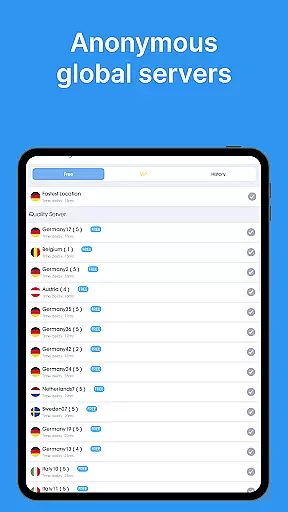
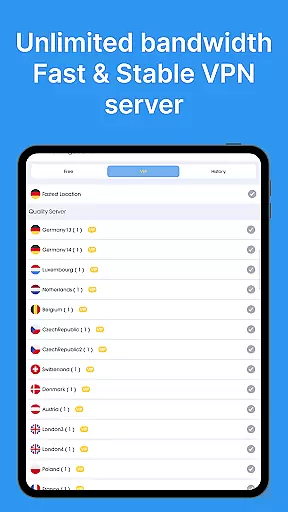
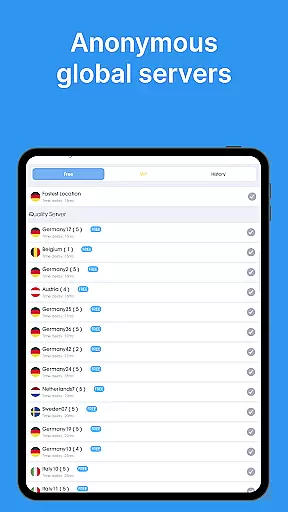
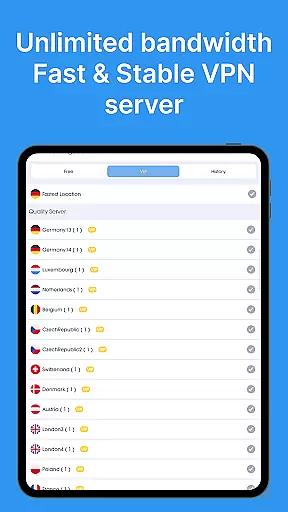
The app includes features such as military-grade encryption, a strict no-logs policy, smart server selection, and compatibility with various networks including Wi-Fi, 5G, LTE/4G, and 3G. With over 5,000 servers in 55+ countries, users can access content from multiple regions, ensuring optimal performance and unrestricted access to global content. This makes it an ideal tool for enhancing privacy, securing data, and bypassing geo-restrictions.
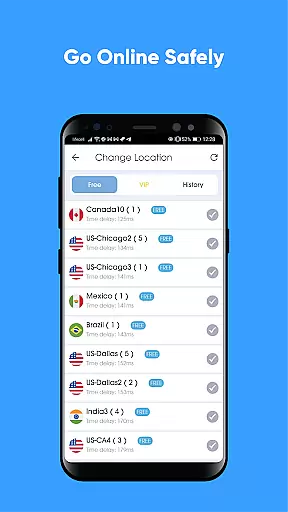
VPN - Super Unlimited Proxy stands out with its comprehensive set of features tailored to meet diverse user needs. One of the key highlights is its completely free model, which includes unlimited speed, bandwidth, and usage without ads, time limits, or speed caps. Users can connect to servers from 25+ locations, including 10+ U.S. cities, ensuring broad geographical coverage and access to region-specific content.
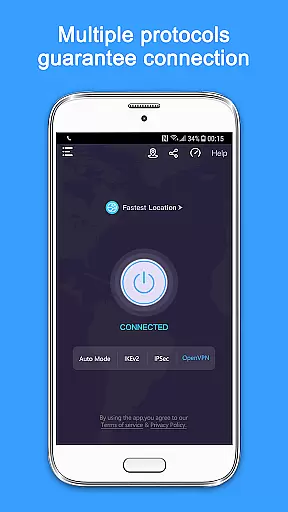
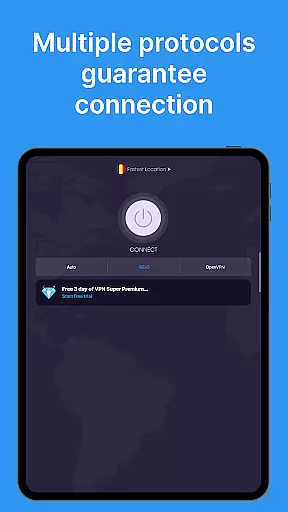
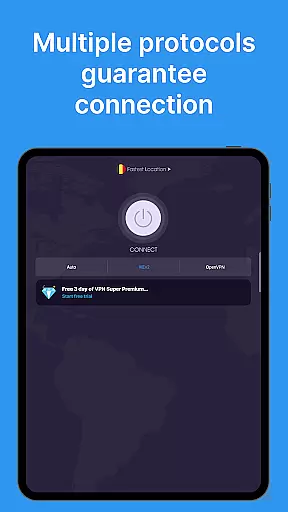
The app supports multiple VPN protocols, including OpenVPN, IKEv2, Super, and V2Ray, with an Auto Mode that selects the fastest option for optimal performance. For users seeking enhanced capabilities, premium features offer 10 Gbps ultra-fast servers, ad-free browsing, access to all 55+ countries, and protection for up to 10 devices under one account. These features collectively ensure a seamless, secure, and flexible VPN experience suitable for both casual and power users.
When evaluating a VPN application like this one, core function accuracy and effectiveness are paramount. This app provides military-grade encryption to ensure maximum security for users, which is crucial when accessing the internet through public Wi-Fi or other potentially insecure networks. The app's ability to hide IP addresses and encrypt internet connections forms the bedrock of its service offering, ensuring that user online activities remain private and secure from prying eyes.
The effectiveness of the VPN - Super Unlimited Proxy is further demonstrated by its unlimited bandwidth and turbo-fast speeds across thousands of servers worldwide. These features allow users to stream, game, and browse without interruptions or speed caps, which can be a common frustration with other services. The smart server selection optimizes performance, automatically choosing the best server based on location and network conditions, thus providing an optimal user experience.
Moreover, the app supports multiple protocols including OpenVPN, IKEv2, and V2Ray, giving users flexibility and reliability in their connection choices. This protocol diversity ensures that even if one method fails or is blocked, others are available to maintain a seamless and secure connection. Such robustness underlines the app's commitment to delivering a consistently reliable service.
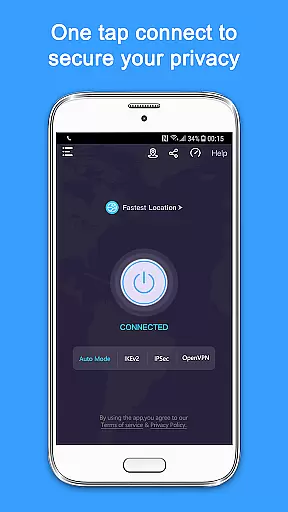
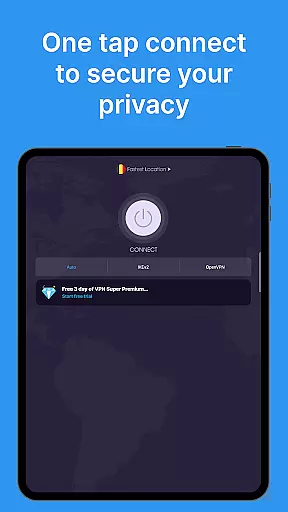
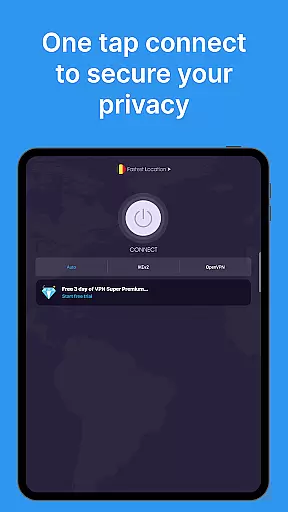
A standout feature of the VPN - Super Unlimited Proxy is its interface simplicity and intuitiveness, which significantly enhances the overall user experience. With no registration or login required, users can connect to the service instantly with a single tap. This ease of access removes barriers to entry for those who may not be tech-savvy but still require a secure internet connection while using public Wi-Fi networks or seeking privacy from their Internet Service Provider.
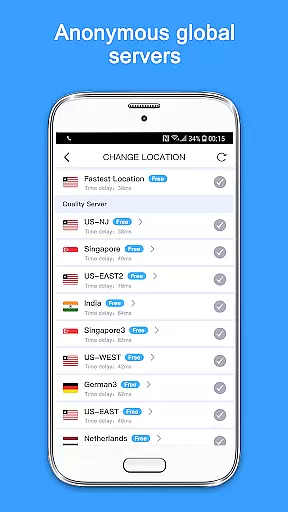
The straightforward design does not compromise on functionality; instead, it offers advanced features such as choosing from over 5,000 servers in 55+ countries without overwhelming the user. Whether selecting server locations across North America, Europe, Asia-Pacific, South America, or Africa, the process remains intuitive and hassle-free. This balance between simplicity and powerful capabilities ensures that all users can take full advantage of what the app has to offer.
In addition to its simple setup, the app also provides clear information about its features, such as unlimited speed, bandwidth, and usage, directly within the interface. Users can easily understand what they are getting u2013 a completely free service with no ads, time limits, or speed caps. By prioritizing clarity and ease-of-use, the VPN app empowers users to protect their privacy and enjoy unrestricted access to content without any technical expertise required.
Free to use
No activity logs
Unlimited bandwidth
Multi-platform support
Easy to connect
Limited free servers
Premium costs extra
Occasional drops
Ads in free version
Complex settings

 4.10
4.10 4.50
4.50
Fluid navigation gestures for all of us!
4.30
This app unlocks the Pro features of the Central for DayZ app
3.60
Save any video in HD - paste the link, download fast and watch offline.
4.1
Screen Mirroring for Roku Sticks, Roku TCL TV and Roku Hisense TV
4.50
Create your own custom widget with endless possibilities
3.90
Clean up large files and similar photos, fast and easy to use
4.40
Screen recorder with audio to record high-quality videos and take screenshots.
4.40
Enjoy smooth gameplay with Game Booster
4.90
Navigate with Ease and Style
4.90
ADB support Android 4.X-Android 13(Support wireless pair mode).No root required!
4.70
The one-and-only remote control for PC, Mac, and Linux
4.70
Fast Video Downloader, Movie Downloader, Torrent Downloader & Adblock Browser
4.70
Play your X-Box games remotely in 1080p with any controller and zero latency
4.60
Mirror your screen to Fire TV - Super fast and simple
4.40
pdf merge, word to pdf, jpg to pdf, edit pdf, convert to pdf and much more!
4.20
View detailed information about your Nissan Leaf the dealer never shows you.
4.10
Unleash gamepad precision for ultimate mobile gaming dominance.
3.90




User Reviews