
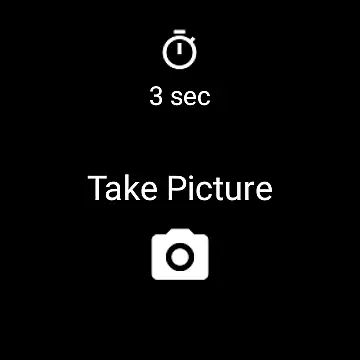
Camera Remote Watch is a smart photography tool that allows users to remotely control their phone's camera shutter directly from a smartwatch. This innovative app enables hands-free picture taking, making it ideal for group photos, selfies, or capturing moments without touching the phone. The app works seamlessly with both Android and Wear OS smartwatches, offering flexibility across devices.
Once connected, users can adjust the camera view on their phone while using the smartwatch as a remote trigger. After capturing an image, the photo is saved in the phone's gallery, and a copy is displayed on the watch for instant review. This ensures users can quickly assess if another shot is needed. With its user-friendly interface and practical functionality, Camera Remote Watch enhances the photography experience by combining convenience with technology.
Camera Remote Watch offers several standout features that make it a powerful photography companion. First, the app provides seamless integration between smartphones and smartwatches, allowing users to trigger the camera shutter directly from their wrist. This feature is particularly useful for situations where physically handling the phone might result in shaky or poorly framed shots.
Another notable feature is the instant feedback mechanism. After taking a photo, users can view a copy of the image on their smartwatch, ensuring they can verify the quality immediately. Additionally, the app supports Wear OS, broadening its compatibility with a wide range of smartwatches. Its ability to work across platforms highlights its versatility and adaptability to different devices.
The app also emphasizes ease of use, requiring minimal setup. Users simply need to ensure their phone and watch are connected before starting. While the download process to the watch may take some time due to hardware limitations, the overall functionality remains reliable and efficient. These features collectively enhance the user experience, making Camera Remote Watch a valuable tool for photographers of all levels.
Real-time capture and preview functionality is essential for ensuring that users can take photos remotely with confidence. Camera Remote Watch offers a seamless experience by allowing users to trigger the phone's camera shutter directly from their smartwatch.
The app ensures that as soon as a photo is taken, it is stored in the phoneu2019s gallery, and a copy is promptly sent to the watch. This immediate feedback loop allows users to verify the quality of the photo right on their wrist.
By adjusting the camera view on the phone before taking the shot, users can frame their shots perfectly. The ability to review the image on the watch display shortly after capturing it ensures that no moment is missed due to an undesired angle or poor framing.
This real-time interaction between the phone and watch not only enhances convenience but also significantly improves the efficiency of remote photography, making it ideal for situations where touching the phone might cause disturbances or is simply impractical.
While Camera Remote Watch does not focus heavily on AI beauty and enhancement features, it still provides value through its straightforward approach to photography. The emphasis is placed on delivering natural-looking photos without excessive digital manipulation.
Users who prefer authentic images will appreciate the lack of aggressive filters or enhancements. Instead, the app focuses on providing clear and accurate representations of the captured moments, preserving the original context and emotions.
For those interested in enhancing their photos, they can easily access them via the Android Gallery app and apply any desired edits using other software. This method maintains the integrity of the original image while offering flexibility for further personalization.
Ultimately, Camera Remote Watch prioritizes genuine photographic experiences over artificial enhancements, catering to users who value realism and spontaneity in their photography.
Hands-free operation
Instant photo review
Wide device compatibility
User-friendly interface
Supports Wear OS
Slow photo transfer
Limited unsupported phones
Requires patience
No advanced settings
Dependent on connectivity

Long exposure camera with computational photography
 2.60
2.60
Application for remote controlling DSLR
3.00
Pet Camera
3.70
Be your best in every shot! Fix, edit and retouch your face in selfies & photos.
3.70
Transform photos into videos! Create realistic or anime-style images easily!
4.50
Photo Exif Editor allows to view, add and modify EXIF data of multiple photos
4.50
Hair color changer, AI haircut app, fun hair editor and buzz cut filter for all!
3.80
Unlock the full potential of your DJI drone with Litchi
4.50
A unique animation app. Powerful, easy to use, and lots of fun.
4.30
Cartoon and artistic effects for your photos and videos
4.70
Amazing Photo Effects - The most fun you can have with your photos!
4.70
See your baby AI baby face generator AI baby maker Face generator babymaker fun!
4.70
Create collages easily! Nice pic collage maker & background eraser for Instagram
4.50
Create Business Headshots, Polaroid Filter, Retake Photos,Profile Pics,AI Photos
4.50
AI portrait generator and polaroid AI selfie, fun AI generated AI photo creator!
4.30
Turn your phone into a professional camera - full DSLR manual photography
4.30
All-in-One Editor & AI Photo Enhancer, Beautify & Retouch, Collage, Cartoonify
4.20
Professional photography on your mobile phone
4.20
How old age camera Gender Swap App Face Shape Hairstyle App Hair Styler App fun!
4.00






User Reviews