
qDslrDashboard is a powerful photography application designed for DSLR and mirrorless camera enthusiasts. It allows users to control Nikon, Canon, and Sony cameras remotely through their Android devices. The app supports both USB OTG connections and wireless setups using portable routers or adapters like WU-1a/1b. With features such as live view, synchronized capture, and time-lapse creation, qDslrDashboard caters to professional photographers who need precise control over their equipment.
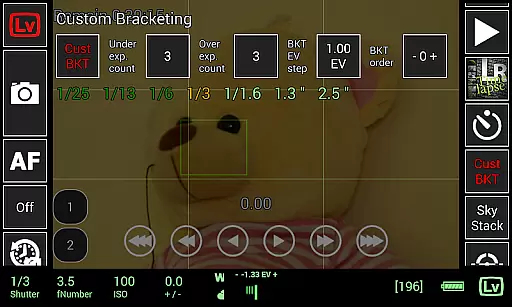
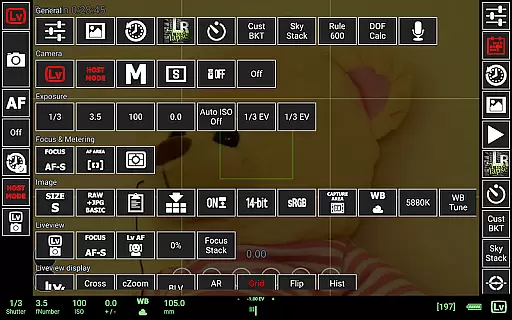
One of the standout capabilities of this app is its ability to handle advanced photography techniques such as focus stacking, custom bracketing, and movie recording initiation. Additionally, it provides tools like depth-of-field calculators and sky stacking helpers, making it an all-in-one solution for creative photography projects. Whether you're shooting in a studio or outdoors, qDslrDashboard enhances your workflow by offering unparalleled remote access to your camera settings.
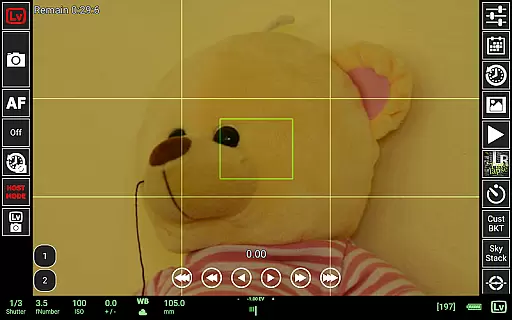
qDslrDashboard offers a comprehensive suite of features tailored for photographers. The app supports multiple cameras simultaneously, enabling synchronized captures across different devices. Users can connect wirelessly via portable routers or directly through USB OTG adapters, depending on their setup preferences. Advanced functionalities include live view with histogram analysis, manual focus adjustments during live view sessions, and the ability to transfer images from the camera to the Android device seamlessly.
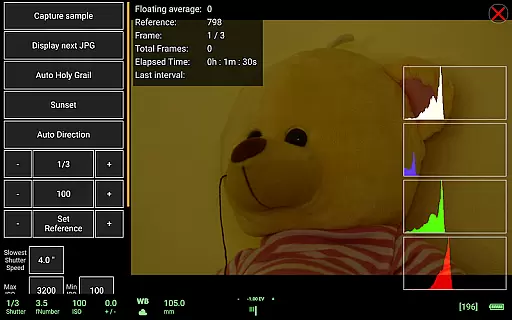
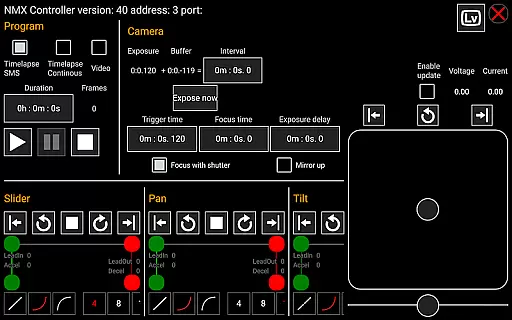
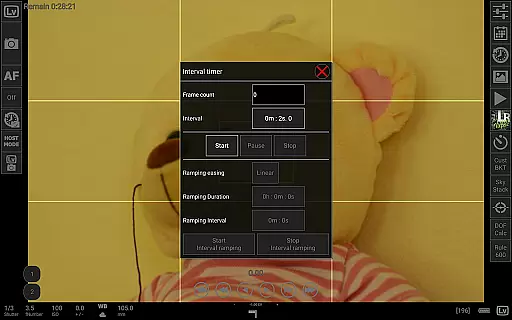
For time-lapse enthusiasts, qDslrDashboard includes simple and advanced modes with options to move focus incrementally and integrate external hardware like Arduino controllers. Additional highlights are dynamic motion controller support via Bluetooth LE, LRTimelapse integration for holy grail timelapses, and sound-initiated capture with spectral display selectors. These robust features ensure that photographers have complete creative freedom while managing complex shoots efficiently.
Real-time capture and preview functionality is essential for photographers who need precise control over their shots. qDslrDashboard offers a comprehensive solution that allows users to connect their Nikon, Canon DSLR, or Sony mirrorless camera via USB OTG adapter or wireless network.
The application enables live view with histogram display, providing real-time feedback on exposure and composition. This feature ensures that photographers can make informed decisions before capturing each shot, thus improving the overall quality of their work.
Additionally, qDslrDashboard supports synchronized capture across multiple cameras, which is particularly useful for creating 3D images or capturing fast-moving subjects from different angles. The ability to remotely adjust camera settings and initiate captures enhances workflow efficiency.
With its advanced live view capabilities, including manual focus movement and movie recording initiation, qDslrDashboard empowers photographers to achieve professional-grade results directly from their Android devices.
While qDslrDashboard does not focus on AI beauty enhancements typical in mobile photography apps, it excels in delivering natural and authentic image previews. The app's primary goal is to provide photographers with tools for accurate image assessment rather than artificial enhancement.
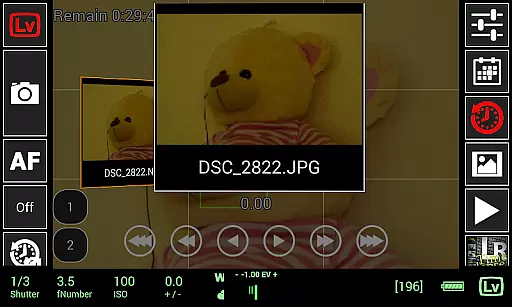
qDslrDashboard allows users to preview images in both JPG and RAW formats directly on their Android device. This feature ensures that photographers can evaluate the true quality of their shots without any digital alterations, maintaining the integrity of their work.
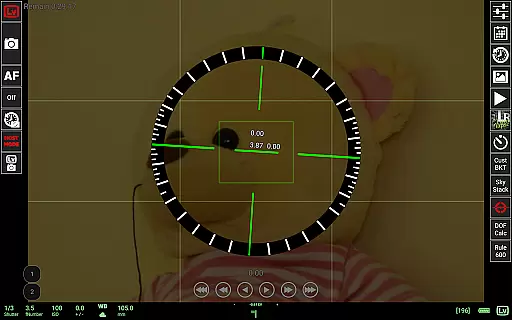
The application also includes a depth-of-field calculator and rule-of-600 calculator, which assist in achieving technically accurate photographs. These tools help photographers understand how different settings will affect their final images, promoting a more natural approach to photography.
By focusing on genuine image representation and offering features like sky stacking helper and custom profiles, qDslrDashboard caters to professionals seeking realistic and unaltered photographic results.
User-friendly interface
Wide camera compatibility
Advanced time-lapse tools
Wireless connectivity options
Live view functionality
Requires compatible hardware
Complex setup process
Premium pricing model
Limited beginner guidance
Occasional connection issues

Find time and duration of different sunlight phases at any location
 4.90
4.90
1M influencer's special filter
4.60
Create & Edit with AI: AI Remove, Enhance, Retouch, Filter
4.10
Take videos and pictures with the popular TikTok TIME WARP SCAN filter.
4.60
The #1 app for B&W film developing featuring an advanced darkroom timer.
4.10
Raw Image Viewer. Gallery with support of raw images (.cr3, .cr2, .nef, .raf).
2.00
Fit multiple photos on one post. Create carousels & scroll layouts for Instagram
4.50
Professional camera app that brings DSLR manual photography controls to Android.
4.20
Welcome to ProShot, the most powerful camera app on Android.
4.20
Amazing Photo Effects - The most fun you can have with your photos!
4.70
Cut and paste photo editor & eraser to customize photos easy and swap faces fun
4.50
Transform photos into videos! Create realistic or anime-style images easily!
4.50
Future baby face generator: AI kids generator, kid face! What my baby look like?
4.40
AI portrait generator and polaroid AI selfie, fun AI generated AI photo creator!
4.30
Shooting photos and records video easily and efficient with professional Camera
4.30
Create AI Photos, Improve and restore quality of blurry, old or damaged pics.
4.20
How old age camera Gender Swap App Face Shape Hairstyle App Hair Styler App fun!
4.00
How would you look like with a differently shaped nose, chin or lips?
3.90
Photo Album Watch Face shows your favorite pictures as a Watchface.
1.90




User Reviews