
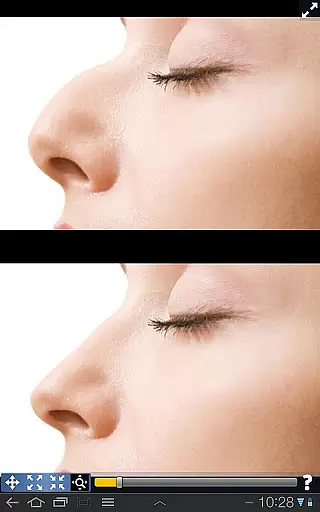
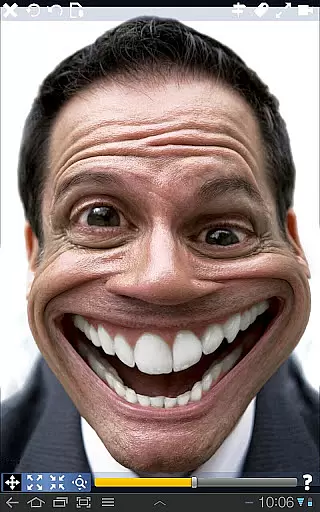
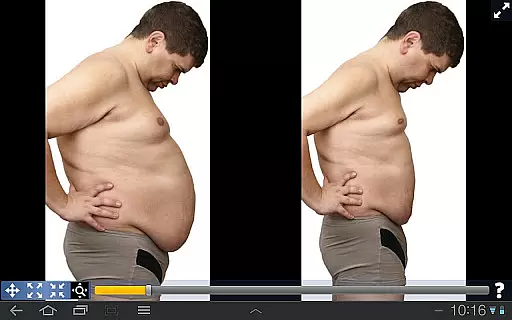
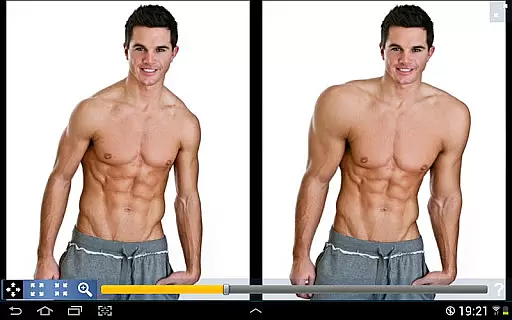
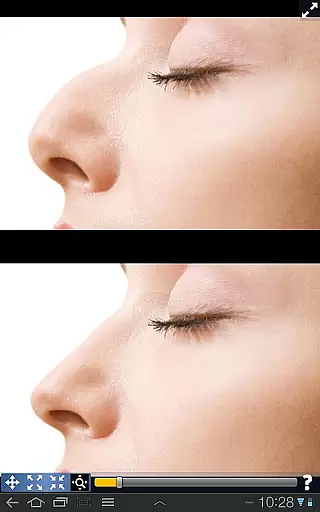
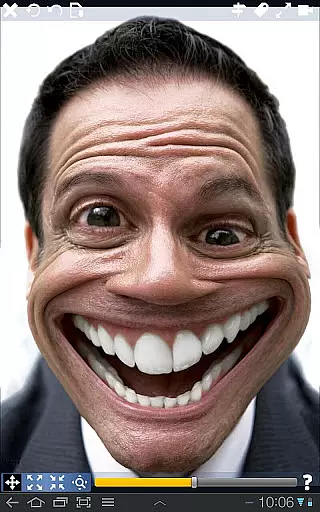
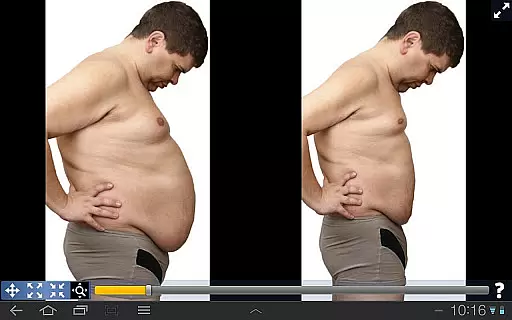
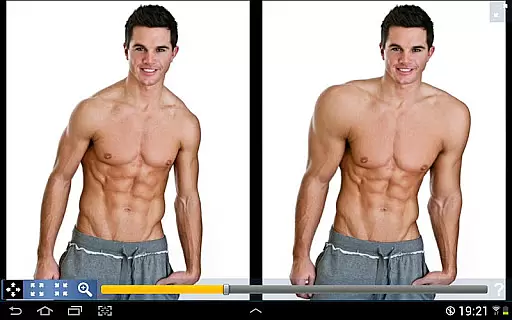
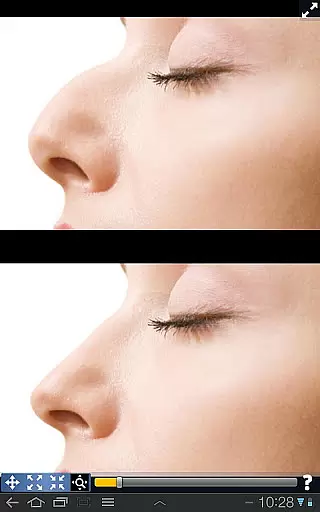
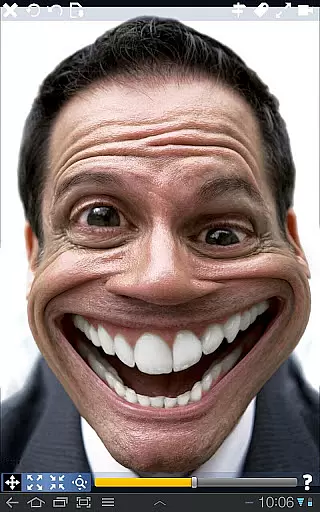
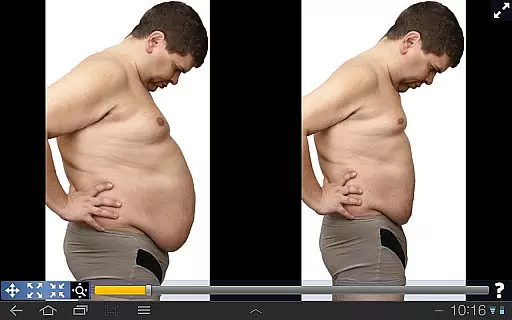
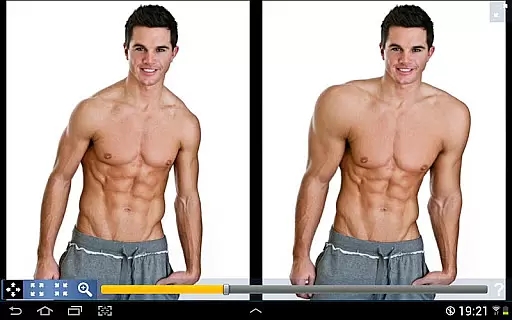
Plastic Surgery Simulator is a versatile photo editing application designed for creative image manipulation. The app's core functionality lies in its powerful photo distortion capabilities, allowing users to simulate realistic body transformations with remarkable ease. Users can reshape facial features, adjust body proportions, and experiment with various physical attributes simply by dragging their fingers across the screen.
A standout feature of this photography app is its dual display mode, which intelligently clones the image when devices are rotated. This innovative approach enables precise editing without finger obstruction, making it particularly valuable for smaller touchscreens. Whether you're looking to enhance social media presence or explore creative photo manipulations, Plastic Surgery Simulator delivers professional-grade tools in an accessible format.
The app's smooth transformation algorithm ensures natural-looking results while maintaining image quality. From subtle enhancements to dramatic makeovers, this tool caters to both casual users seeking fun photo experiments and professionals requiring precise editing capabilities.
Plastic Surgery Simulator distinguishes itself through two groundbreaking features that elevate the photo editing experience. The first is its sophisticated photo distortion algorithm, which employs advanced mathematical calculations to produce exceptionally smooth and natural transformations. Unlike basic distortion tools, this algorithm maintains pixel integrity while allowing precise modifications to specific areas, resulting in professional-quality edits.
The second remarkable feature is the innovative dual display mode. When users rotate their device to landscape orientation, the app automatically mirrors the working image on both sides of the screen. This unique functionality serves two crucial purposes: it provides an unobstructed view of the editing area while maintaining real-time visual feedback. The mirrored display proves especially beneficial when working on detailed facial features or intricate body modifications.
Additional notable features include intuitive touch controls, customizable distortion intensity, and real-time preview capabilities. These elements combine to create a seamless user experience that accommodates both casual experimentation and serious photo editing projects.
Real-time capture and preview functionality is essential for photography apps as it allows users to see the effects of their edits instantly. This feature ensures that users can make precise adjustments without delay.
Plastic Surgery Simulator excels in this area by providing a dual display mode. When you rotate your device, the image clones into the other half of the screen, allowing you to modify your image without your finger obstructing the view. This makes the editing process seamless and efficient, particularly on small touch devices like phones.
The app's powerful photo distortion algorithm further enhances the real-time experience. It produces smooth transformations, ensuring that any changes you make look natural and polished. This combination of features provides an unparalleled real-time editing experience.
AI beauty and enhancement features are crucial for modern photography apps. They allow users to improve or alter their appearance in photos with remarkable precision and natural results.
Plastic Surgery Simulator offers a robust set of tools for simulating body transformations. You can easily reshape or shrink different parts of your body, such as your nose, chin, or lips, to achieve the desired look. The app's advanced algorithm ensures that these changes appear smooth and lifelike.
Moreover, the app enables users to have fun while experimenting with their appearance on social networks. Whether you want to enhance your features subtly or go for a dramatic change, Plastic Surgery Simulator provides the tools necessary to do so with impressive naturalness and authenticity.
User-friendly interface
Realistic transformation effects
Innovative dual display
High-quality rendering
Instant visual feedback
Limited advanced tools
No batch processing
Basic color options
Occasional lag
Ads present

Find time and duration of different sunlight phases at any location
 4.90
4.90
1M influencer's special filter
4.60
Application for remote controlling DSLR
3.00
What celebrity do you look like? Celebs will find your celebrity match!
4.10
Edit like a pro with Hypic. Apply filters, AI effects, & magic touch.
4.40
Light-weight Media Gallery app for Android made with Jetpack Compose
4.60
Create amazing frames with up to five photos. Rounded corners, effects and more!
3.60
Future baby face generator: AI kids generator, kid face! What my baby look like?
4.40
AI-powered video creator by MiniMax - Where ideas meet cinema
4.20
Take videos and pictures with the popular TikTok TIME WARP SCAN filter.
4.60
Discover & download millions of art for The Frame TV or Hisense CanvasTV
4.60
Movie camera, supports pro recording settings for filming. Try it and be amazed!
4.50
Photo editor & gallery. Crop pictures & edit photos offline, no wifi!
4.50
All-in-One Editor & AI Photo Enhancer, Beautify & Retouch, Collage, Cartoonify
4.20
Catch sunlight, sunrise sunset times and sun phases with the AR sun tracker.
4.10
Photobooth mini FULL app will allow you to add more fun to your parties
4.00
Hair color changer, AI haircut app, fun hair editor and buzz cut filter for all!
3.80
Superimpose one photo on top of another using the original Superimpose app!
3.20
Photo Album Watch Face shows your favorite pictures as a Watchface.
1.90



User Reviews