
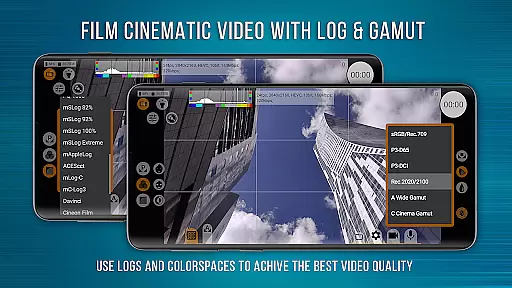
mcpro24fps Manual Video Camera represents the pinnacle of professional mobile videography on Android devices. Designed exclusively for Android, this app transforms your smartphone into a powerful cinema camera, previously only seen in professional-grade camcorders. It offers advanced features such as 10-bit shooting, Log video recording without GPU activation, and an extensive array of Log modes tailored for diverse scenarios.
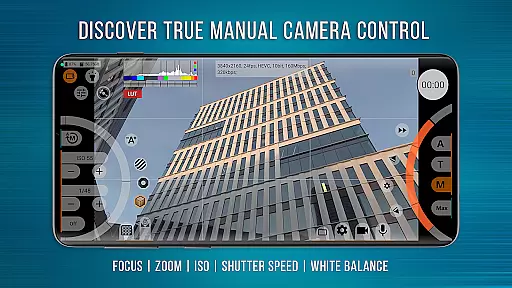
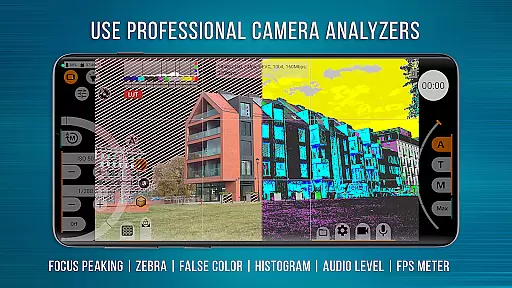
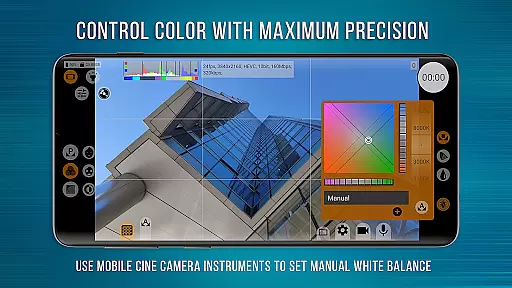
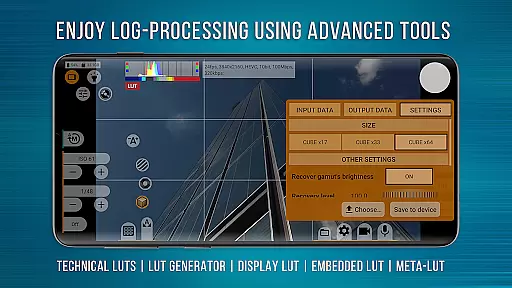
The app provides precise control over every aspect of videography, including programmable focus and zoom, Focus Peaking, Expo Peaking, Spectral and Zebra exposure tools, and white balance settings in Kelvins. Videographers can also leverage technical LUTs for post-production and utilize on-screen LUT for accurate framing during shoots. mcpro24fps supports multiple cameras, various codecs, resolutions, and sound sources, making it an indispensable tool for professional video production.
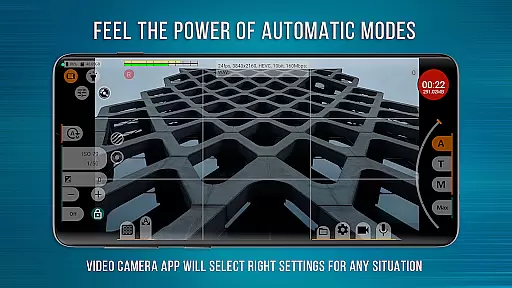
With its responsive interface and reliable automatic modes complemented by convenient manual settings, mcpro24fps is ideal for capturing cinematic masterpieces across different genres like festival films, music videos, live reports, and commercials. The functionality depends on the device's technical capabilities and requires Camera2 API at the Limited level or higher.
mcpro24fps stands out with its comprehensive suite of professional videography features. One of its core strengths is the ability to record in 10-bit and support HLG/HDR10 HDR video, providing videographers with superior color depth and dynamic range. The app facilitates Log video recording without engaging the GPU, akin to professional camcorders, and offers numerous Log modes adaptable to any shooting condition.
Innovative tools like Focus Peaking and Expo Peaking empower videographers with complete frame control, while Spectral and Zebra functionalities simplify exposure adjustments. The app includes advanced metadata handling and flexible sound resource utilization, accommodating different sampling rates and formats like AAC and WAV. Additionally, mcpro24fps allows seamless integration of WAV audio into MP4 files, enhancing workflow efficiency.
Other notable features include optical and digital video stabilization, tone curve adjustments via GPU, hardware noise reduction, sharpness correction, and hot pixel mitigation. With options for variable bitrate mode and experimental constant bitrate mode, mcpro24fps ensures optimal video quality tailored to the device's capabilities and manufacturer approvals for third-party applications.
Real-time capture and preview functionality is essential for professional videographers who need precise control over their shots. mcpro24fps offers an advanced real-time video processing system that ensures what you see on the screen is exactly what you get in the final footage.
The application supports a variety of professional features such as 10-bit shooting, HDR video, and Log recording without GPU activation. This allows videographers to achieve cinema-grade quality directly from their smartphones, with accurate color representation and dynamic range.
With on-screen LUTs and tools like Focus Peaking and Expo Peaking, users can have complete control over their frame during shooting. These features ensure that every detail is captured with precision, making it easier to create visually stunning content.
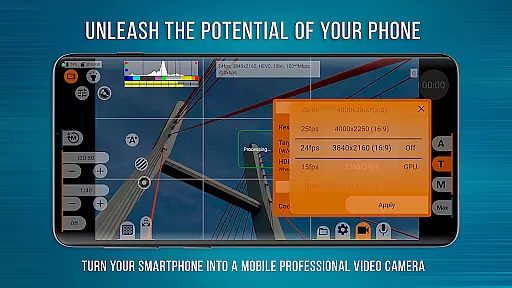
By transforming your smartphone into a powerful video camera, mcpro24fps enables creators to produce cinematic masterpieces with confidence. The responsive interface and reliable automatic modes further enhance the user experience, providing both flexibility and ease of use.
While primarily focused on professional video capabilities, mcpro24fps also incorporates AI-powered beauty and enhancement features that maintain natural-looking results. These tools are designed to subtly improve image quality without compromising authenticity.
The application utilizes advanced GPU resources to apply enhancements that adapt to different shooting conditions. Whether you're capturing festival films or music videos, these AI-driven adjustments help optimize visual elements while preserving the original artistic intent.
Features like Spectral and Zebra assist in exposure control, ensuring that all elements of the frame are correctly lit. Meanwhile, programmable Focus and Zoom functions work together seamlessly, allowing for smooth transitions and precise framing.
By integrating these sophisticated AI enhancements, mcpro24fps empowers videographers to push creative boundaries while maintaining the natural essence of their subjects. This balance between technology and artistry sets mcpro24fps apart as a versatile tool for professional filmmaking.
Advanced video settings
Professional Log modes
Precise frame control
Superior audio flexibility
Responsive user interface
Complex for beginners
Device compatibility issues
High system requirements
Limited free version
No iOS support

AI portrait generator and polaroid AI selfie, fun AI generated AI photo creator!
 4.30
4.30
How would you look like with a differently shaped nose, chin or lips?
3.90
All-in-One Editor & AI Photo Enhancer, Beautify & Retouch, Collage, Cartoonify
4.20
Safe & smart flight with Go Fly drone controller for 40+ drone camera, zone map
4.50
Create funny photos and videos with the popular Time Warp Scan filter.
4.90
Pet Camera
3.70
Future baby face generator: AI kids generator, kid face! What my baby look like?
4.40
AI-powered video creator by MiniMax - Where ideas meet cinema
4.20
Professional camera app that brings DSLR manual photography controls to Android.
4.20
Photo prints, cards, & gifts at Walgreens. Easy ordering & fast local pickup !
4.80
Enhance, retouch & create your story - Share the moment with Photoshop Express.
4.60
Easily create custom gifts, cards, photo books & more on the Shutterfly app!
4.60
Create collages easily! Nice pic collage maker & background eraser for Instagram
4.50
Use AI Video Generator to turn your words to ai generated videos.
4.50
Effortlessly organize, view and share your photos & videos with Gallery app!
4.40
Create AI Photos, Improve and restore quality of blurry, old or damaged pics.
4.20
What celebrity do you look like? Celebs will find your celebrity match!
4.10
Gallery Slideshow is slideshow maker app for slideshow from your gallery photos.
3.90
Raw Image Viewer. Gallery with support of raw images (.cr3, .cr2, .nef, .raf).
2.00



User Reviews