
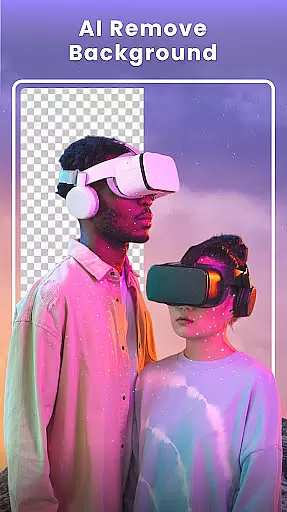
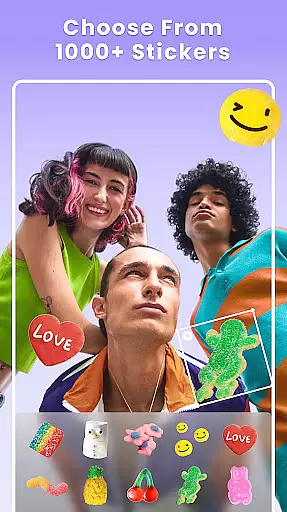
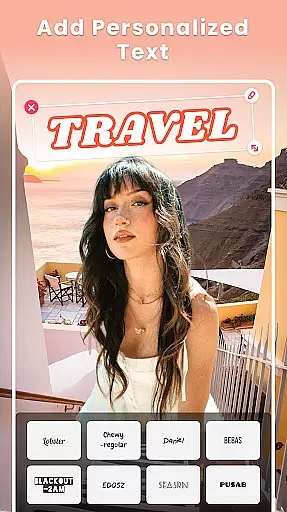
Photo Collage Maker - FunPic is a versatile photography app designed to help users create stunning photo collages and video stories. With over 300 layouts, users can effortlessly combine photos into eye-catching arrangements while utilizing rich editing tools such as filters, text, stickers, and brushes. The app also features AI-powered tools for background removal and object erasing, ensuring professional-quality edits with minimal effort.
In addition to its collage-making capabilities, FunPic offers a video collage feature that allows users to merge videos and photos, add music, and apply decorative elements like stickers and backgrounds. Whether crafting Instagram feeds, photo slideshows, or personalized stories, this app provides all the necessary tools to express creativity and share life's memorable moments in vivid detail.
FunPic stands out with its comprehensive suite of creative tools tailored for both casual and advanced users. The app includes over 1000 stickers, 300 layout options, and weekly updates featuring new templates and backgrounds. Its intuitive interface supports drag-and-drop functionality, enabling users to resize, rotate, and crop images freely for customized designs. Additionally, the app's AI-powered tools simplify complex tasks such as automatic background removal and object cleanup, making professional edits accessible to everyone.
For those interested in storytelling through multimedia, FunPic's video collage maker allows seamless integration of photos and videos with added music tracks or voice recordings. Users can further enhance their creations with doodles, animations, and artistic filters. These robust features ensure that every project—from simple collages to elaborate slideshows—achieves a polished and visually appealing result.
Real-time capture and preview functionality is essential for ensuring that users can see the results of their photo edits instantly. This feature allows users to visualize changes as they apply filters, adjust settings, or create collages.
Photo Collage Maker - FunPic offers an extensive set of tools including filters, stickers, text options, and more, all updated weekly. Users can experiment with different creative elements and immediately see how these adjustments affect the overall look of their photos.
The benefit of real-time capture and preview is that it empowers users to make informed decisions about their edits without any delay. They can fine-tune every detail until they achieve the desired outcome, enhancing both efficiency and satisfaction.
This immediate feedback loop not only improves user experience but also encourages creativity by allowing users to iterate quickly and explore various artistic possibilities within their collages.
AI beauty and enhancement features are designed to improve the aesthetic quality of photos while maintaining a natural appearance. These tools leverage advanced algorithms to enhance facial features, skin tones, and other aspects without making the image look overly processed.
In Photo Collage Maker - FunPic, AI technology enables automatic background removal, object removal, and even the creation of cartoon avatars. The app ensures that enhancements like applying artistic filters, adding text, or using blur effects remain subtle yet impactful.
Users benefit from this feature by achieving professional-looking results effortlessly. Whether they're preparing images for social media or personal albums, they can trust that their photos will retain authenticity and charm.
Ultimately, the natural enhancement capabilities provided by AI ensure that every edited photo reflects true-to-life beauty, preserving the original essence while elevating its visual appeal.
User-friendly interface
Extensive customization options
AI-powered editing tools
Versatile collage and video creation
Regular content updates
Premium features require subscription
Ads may disrupt workflow
Advanced tools have learning curve
Limited free template selection
Occasional performance lags

[3DSteroid Pro] is a stereoscopic application for Android.
 4.30
4.30
AI photo editor with hair editor, retouch tools, hair color changer & filters!
4.50
Gallery Slideshow is slideshow maker app for slideshow from your gallery photos.
3.90
Create AI photos & videos with Enhancer; restore, fix, beautify, enhance photos
4.50
Easily view, share, delete photos with Gallery.
4.70
Easily create custom gifts, cards, photo books & more on the Shutterfly app!
4.60
Catch sunlight, sunrise sunset times and sun phases with the AR sun tracker.
4.10
Discover How to Plan any Sun, Moon and Milky Way Photo You Imagine in Seconds
4.70
Photo & Video Gallery app to manage albums and save WA Status easily.
4.70
Find time and duration of different sunlight phases at any location
4.90
The original Rarevision VHS look seen everywhere!
4.70
Enhance, retouch & create your story - Share the moment with Photoshop Express.
4.60
Use AI Video Generator to turn your words to ai generated videos.
4.50
Turn your phone into a professional camera - full DSLR manual photography
4.30
AI-powered video creator by MiniMax - Where ideas meet cinema
4.20
A light meter for true photographers.
4.20
The #1 app for B&W film developing featuring an advanced darkroom timer.
4.10
USB Storage Access for Photos, Videos, Music and Documents
3.80
Long exposure camera with computational photography
2.60








User Reviews