
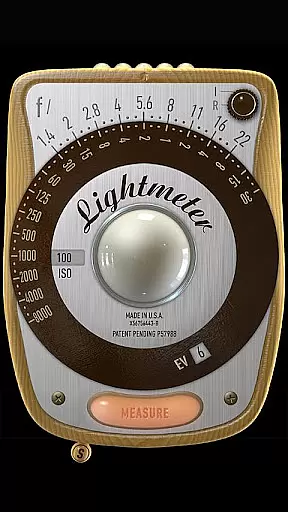
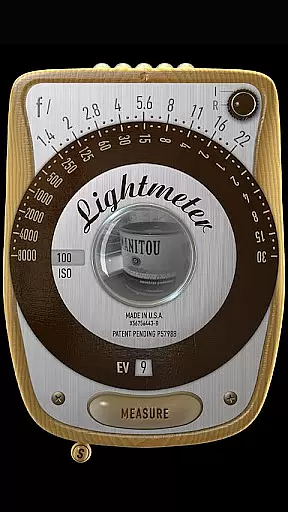
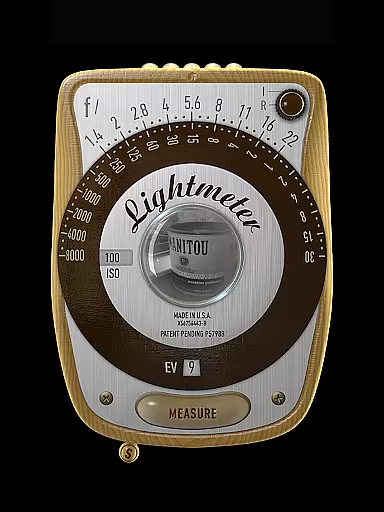
LightMeter is a specialized photography app designed for analog photographers who appreciate the art of old-school photography. This app transforms your mobile device into a reflective and incident light meter, aiding in achieving optimal exposure settings. Compatible with devices that support saving exposure data to EXIF, it offers features like ISO range adjustment from 3 to 6400, low light alerts, and calibration options.
Whether you're shooting in low light or need precise exposure readings, LightMeter provides essential tools for both amateur and professional photographers. The app supports various functionalities including vibration feedback on measure/hold, state and ISO recall, and spot measurement for cameras with zoom capabilities. With its unique features tailored for analog photography enthusiasts, this app is an invaluable tool for perfecting the craft.
LightMeter stands out with its comprehensive set of features tailored for analog photographers. It includes both incident and reflected light metering options, catering to different shooting environments and needs. Incident light metering requires a light sensor, while reflected light metering works best with compatible cameras, providing reliable exposure readings.
Additional features enhance the user experience significantly. The app can mute the camera shutter sound (where permissible), display Exif and sensor information on-screen, and offer alternative ISO selectors. Users also benefit from functionalities such as holding incident light readings, state and ISO recall upon resuming, and supporting all screen resolutions, including extra high resolution. These robust features make LightMeter an indispensable tool for photographers seeking precision and flexibility.
LightMeter offers a unique real-time capture and preview feature that caters to the needs of old school photographers and advanced amateurs in analog photography. This functionality allows users to accurately measure light conditions before capturing their images.
The app provides two metering options: incident light metering, which requires a light sensor, and reflected light metering that works with specific compatible cameras. These features ensure that photographers can rely on their device as a handy tool for determining optimal exposure settings.
With LightMeter's ISO range from 3 to 6400, users have extensive control over sensitivity adjustments, making it suitable for various lighting environments. The low light alert is an additional advantage, warning photographers when conditions are not ideal for capturing photos.
By supporting high-resolution screens and offering detailed Exif and sensor information on-screen, this application ensures precision in every shot while providing valuable data about each photograph taken.
While primarily designed for serious photography work, LightMeter also includes features that enhance user experience through smart functionalities. Although it doesn't focus on AI beauty enhancements typical in modern camera apps, its calibration capabilities ensure natural and accurate light readings.
The ability to mute the camera (where supported) and hold incident light readings contribute to a seamless photography process without unwanted distractions or alterations. These practical features maintain the natural essence of captured images.
Vibration feedback upon measurement adds another layer of assurance for photographers who need tactile confirmation of their actions within the app. This intuitive design choice helps prevent errors during critical shooting moments.
Overall, LightMeter prioritizes authenticity over artificial enhancements, ensuring that every photo taken reflects true-to-life conditions with minimal interference from digital manipulation.
User-friendly interface
Wide ISO range
Reflected light precision
Customizable settings
Supports high resolutions
Limited device compatibility
Dependent on device sensors
Camera mute not global
Requires EXIF support
Precision varies by device

Gallery show photo, video, slideshow, is perfect 3D effect private photo albums.
 4.80
4.80
[3DSteroid Pro] is a stereoscopic application for Android.
4.30
Perfect photos with body shaping, BG changer and object remover.
3.70
Create funny photos and videos with the popular Time Warp Scan filter.
4.90
Application for remote controlling DSLR
3.00
The #1 app for B&W film developing featuring an advanced darkroom timer.
4.10
GCamera allows all GCam features on all phone models! Better photos with GCamera
3.30
PhotoSync Bundle Add-On License. Enables all features and services in PhotoSync.
4.60
Your Family Calendar + Photos. Manage your Skylight Calendar and Skylight Frame.
4.40
Collage your moments in one tap: 1000+ layouts, filters, stickers, and texts.
4.90
1M influencer's special filter
4.60
Discover & download millions of art for The Frame TV or Hisense CanvasTV
4.60
Use AI Video Generator to turn your words to ai generated videos.
4.50
Search, tag and rate your way to an organized image gallery
4.40
A reflected light meter with spot metering and incident light metering.
4.40
RAW video capture with advanced controls
4.40
Natural Beauty, Selfie Retouch
4.30
live datamoshing
4.00
Superimpose one photo on top of another using the original Superimpose app!
3.20



User Reviews