
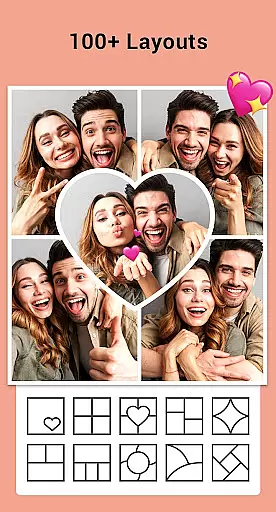
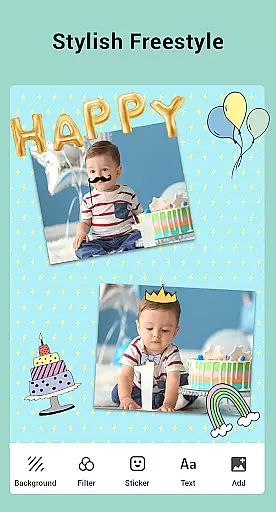
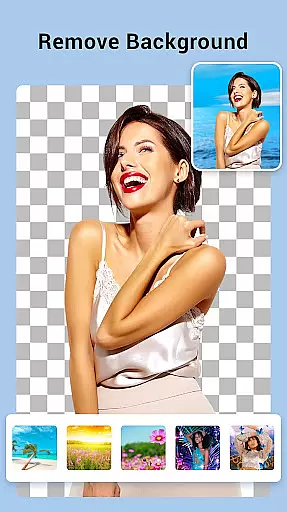
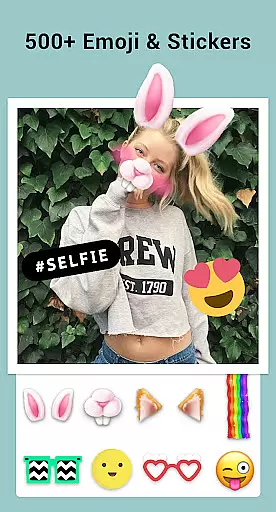
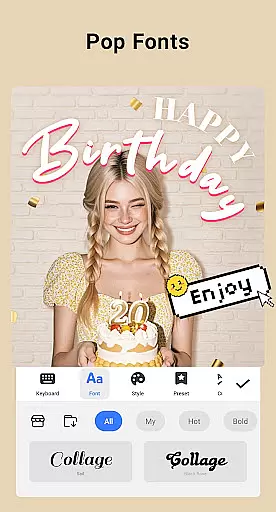
Collage Maker is a versatile photo collage and editing application designed for creative enthusiasts. The app allows users to instantly combine multiple photos into stunning collages using over 100 layouts, backgrounds, stickers, fonts, and other design elements. With its AI Photo Enhancer feature, users can transform low-quality or damaged images into high-definition masterpieces with just one tap. Whether you're creating side-by-side comparisons, Instagram-ready posts, or stylized scrapbooks, Collage Maker provides all the tools necessary for crafting visually appealing content.
In addition to its collage-making capabilities, the app offers advanced photo editing features such as cropping, filtering, text overlays, doodles, and rotation. Users can customize their creations by adjusting aspect ratios, adding stylish frames, or applying blur effects to backgrounds. The app also supports multi-fit options for Instagram, ensuring that your photos maintain their original quality regardless of platform requirements. Suitable for both casual users and professional designers, Collage Maker empowers creativity while maintaining ease of use.
Collage Maker stands out with its comprehensive suite of creative tools tailored for photo enthusiasts. One of its key features is the ability to merge up to 100 photos into a single collage, offering users unparalleled flexibility in designing complex layouts. With over 100 grid styles, countless backgrounds, stickers, and fonts, the app ensures that every project is unique. The inclusion of an AI Photo Enhancer adds significant value, allowing users to restore old or blurry images effortlessly.
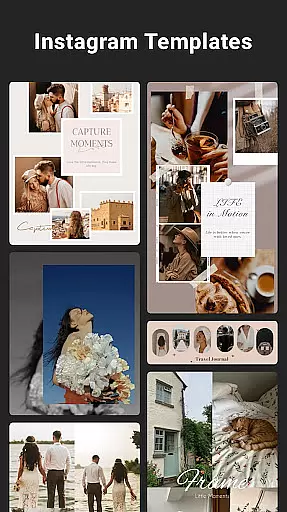
The app's editing capabilities extend beyond basic collage creation. Users can crop images, apply artistic filters, add text overlays, and utilize drawing tools to enhance their designs further. For social media optimization, Collage Maker provides Insta square formatting with customizable backgrounds, making it easy to create posts that fit perfectly on platforms like Instagram. Additionally, the app includes story templates inspired by film, magazines, and ripped paper aesthetics, enabling users to share memorable moments in style.
What truly sets Collage Maker apart is its user-friendly interface combined with professional-grade features. From freestyle scrapbooking to precise grid adjustments, the app caters to various creative needs without compromising simplicity. Whether you're preparing images for social media or personal projects, Collage Maker delivers a seamless experience that encourages experimentation and innovation.
Real-time capture and preview functionality is essential for photography apps like Collage Maker. This feature allows users to see exactly what their final collage will look like as they create it.
Collage Maker excels in this area by providing instant previews of photo collages. As users select different layouts, apply filters, or add stickers and text, they can immediately see the changes reflected in the preview window.
This real-time feedback mechanism offers significant benefits to users. It enables them to make precise adjustments to their collages without having to guess how the final product will appear, thus saving time and enhancing creativity.
The value of real-time capture and preview extends beyond mere convenience. It empowers users to experiment with various design elements confidently, knowing that any changes they make will be accurately represented in the final output, leading to more satisfying and professional-looking results.
AI beauty and enhancement features are becoming increasingly important in modern photo editing applications. These tools use artificial intelligence to improve image quality while maintaining a natural appearance.
Collage Maker incorporates AI-powered photo enhancement capabilities that can transform low-quality images into stunning high-definition photos with just one tap. The app's AI algorithms intelligently analyze and enhance each photo's characteristics without over-processing or creating unnatural effects.
Users benefit greatly from this feature as it helps them achieve professional-grade results without requiring advanced editing skills. Whether improving old family photos or enhancing recent snapshots, the AI enhancement tool ensures that all images maintain their authentic feel while looking their best.
This combination of powerful AI processing with attention to natural-looking results represents a significant advancement in mobile photo editing. It makes sophisticated editing techniques accessible to casual users while still appealing to more experienced photographers seeking quick and effective enhancement options.
User-friendly interface
Extensive customization options
AI-powered photo enhancement
Versatile layout choices
Social media optimization
Limited free features
Occasional ads
Premium subscription required
Storage-intensive
Learning curve for beginners

A collection of tools and reference tables for DPs, ACs, DITs and Operators.
 4.70
4.70
Search, tag and rate your way to an organized image gallery
4.40
Create collages easily! Nice pic collage maker & background eraser for Instagram
4.50
AI photo editor with hair editor, retouch tools, hair color changer & filters!
4.50
Be your best in every shot! Fix, edit and retouch your face in selfies & photos.
3.70
Effortlessly make high-quality GIFs from images & videos without any watermarks.
4.70
Solocator stamps photos you take with GPS location, Compass Direction, Date/Time
3.80
Try an anime version, cartoon yourself, and generate AI hug or aging videos!
3.70
Edit photos with the picture generator: PS2 & AI Clay filters, cartoon effects.
4.50
Viewfinder, Light meter, Reciprocity failure time, DOF & Bellows Extension
4.60
Take videos and pictures with the popular TikTok TIME WARP SCAN filter.
4.60
Enhance, retouch & create your story - Share the moment with Photoshop Express.
4.60
Transform photos into videos! Create realistic or anime-style images easily!
4.50
Movie camera, supports pro recording settings for filming. Try it and be amazed!
4.50
Smart, light, and fast photo and video gallery
4.30
Transform Photos: Edit, Beautify and Craft Memories & Make Collages!
4.10
Application for remote controlling DSLR
3.00
Professional video recording application with manual controls for filmmakers!
2.80
Raw Image Viewer. Gallery with support of raw images (.cr3, .cr2, .nef, .raf).
2.00




User Reviews