
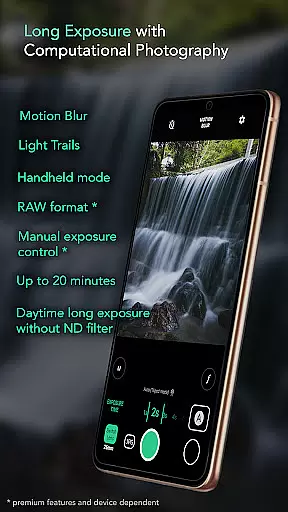
Motion ProCam is a specialized camera application designed to simplify the process of capturing long exposure photographs. This app allows users to effortlessly create stunning motion blur and light trails effects by intelligently combining multiple images into one final photo. With its advanced computational photography techniques, Motion ProCam eliminates the need for ND filters even in bright daylight conditions.
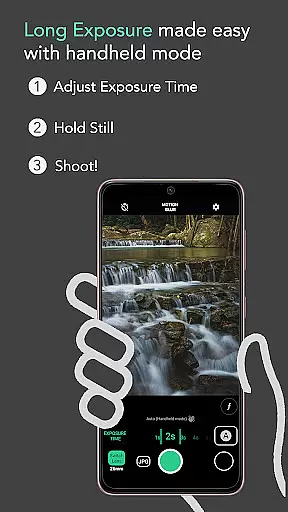
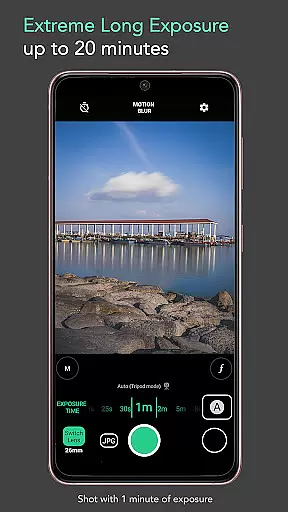
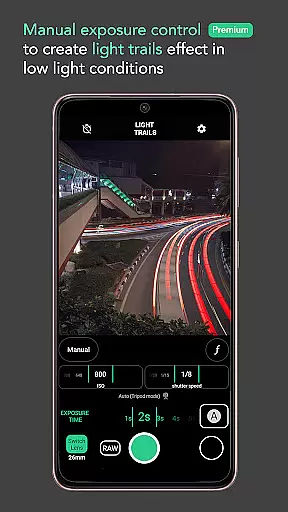
The app offers both automatic stabilization for handheld shots and manual controls for enthusiasts. Users can choose from various exposure times up to 20 minutes, select specific effects like motion blur or light trails, and even trigger the shutter using volume buttons. Premium features include RAW format support and manual exposure control, ensuring professional-quality results.
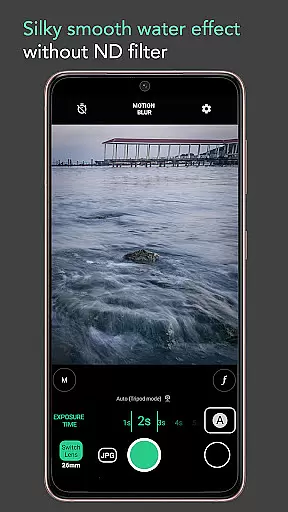
Whether you're capturing waterfalls, seascapes, or urban nightscapes, Motion ProCam provides the tools needed to produce silky smooth effects on water, remove crowds from busy scenes, or capture moving clouds with precision. Its versatility makes it an essential tool for photographers looking to explore creative possibilities in long exposure photography.
Motion ProCam stands out with its innovative approach to long exposure photography. The app's core feature is its ability to automatically align and combine numerous images into a single, high-quality long exposure photo. This process creates impressive motion blur and light trails without requiring any additional equipment like ND filters.
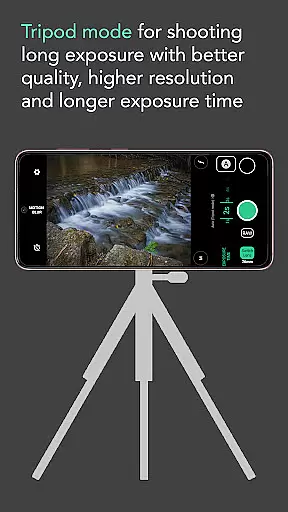
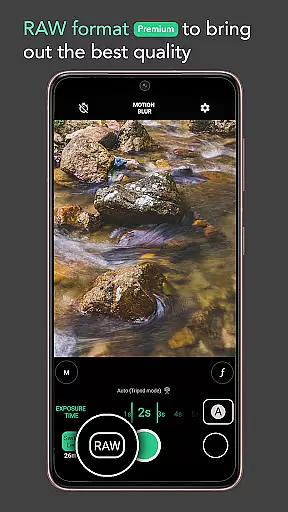
For more advanced users, the app offers pro-level features such as RAW format support and manual exposure control. These premium options allow photographers to capture images with maximum detail and flexibility during post-processing. The app also includes practical features like auto-stabilization for handheld shots up to five seconds, making it accessible for both amateur and professional photographers.
Additional notable features include selectable effects modes for different creative outcomes, extended exposure times up to 20 minutes, and the convenience of using volume buttons as shutter triggers. Whether you're aiming to capture creamy smooth lakes, majestic waterfalls, or vibrant city lights, Motion ProCam provides the necessary tools to achieve professional-grade results with ease.
Real-time capture and preview functionality is essential for ensuring that users can accurately frame and adjust their shots before capturing the final image. Motion ProCam offers a seamless experience by providing instant feedback on exposure settings and stabilisation, allowing photographers to fine-tune their setup.
The app's computational photography techniques enable users to preview motion blur and light trails effects in real time. This feature is particularly beneficial during daytime shoots, as it eliminates the worry of overexposure without the need for an ND filter. Photographers can confidently experiment with different exposure times, knowing that the app will auto-align and produce a high-quality long exposure photo.
With its intuitive interface, users can easily switch between different effects such as silky smooth water or creamy lakes. The ability to see these effects beforehand enhances creativity and ensures that the final output matches the photographer's vision. This real-time capability significantly improves the overall shooting experience.
While Motion ProCam focuses primarily on long exposure photography, it also incorporates AI-driven enhancements to ensure natural-looking results. The app intelligently processes tens or hundreds of images, combining them into a final long exposure image that maintains the authenticity of motion blur and light trails.
For enthusiasts seeking the best possible quality, premium features like RAW format and manual exposure control provide additional flexibility. These options allow users to capture images with greater detail and dynamic range, which can be further enhanced using post-processing software. The AI beauty enhancement works subtly in the background, ensuring that edits appear natural and not overly processed.
This balance between advanced computational techniques and natural enhancement makes Motion ProCam stand out. Whether capturing waterfalls, seascapes, or moving clouds, users can expect professional-grade results with minimal effort. The app's dedication to preserving the integrity of each shot while offering powerful editing tools demonstrates its commitment to quality and user satisfaction.
User-friendly interface
Advanced computational techniques
Daytime long exposure capability
Professional-grade features
Versatile effect options
Premium features require payment
Limited to specific photography styles
May have steep learning curve
Processing time can be lengthy
Device compatibility issues

Effortlessly organize, view and share your photos & videos with Gallery app!
 4.40
4.40
Application for remote controlling DSLR
3.00
Pet Camera
3.70
Create collages easily! Nice pic collage maker & background eraser for Instagram
4.50
Photo editor: AI filters, photo enhancer, pic collage maker, AI art generator.
4.80
Unblur, enhance & restore photos with powerful AI photo enhancer tools.
4.60
Astrophotography with your smartphone, photo live stacking and much more!
3.90
RAW video capture with advanced controls
4.40
Unlock the full potential of your DJI drone with Litchi
4.50
Android Native system HD camera app. Never been so simple and faster.
4.70
Add Watermark - Sign your pictures with a text or logo. Effective, quick, easy!
4.50
Safe & smart flight with Go Fly drone controller for 40+ drone camera, zone map
4.50
Create AI photos & videos with Enhancer; restore, fix, beautify, enhance photos
4.50
Use AI Video Generator to turn your words to ai generated videos.
4.50
A reflected light meter with spot metering and incident light metering.
4.40
Create AI Photos, Improve and restore quality of blurry, old or damaged pics.
4.20
What celebrity do you look like? Celebs will find your celebrity match!
4.10
Transform Photos: Edit, Beautify and Craft Memories & Make Collages!
4.10
Catch sunlight, sunrise sunset times and sun phases with the AR sun tracker.
4.10



User Reviews