
Add Watermark is a powerful photography app that allows users to protect their digital images by adding customizable watermarks. The application supports both text and logo watermarks, providing extensive customization options such as size adjustment, transparency control, rotation settings, and alignment preferences.
Designed for professional photographers and bloggers, the app offers advanced features like batch processing, auto-processing through sharing from other apps, and support for transparent PNG images. With 72 built-in fonts and the ability to import up to 20 custom fonts, users can create unique watermark designs. The app also enables quick sharing to social media platforms and provides full EXIF and XMP metadata support.
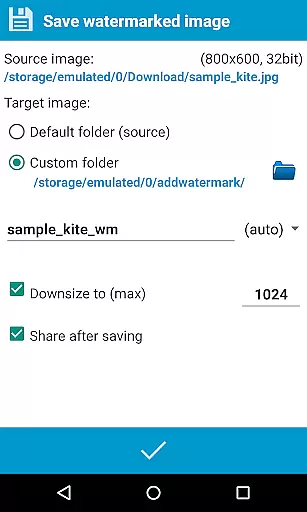
This app is particularly useful for professionals who need to process multiple images efficiently while maintaining image quality and protecting their work. The Full version unlocks additional capabilities including saving in .jpg or .png formats, renaming, resizing, and backing up settings on the device or in the cloud.
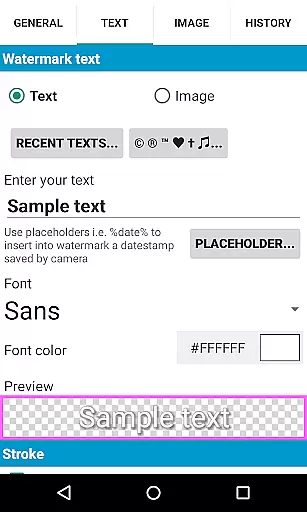
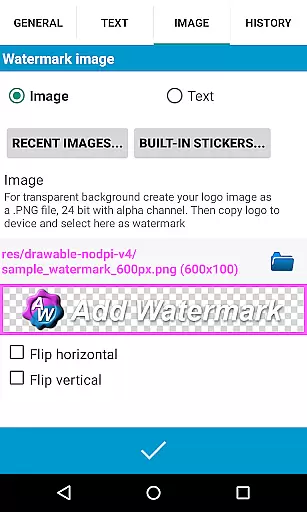
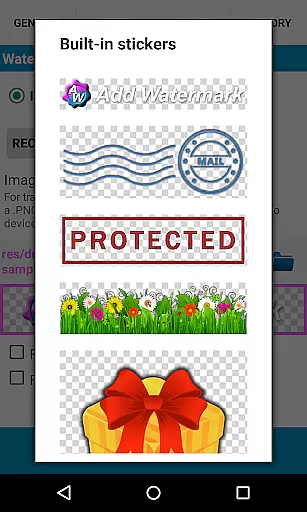
The app's standout feature is its robust watermarking capability, allowing users to add either text or logo watermarks with precision. Users can fine-tune every aspect of the watermark, including font selection, color effects, and even timestamp insertion using placeholders like %date%. The built-in sticker collection adds creative flair to watermarked images.
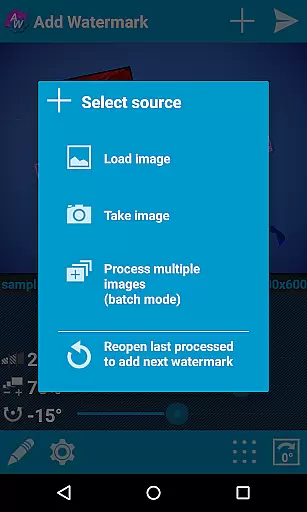
For power users, Add Watermark offers a batch mode that processes multiple images simultaneously, significantly improving workflow efficiency. The auto-processing function allows seamless integration with other apps through the share feature. Additionally, the app supports 360° panoramas and provides comprehensive metadata handling, ensuring professional-grade results.
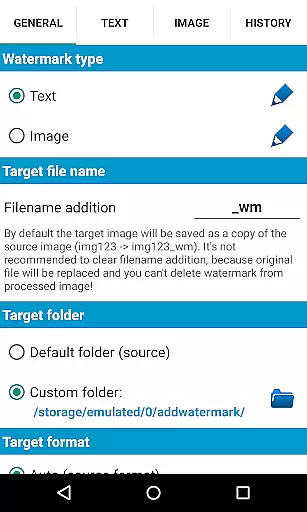
Other notable features include easy access to recently used watermarks, automatic backup options, and the ability to resize and rename files upon saving. These functionalities make it an indispensable tool for anyone looking to protect their digital assets while maintaining high productivity standards.
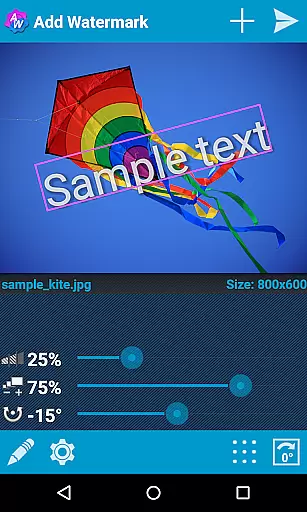
Real-time capture and preview functionality is essential for ensuring that the watermark appears exactly where you want it on your images. Add Watermark provides a seamless experience by allowing users to see changes instantly as they adjust the watermark's size, transparency, rotation, and alignment.
This app ensures that photographers can place their watermark with precision, offering a live view of how the final image will look. This feature is crucial for professionals who need to maintain brand consistency across all their photos.
By enabling real-time adjustments, Add Watermark saves time and effort, eliminating the need for trial and error. Users can immediately see the impact of their modifications, making the watermarking process efficient and accurate.
The ability to preview changes in real-time enhances user satisfaction by providing control over the creative process. Whether adding text or logo watermarks, users can be confident in the placement and appearance before saving and sharing their work.
While primarily focused on watermarking, Add Watermark also offers features that enhance the natural beauty of images through careful watermark integration. The application allows for transparency adjustments, ensuring that watermarks do not overpower the original image but rather complement it subtly.
Users have access to various effects and color options for text-based watermarks, which can be fine-tuned to match the aesthetic of the photograph. With 72 built-in fonts and support for custom fonts, the app enables creators to add personalized touches without compromising the photo's integrity.
The app supports transparent PNG images as watermarks, allowing for logos and intricate designs to blend naturally into photographs. This flexibility ensures that even complex watermarks maintain the imageu2019s authenticity and visual appeal.
By focusing on the natural enhancement of images, Add Watermark helps photographers protect their work while preserving its artistic value. The balance between visibility and subtlety in watermarking is key to maintaining professional standards in digital photography.
User-friendly interface
Extensive customization options
Batch processing capability
Quick sharing to social media
Professional-grade features
Free version has limitations
Advanced features require purchase
Learning curve for beginners
Occasional bugs reported
Logo watermark disabled in free version

Professional video recording application with manual controls for filmmakers!
 2.80
2.80
Gallery Slideshow is slideshow maker app for slideshow from your gallery photos.
3.90
Amazing Photo Effects - The most fun you can have with your photos!
4.70
Add a dreamy vibe to your selfies and videos with soft style filters
4.3
USB Storage Access for Photos, Videos, Music and Documents
3.80
GCamera allows all GCam features on all phone models! Better photos with GCamera
3.30
Use AI Video Generator to turn your words to ai generated videos.
4.50
RAW video capture with advanced controls
4.40
Photo & Video Gallery app to manage albums and save WA Status easily.
4.70
Gallery show photo, video, slideshow, is perfect 3D effect private photo albums.
4.80
Cartoon and artistic effects for your photos and videos
4.70
Create AI photos & videos with Enhancer; restore, fix, beautify, enhance photos
4.50
AI portrait generator and polaroid AI selfie, fun AI generated AI photo creator!
4.30
All-in-One Editor & AI Photo Enhancer, Beautify & Retouch, Collage, Cartoonify
4.20
Create AI Photos, Improve and restore quality of blurry, old or damaged pics.
4.20
Perfect photos with body shaping, BG changer and object remover.
3.70
Pet Camera
3.70
Be your best in every shot! Fix, edit and retouch your face in selfies & photos.
3.70
HD Photo gallery and photo manager to edit, hide private photos, videos & albums
4.3




User Reviews