
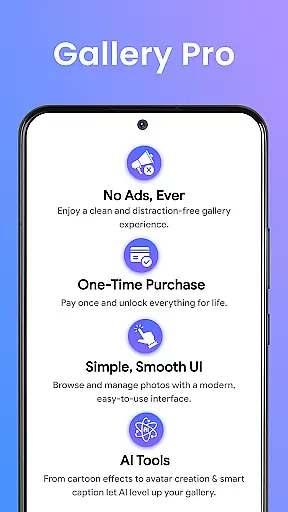
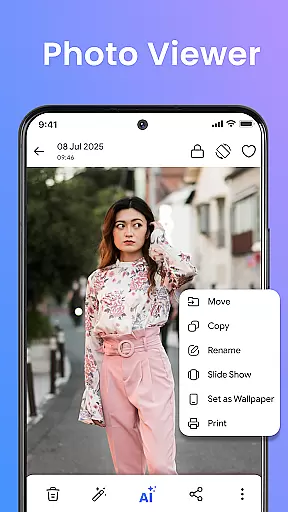
Gallery Pro is a comprehensive HD photo gallery app designed to help users organize, manage, and secure their photos, videos, and albums. With its clean and intuitive interface, the app offers effortless media management through features like a gallery vault, intelligent photo organizer, and seamless slideshow creator.
This powerful tool is built for Android users who need a reliable space to manage their media. Whether you're organizing albums, viewing HD images, or securing private moments, Gallery Pro provides premium functionalities that cater to everyday needs. The app's core features include a fast HD gallery interface, smart photo organization tools, and a built-in editor for enhancing images.
One standout feature is the secure vault, which allows users to keep sensitive media safe with encryption. Additionally, the Story Memories function helps relive past moments, while AI-powered tools offer creative enhancements. This makes Gallery Pro not just a photo manager but also a privacy-focused solution for safeguarding personal memories.
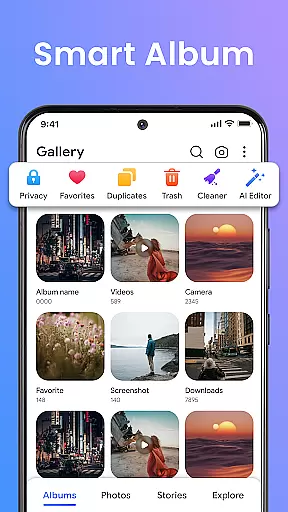
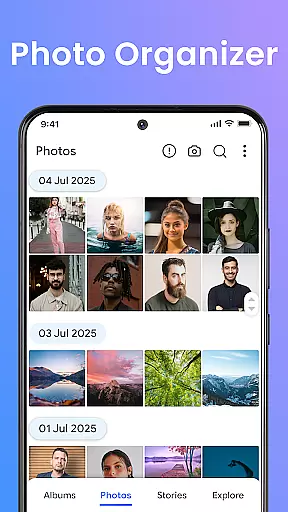
Gallery Pro stands out with its robust set of features tailored for both casual and power users. At its core, the app provides a clean and fast HD gallery interface, allowing users to browse, sort, and organize media files efficiently. Its intelligent photo organizer lets users create albums, add tags, and utilize advanced search functions to find specific memories quickly.
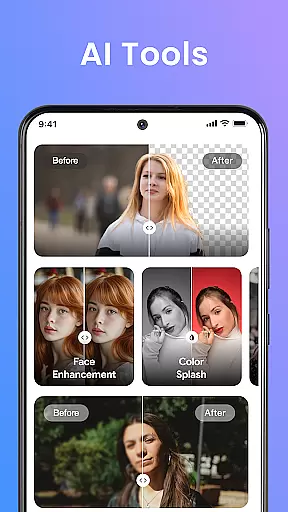
The built-in photo editor is another highlight, offering essential tools such as crop, rotate, and AI-driven features like object removal and background blur. These capabilities ensure users can enhance their images without needing additional software. Moreover, the app includes an encrypted vault for storing private photos and videos securely, ensuring they remain inaccessible to unauthorized users.
Other notable features include the Story Memories function, which revisits past events, and the HD slideshow creator, perfect for sharing memories with friends and family. AI tools further extend functionality by providing avatar creation and smart cleanup options. Together, these features make Gallery Pro a versatile and indispensable tool for managing digital media.
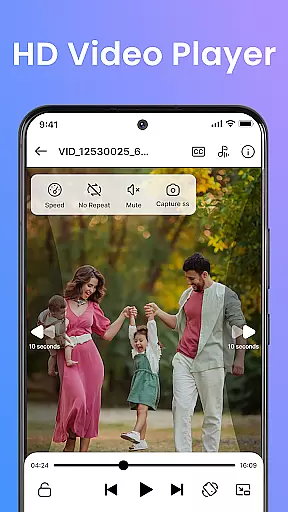
Real-time capture and preview functionality is essential for any photography app, ensuring that users can instantly see the results of their shots before finalizing them. Gallery Pro offers a seamless experience in this aspect by providing an intuitive interface where users can quickly browse, sort, and organize their photos with a clean and responsive HD viewer.
The app's advanced features such as the built-in photo editor allow users to enhance images on-the-fly using simple tools like crop, rotate, and AI-powered enhancements. This immediate feedback loop empowers photographers to make adjustments in real time, resulting in higher quality captures without needing to leave the application.
For those who value privacy, Gallery Pro includes a secure vault feature which ensures that sensitive media remains private while still offering smooth access through its encrypted storage solution. By integrating these powerful capabilities into one platform, Gallery Pro delivers both performance and protection for all your photographic needs.
AI beauty and enhancement features have become increasingly popular among photography enthusiasts looking to refine their images effortlessly. Gallery Pro stands out by incorporating intelligent tools such as avatar creation, photo enhancements, and smart cleanup directly within its HD gallery interface. These functionalities enable users to elevate their photos with natural-looking improvements powered by artificial intelligence.
One key advantage of Gallery Pro is its ability to maintain authenticity while enhancing visual elements. The AI-driven object removal or background blur options ensure edits appear organic rather than over-processedu2014a crucial factor for maintaining credibility in digital imagery today. Such precision not only enhances aesthetic appeal but also preserves originality across edited content.
Moreover, these sophisticated yet user-friendly enhancements cater specifically to individuals prioritizing ease-of-use alongside professional-grade results. With Gallery Prou2019s comprehensive suite of editing capabilities at handu2014including advanced search functions enabling swift retrieval of cherished memoriesu2014users are equipped to create stunning visuals while safeguarding personal data integrity via robust security measures embedded throughout the application.
User-friendly interface
Advanced security features
Comprehensive editing tools
Efficient organization options
AI-powered enhancements
Requires storage permissions
Premium features may cost extra
Limited cross-platform support
Occasional performance lags
Complex setup for beginners

Photobooth mini FULL app will allow you to add more fun to your parties
 4.00
4.00
Cut and paste photo editor & eraser to customize photos easy and swap faces fun
4.50
Gallery Slideshow is slideshow maker app for slideshow from your gallery photos.
3.90
Movie camera, supports pro recording settings for filming. Try it and be amazed!
4.50
GCamera allows all GCam features on all phone models! Better photos with GCamera
3.30
Unblur, enhance & restore photos with powerful AI photo enhancer tools.
4.60
Snap photos remotely using your Garmin watch as the camera trigger
4.0
Your personal guide to the sun and moon. Plan ahead, visualize and predict!
4.70
Remote control the phone camera shutter from your smartwatch and take a picture
1.60
Photo prints, cards, & gifts at Walgreens. Easy ordering & fast local pickup !
4.80
Android Native system HD camera app. Never been so simple and faster.
4.70
See your baby AI baby face generator AI baby maker Face generator babymaker fun!
4.70
Create Business Headshots, Polaroid Filter, Retake Photos,Profile Pics,AI Photos
4.50
HD Camera Pro with HD Video shooting, Panorama, Photo editor , Beauty Camera.
4.50
Fit multiple photos on one post. Create carousels & scroll layouts for Instagram
4.50
Edit like a pro with Hypic. Apply filters, AI effects, & magic touch.
4.40
All-in-One Editor & AI Photo Enhancer, Collage, Cartoonify, Funny Stickers & BGS
4.10
USB Storage Access for Photos, Videos, Music and Documents
3.80
Photo Album Watch Face shows your favorite pictures as a Watchface.
1.90





User Reviews