
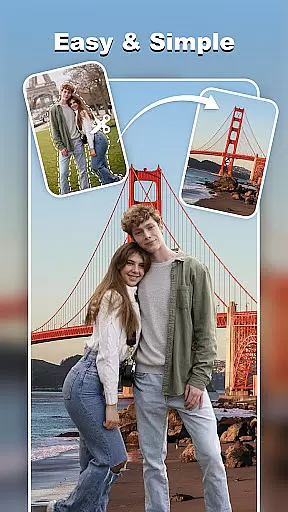
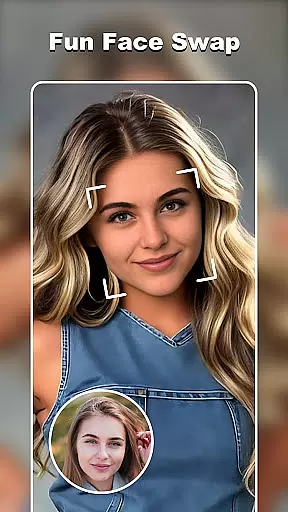
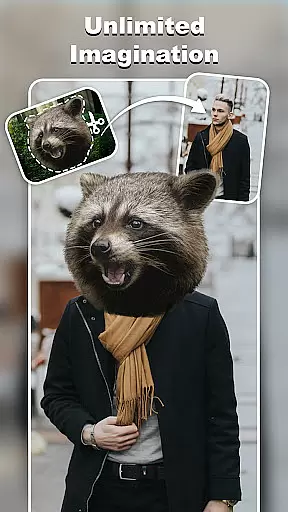
Cut and Paste Photo Editor is an advanced photo editing tool that allows users to effortlessly cut objects from images and paste them into new backgrounds or scenes. The app utilizes AI-powered technology to provide precise cutting capabilities, making it simple for users to create stunning collages, swap faces, remove backgrounds, and more.
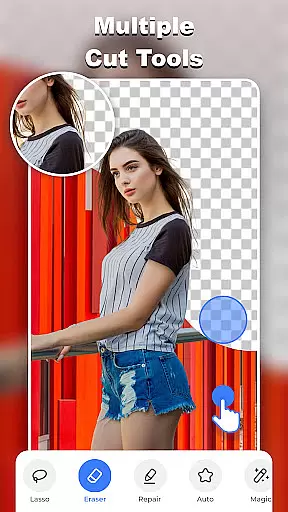
With a variety of tools such as the background eraser, lasso, smooth, repair, auto-cut, and magic cut, this app offers pixel-level accuracy in every edit. Users can also take advantage of the online background library, ready-made templates, and colorful decorations to enhance their creations. Whether you're looking to make fun edits or professional product photos for e-commerce platforms, Cut and Paste Photo Editor has got you covered.
The app stands out with its powerful features tailored for both casual users and professionals. One of the key highlights is the Magic Cutting tool, which provides multiple options like the background eraser, lasso, and auto-cut to ensure precision in every cutout. This feature enables users to easily remove unwanted elements and erase backgrounds within seconds.
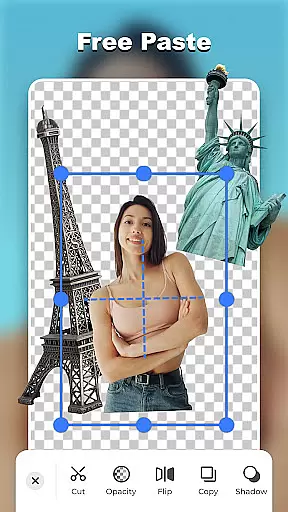
Another notable feature is the Smooth Pasting capability, allowing users to merge various elements seamlessly. You can adjust colors, add neon backgrounds, flip cutouts, and make multiple copies without any pixel damage. Additionally, the app includes an Online Background Library with unlimited ready-to-use backgrounds, ranging from scenic views to artistic touches, ensuring your photos always have the perfect backdrop.
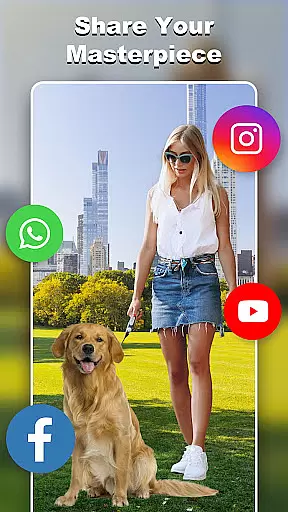
For those interested in creative projects, the app offers ready-made templates and text magic with over 20 unique fonts and endless color options. These features help unleash limitless creativity, whether you're designing wedding invites or capturing summer vibes. With the ability to share your masterpieces directly from the app, Cut and Paste Photo Editor ensures your work gets the recognition it deserves.
Real-time capture and preview functionality is essential for any photography app, allowing users to see exactly what their final image will look like before taking the shot. Cut and Paste Photo Editor excels in this area by providing a seamless experience that ensures every detail is captured perfectly.
The app's advanced AI technology enables instant previews of complex edits such as background removals and face swaps. This means you can visualize your creative ideas immediately, making the editing process faster and more intuitive.
Users benefit from the ability to adjust elements on the fly, ensuring that each photo meets their exact specifications. Whether it's adjusting lighting or experimenting with different backgrounds, the real-time preview feature allows for precise control over the final outcome.
This capability not only enhances user satisfaction but also saves time, as there is no need for trial and error. The result is a professional-quality edit every time, empowering users to produce stunning images effortlessly.
AI beauty and enhancement features are crucial for modern photo editors, offering tools that improve image quality while maintaining a natural look. Cut and Paste Photo Editor stands out with its sophisticated AI algorithms that enhance photos without making them appear overly processed.
The app provides a range of enhancements, including skin smoothing, blemish removal, and color correction, all designed to elevate the subject's natural beauty. These features are powered by AI that understands subtle nuances, ensuring edits are both effective and realistic.
With Cut and Paste Photo Editor, users can achieve professional-grade results with minimal effort. The AI-driven enhancements adapt to different skin tones and lighting conditions, delivering consistent and authentic improvements across various scenarios.
This focus on natural enhancement not only boosts user confidence in their edited photos but also broadens the app's appeal to professionals and amateurs alike. By preserving the authenticity of each image, the app ensures that every edit enhances rather than detracts from the original photo.
User-friendly interface
AI-powered cutting
Variety of tools
Online background library
Ready-made templates
Limited free features
In-app purchases
Ads present
Learning curve
Occasional bugs

Photo editor: face & body editor, beauty cam, filters and quality enhancer.
 4.00
4.00
How would you look like with a differently shaped nose, chin or lips?
3.90
[3DSteroid Pro] is a stereoscopic application for Android.
4.30
Photo prints, cards, & gifts at Walgreens. Easy ordering & fast local pickup !
4.80
Photo editor: AI filters, photo enhancer, pic collage maker, AI art generator.
4.80
Transform photos into videos! Create realistic or anime-style images easily!
4.50
Amazing Photo Effects - The most fun you can have with your photos!
4.70
Luminar: Photo Editor - easy picture editing with AI
4.20
A unique animation app. Powerful, easy to use, and lots of fun.
4.30
A collection of tools and reference tables for DPs, ACs, DITs and Operators.
4.70
Automatically backup your photos and videos to computer, NAS and Cloud services
4.60
Search, tag and rate your way to an organized image gallery
4.40
Easily stitch panoramas from multiple photos or video.
4.40
Natural Beauty, Selfie Retouch
4.30
The #1 app for B&W film developing featuring an advanced darkroom timer.
4.10
Catch sunlight, sunrise sunset times and sun phases with the AR sun tracker.
4.10
How old age camera Gender Swap App Face Shape Hairstyle App Hair Styler App fun!
4.00
Long exposure camera with computational photography
2.60
Snap photos remotely using your Garmin watch as the camera trigger
4.4





User Reviews