
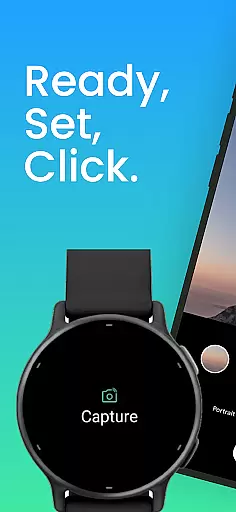
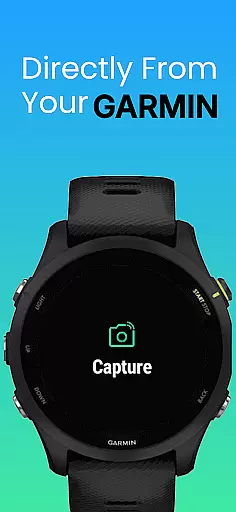
CameraClick is a powerful photography app that connects your Garmin smartwatch with your Android phone, enabling wireless remote control of your camera. This seamless integration allows users to capture photos and videos directly from their wrist, making it ideal for group shots, solo adventures, or distance recordings.
The app works with your phone's native camera application, ensuring that all your preferred quality settings, lens choices, and storage paths remain intact. By leveraging Android’s AccessibilityService, CameraClick interacts directly with the camera shutter button, offering compatibility across a wide range of devices and camera apps.
Whether you're an athlete recording workouts, a creator capturing nature, or simply someone who wants to take photos without handling your phone, CameraClick provides a reliable and easy-to-use solution.
CameraClick offers several standout features that enhance the photography experience. First, it uses your phone's existing camera app rather than requiring a custom viewer, preserving your preferred settings and quality. This ensures that every photo or video taken through the app meets your standards.
Another key feature is its compatibility with Garmin Connect IQ-enabled watches, allowing for intuitive wrist-based control. The app also utilizes Android’s AccessibilityService to interact directly with the camera shutter button, ensuring broad compatibility across various devices and camera applications.
Additionally, CameraClick has been tested on popular Android devices from brands like Google, Samsung, Motorola, Xiaomi, Fairphone, OPPO, Honor, Nothing, and OnePlus. This extensive testing guarantees a reliable performance regardless of your device type.
Real-time capture and preview functionality is essential for ensuring that every photo or video taken meets the user's expectations without delay. CameraClick excels in this area by providing seamless integration between your Garmin smartwatch and Android phone.
By leveraging the native camera app on your phone, CameraClick allows you to trigger the camera directly from your wrist. This means you can see exactly what your phoneu2019s camera sees, and capture the moment instantly without any noticeable lag.
The application uses Androidu2019s AccessibilityService to interact with the camera shutter button, ensuring compatibility across a wide range of devices and camera apps. This approach not only preserves your preferred quality settings but also ensures that the lens choice and storage paths remain consistent with your usual setup.
With CameraClick, users gain the ability to take photos or start/stop video recordings remotely, making it ideal for capturing group shots, solo adventures, or recording from a distance. This real-time functionality empowers creators, athletes, and everyday users to capture lifeu2019s moments effortlessly and reliably.
While CameraClick does not focus heavily on AI beauty and enhancement features, it provides an authentic and natural photography experience by utilizing your phoneu2019s native camera app. This ensures that any beauty or enhancement features you typically use are preserved.
CameraClick works by triggering the existing camera app on your Android device, meaning that all the settings, including those related to beauty and enhancement, remain intact. This allows users to maintain their preferred look and feel without introducing additional layers of processing that could distort the image.
Using Androidu2019s AccessibilityService, CameraClick interacts directly with the camera shutter button, ensuring that the photos and videos retain their natural quality. This method avoids unnecessary alterations, preserving the authenticity of each capture.
Tested on popular Android devices from brands like Google, Samsung, and Xiaomi, CameraClick offers a reliable and natural photography experience. Whether capturing nature, workouts, or daily life, users can trust that their photos and videos will reflect genuine moments without artificial enhancements.
User-friendly interface
Wide device compatibility
Preserves native camera settings
Wireless convenience
Reliable performance
Requires specific watch model
Limited to Android devices
Needs accessibility permissions
No iOS support
Dependent on native camera app

Long exposure camera with computational photography
 2.60
2.60
All-in-One Editor & AI Photo Enhancer, Beautify & Retouch, Collage, Cartoonify
4.20
Shooting photos and records video easily and efficient with professional Camera
4.30
Photobooth mini FULL app will allow you to add more fun to your parties
4.00
Add a dreamy vibe to your selfies and videos with soft style filters
4.3
USB Storage Access for Photos, Videos, Music and Documents
3.80
AI Photo Editor with 100+ Filters, Effects! Remove BG, Retouch & Photo Enhancer.
4.80
Astrophotography with your smartphone, photo live stacking and much more!
3.90
live datamoshing
4.00
Easily view, share, delete photos with Gallery.
4.70
See your baby AI baby face generator AI baby maker Face generator babymaker fun!
4.70
Enhance, upscale, and transform your images — on your device, without limits
4.70
PhotoSync Bundle Add-On License. Enables all features and services in PhotoSync.
4.60
Add Watermark - Sign your pictures with a text or logo. Effective, quick, easy!
4.50
Create AI photos & videos with Enhancer; restore, fix, beautify, enhance photos
4.50
Luminar: Photo Editor - easy picture editing with AI
4.20
Hair color changer, AI haircut app, fun hair editor and buzz cut filter for all!
3.80
Raw Image Viewer. Gallery with support of raw images (.cr3, .cr2, .nef, .raf).
2.00
Over 800 film simulation recipes for Fujifilm. Black Friday Offer!
4.3



User Reviews