
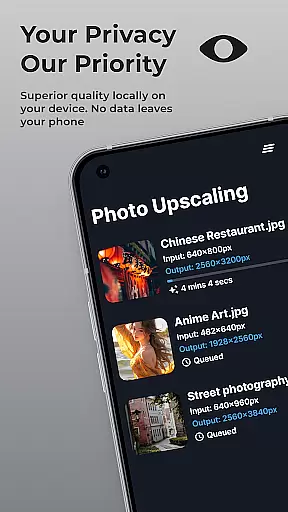
SuperImage Pro is an advanced AI-powered photo editing application designed for photography enthusiasts and professionals. This all-in-one photo toolbox offers exceptional features like image upscaling, background removal, and portrait enhancement, all processed locally on your device. With its cutting-edge on-device AI processing, users can transform their images while maintaining complete privacy and security.
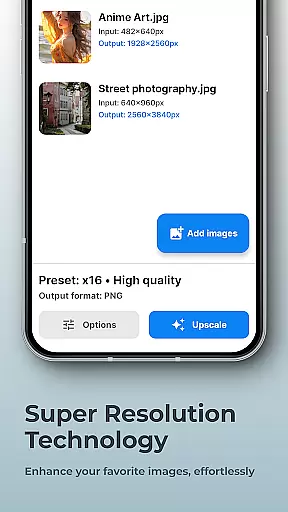
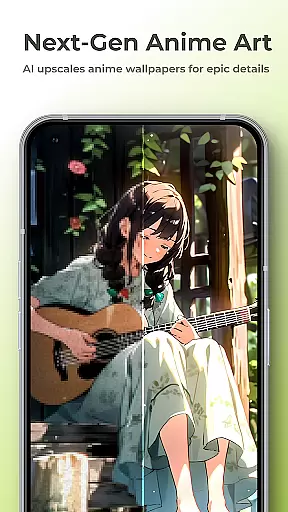
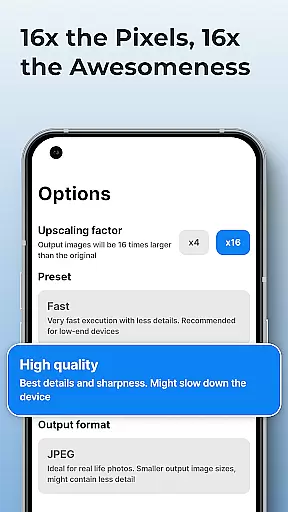
The app stands out with its ability to upscale images up to 16x their original resolution without losing quality, making it perfect for enhancing wallpapers and detailed artwork. Its powerful AI models are optimized for modern hardware, ensuring fast processing speeds. Whether you're refining facial features in portraits or creating transparent cutouts, SuperImage Pro delivers professional-grade results without requiring an internet connection.
For advanced users, the app supports custom model importing in various formats including PyTorch and ONNX, providing unparalleled flexibility. This feature-rich application is particularly valuable for photographers and designers who need precise control over their image editing process while keeping their work completely private and secure.
SuperImage Pro distinguishes itself through its comprehensive set of AI-powered features that cater to diverse photo editing needs. The app's core functionality revolves around its ability to enhance, upscale, and transform images using sophisticated AI algorithms that run entirely on the user's device. This ensures maximum privacy while delivering professional-quality results at remarkable speed.
One of the standout features is its multi-format model support system, allowing advanced users to import custom AI models in PyTorch, ONNX, and MNN formats with just one click. The app also includes specialized tools for portrait enhancement, enabling users to sharpen details and refine facial features with precision. Its background removal tool creates perfect cutouts instantly, while the super-resolution feature can upscale images up to 16x their original size without compromising quality.
The application's architecture is optimized for modern devices, utilizing hardware acceleration to deliver fast processing times. Unlike cloud-based solutions, SuperImage Pro guarantees complete data privacy by processing all images locally. The combination of these advanced features makes it an indispensable tool for professionals who demand both power and privacy in their photo editing workflow.
Real-time capture and preview functionality is essential for photography apps as it allows users to see exactly what the camera is capturing before taking a shot. SuperImage Pro excels in this area by providing an intuitive interface that displays high-quality previews, ensuring that every detail is captured accurately.
The app leverages advanced AI models optimized for modern hardware to process images directly on the device. This means that users can expect minimal lag between the action happening in front of the camera and what they see on the screen, making it easier to frame shots perfectly.
With real-time filters and enhancement options available during capture, users can visualize different effects and adjustments instantly. This feature empowers photographers to experiment with creative styles without needing to wait for post-processing, thus saving time and improving workflow efficiency.
Ultimately, the real-time capture and preview capabilities of SuperImage Pro enhance user experience by offering precise control over photo composition and quality. Whether you're shooting portraits or landscapes, the ability to preview your image ensures that you never miss a perfect shot.
AI beauty and enhancement features are increasingly popular among photography enthusiasts who seek natural-looking improvements in their photos. SuperImage Pro stands out by offering sophisticated AI-driven tools that refine facial features while maintaining authenticity.
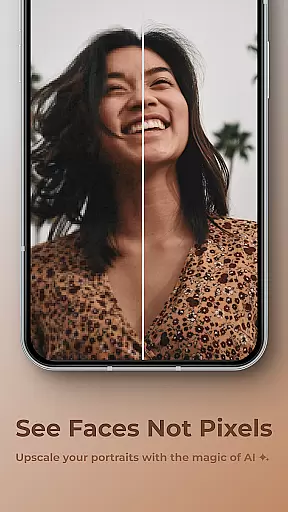
The app's AI processing runs entirely on the device, ensuring privacy and eliminating the need for an internet connection. This allows users to enhance portraits with confidence, knowing that their personal data remains secure. The AI algorithms focus on sharpening details and refining facial features subtly, avoiding the artificial look often associated with heavy editing.
SuperImage Pro also includes specialized modes for enhancing background clarity and isolating subjects from their surroundings. These features work together to create balanced compositions where both foreground and background elements appear harmonious and true-to-life.
By prioritizing naturalness in its enhancements, SuperImage Pro delivers professional-grade results suitable for both amateur and experienced photographers. Users can achieve polished yet genuine-looking images that retain the original character and charm of their subjects.
Advanced AI processing
Complete privacy protection
High-quality upscaling
Custom model support
Offline functionality
Steep learning curve
High system requirements
Limited beginner guidance
Premium price point
Complex interface

Android Native system HD camera app. Never been so simple and faster.
 4.70
4.70
Photo prints, cards, & gifts at Walgreens. Easy ordering & fast local pickup !
4.80
AI photo editor with hair editor, retouch tools, hair color changer & filters!
4.50
Create AI photos & videos with Enhancer; restore, fix, beautify, enhance photos
4.50
See your baby AI baby face generator AI baby maker Face generator babymaker fun!
4.70
Pro version: AR sun/moon tracker for any date. Tool for photographers & planners
4.90
Effortlessly make high-quality GIFs from images & videos without any watermarks.
4.70
A unique animation app. Powerful, easy to use, and lots of fun.
4.30
Try an anime version, cartoon yourself, and generate AI hug or aging videos!
3.70
Collage your moments in one tap: 1000+ layouts, filters, stickers, and texts.
4.90
Perfect body tune & face app - photo retouch, makeup, slim body & beautify face.
4.80
Automatically backup your photos and videos to computer, NAS and Cloud services
4.60
Easily create custom gifts, cards, photo books & more on the Shutterfly app!
4.60
Effortlessly organize, view and share your photos & videos with Gallery app!
4.40
RAW video capture with advanced controls
4.40
Create AI Photos, Improve and restore quality of blurry, old or damaged pics.
4.20
Professional camera app that brings DSLR manual photography controls to Android.
4.20
Turn photos into cartoons & avatars! - Photo Editor, Cartoon Face!
3.90
Application for remote controlling DSLR
3.00



User Reviews