
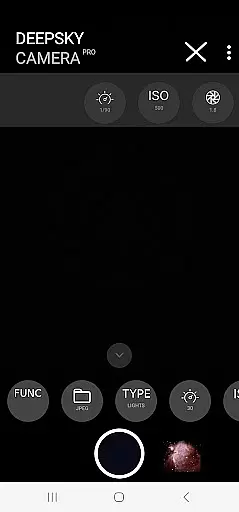
DeepSkyCamera Pro is an advanced astrophotography application designed for smartphone users who are passionate about capturing the night sky. The app offers professional-grade features that go beyond basic photography, including photo live stacking in both RAW and JPEG formats, star trail creation, and timelapse video production in multiple codecs. With its specialized tools, users can take long-exposure photographs akin to those captured by DSLR or CCD/CMOS cameras.
The application supports astrophotographers by providing detailed on-screen information during photo sessions, such as exposure times, frame counts, and axis shifts. It caters specifically to astronomers familiar with RAW files and stacking software, enabling them to capture images through telescopes or simple tripods. While it requires a basic understanding of astronomy and post-processing techniques, DeepSkyCamera Pro serves as an essential tool for enthusiasts aiming to explore and document celestial wonders.
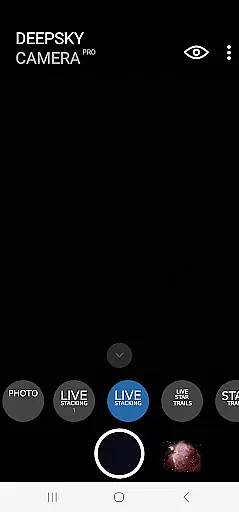
DeepSkyCamera Pro stands out with its comprehensive set of features tailored for astrophotography enthusiasts. One of its core functionalities is photo live stacking, which works with both tracked and untracked images, allowing users to stack multiple shots to enhance image quality significantly. This feature saves the final stacked image in TIFF or JPEG format, depending on the input type, and provides critical session data like integration time and processing duration.
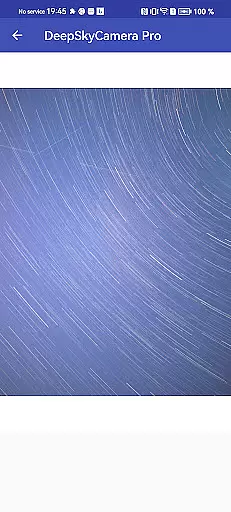
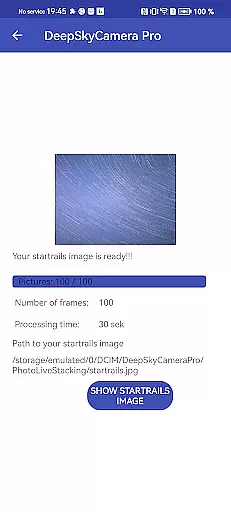
In addition to photo stacking, the app includes a viewfinder live stacking function that overcomes typical smartphone limitations by supporting shutter speeds up to 10 seconds. This makes it possible to capture darker objects more clearly when attached to a telescope. Furthermore, the app facilitates the creation of animated star trails and timelapse videos in mp4 format using AVC or HEVC codecs. These capabilities ensure that users can produce high-quality visual content suitable for various astronomical observations and presentations.
Real-time capture and preview functionality is essential for astrophotography, allowing users to see the night sky as it is being photographed. DeepSkyCamera Pro offers advanced live stacking features that enable photographers to stack images directly on their smartphones while capturing.
This app supports both tracked and untracked images, aligning and analyzing them to create a stacked result in TIFF or JPEG formats. The live viewfinder breaks the limitation of 1-second shutter speed, allowing exposures up to 10 seconds. This feature helps overcome the instability issues of camera sensors at slower shutter speeds.
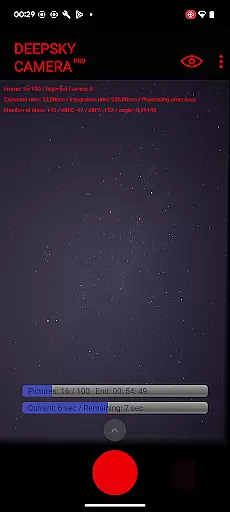
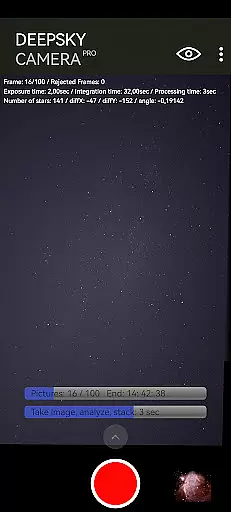
During photo live stacking, the app displays crucial information such as exposure time, integration time, processing time, and image shift details. These metrics help astrophotographers fine-tune their settings for optimal results. With this real-time feedback, users can adjust their equipment and settings on the fly.
The ability to preview star trails and live stacking enhances the photographer's experience by providing immediate visual feedback. This ensures that even faint celestial objects become visible through extended exposure times. Such capabilities make DeepSkyCamera Pro an indispensable tool for both amateur and professional astrophotographers.
While primarily focused on astrophotography, DeepSkyCamera Pro also incorporates AI beauty and enhancement features that ensure natural-looking images. The app processes RAW files captured by the smartphone camera, maintaining high-quality standards expected by astronomy enthusiasts.
DeepSkyCamera Pro uses advanced algorithms to align and stack images, reducing noise and enhancing details without artificial enhancements. This approach preserves the authenticity of celestial objects, ensuring that stars, galaxies, and nebulae appear as they would in a professional DSLR or CCD/CMOS camera capture.
Users benefit from the app's ability to save stacked results in TIFF format when using RAW images, which allows for further post-processing with specialized software. The appu2019s natural enhancement techniques provide a solid foundation for additional editing, ensuring that final images retain their scientific and aesthetic value.
By focusing on natural enhancement rather than artificial beautification, DeepSkyCamera Pro caters to astronomers who require accurate representations of the night sky. This commitment to authenticity sets the app apart, making it a valuable asset for those serious about astrophotography.
User-friendly interface for complex tasks
Advanced photo stacking options
Supports long exposure photography
Comprehensive on-screen information display
Compatible with various Android devices
Steep learning curve for beginners
Requires specific hardware for best results
Memory-intensive operations may cause crashes
Limited functionality on older Android versions
No automatic post-processing features

Remote control of the phone camera from your Wear OS smartwatch
 3.70
3.70
Raw Image Viewer. Gallery with support of raw images (.cr3, .cr2, .nef, .raf).
2.00
AI photo enhancer with Sora 2! Enhance, descratch, and colorize your old photos.
4.50
Enhance, retouch & create your story - Share the moment with Photoshop Express.
4.60
AI-powered video creator by MiniMax - Where ideas meet cinema
4.20
Pro version: AR sun/moon tracker for any date. Tool for photographers & planners
4.90
Catch sunlight, sunrise sunset times and sun phases with the AR sun tracker.
4.10
Enhance, upscale, and transform your images — on your device, without limits
4.70
Solocator stamps photos you take with GPS location, Compass Direction, Date/Time
3.80
See your baby AI baby face generator AI baby maker Face generator babymaker fun!
4.70
Your personal guide to the sun and moon. Plan ahead, visualize and predict!
4.70
Discover & download millions of art for The Frame TV or Hisense CanvasTV
4.60
Create AI photos & videos with Enhancer; restore, fix, beautify, enhance photos
4.50
Easily stitch panoramas from multiple photos or video.
4.40
RAW video capture with advanced controls
4.40
[3DSteroid Pro] is a stereoscopic application for Android.
4.30
Turn your phone into a professional camera - full DSLR manual photography
4.30
Create AI Photos, Improve and restore quality of blurry, old or damaged pics.
4.20
A light meter for true photographers.
4.20



User Reviews