
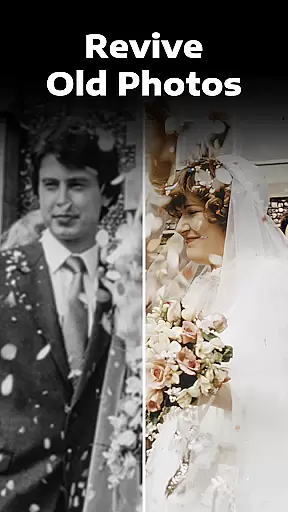
Evoke - AI Photo Enhancer is a cutting-edge photography app that uses advanced AI technology to breathe new life into old photos. The app specializes in restoring faded, scratched, or blurred images while preserving intricate details and character. Powered by Google's Gemini 2.5 Flash Image model, it ensures high-quality image generation with consistent clarity and natural enhancements.
Whether you're looking to enhance black-and-white photos, fix imperfections, or explore creative AI-driven transformations, this app offers a versatile suite of tools. From colorization to AI-generated portraits, Evoke makes photo restoration effortless and fun. It also supports photo-to-video creation, adding dynamic storytelling to your cherished memories.
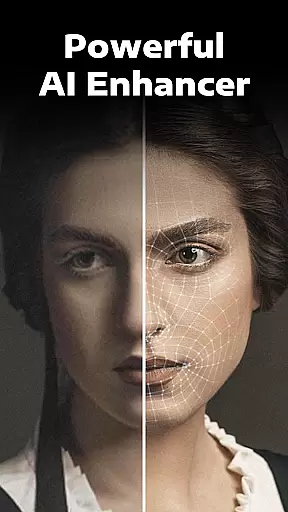
Evoke - AI Photo Enhancer stands out with its robust feature set designed for both practical restoration and creative exploration. One of the standout features is its ability to intelligently recognize human faces and restore them with remarkable precision. Every strand of hair, skin texture, and even accessories are delicately enhanced, ensuring lifelike results.
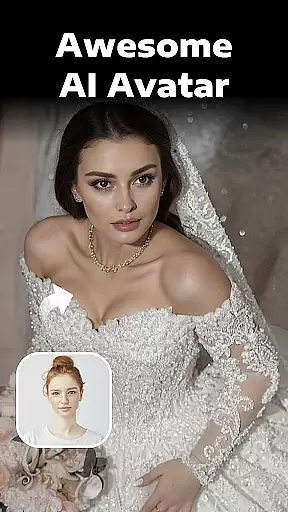
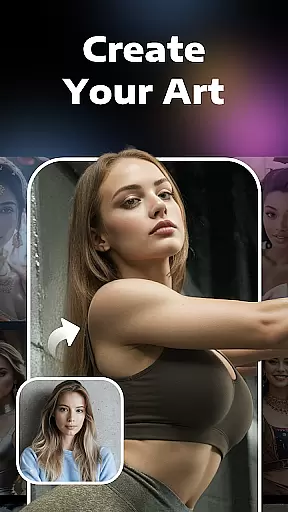
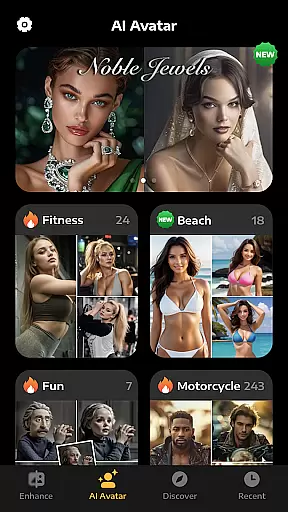
Beyond basic restoration, the app includes specialized tools like Colorize, which adds vibrant colors to monochrome images, and Descratch, which repairs damaged areas seamlessly. Additionally, the AI Portraits feature lets users experiment with alternate versions of themselves—whether as a bride, doctor, bodybuilder, or other imaginative roles. These capabilities make Evoke not just a photo enhancer but also a tool for personal expression.
Real-time capture and preview functionality is essential for any photography app, allowing users to see exactly what their enhanced photos will look like before finalizing them.
AI Photo Enhancer leverages advanced AI algorithms to provide instantaneous previews of photo enhancements, ensuring that every detail is clear and vivid. This feature allows users to make real-time adjustments, enhancing the overall quality of their images with precision.
With this capability, users can confidently restore old, faded, or damaged photos knowing that they will achieve the desired outcome. The app's intelligent recognition system ensures that facial features and other intricate details are accurately preserved, delivering professional-grade results.
This real-time feedback loop not only saves time but also enhances user satisfaction by providing a seamless editing experience. Users can trust that their cherished memories will be revitalized with vibrant colors and sharp clarity, making each photo a true representation of their past experiences.
AI beauty and enhancement naturalness refers to the ability of an application to improve image quality while maintaining a realistic appearance. This balance between enhancement and authenticity is crucial for preserving the original essence of photographs.
AI Photo Enhancer uses cutting-edge AI technology to ensure that all enhancements look natural. Whether it's restoring old black-and-white photos or fixing scratches and wrinkles, the app intelligently applies corrections that enhance without over-processing.
The appu2019s powerful algorithms work to delicately restore every strand of hair, skin texture, and background elements, ensuring that the final output remains true to life. This attention to detail helps maintain the emotional connection users have with their photos.
By focusing on natural enhancement, AI Photo Enhancer provides users with stunningly clear and vivid images that still feel genuine and personal. This approach not only revives old memories but also keeps them authentic, allowing users to relive their cherished moments as if they happened yesterday.
Advanced AI face recognition
Fast processing speed
Versatile editing options
User-friendly interface
Creative AI portrait modes
Limited free usage
Premium subscription required
Occasional rendering errors
High system requirements
Internet connection needed

Remote control of the phone camera from your Wear OS smartwatch
 3.70
3.70
AI portrait generator and polaroid AI selfie, fun AI generated AI photo creator!
4.30
Add Watermark - Sign your pictures with a text or logo. Effective, quick, easy!
4.50
Perfect photos with body shaping, BG changer and object remover.
3.70
Safe & smart flight with Go Fly drone controller for 40+ drone camera, zone map
4.50
Cartoon and artistic effects for your photos and videos
4.70
Hair color changer, AI haircut app, fun hair editor and buzz cut filter for all!
3.80
PhotoSync Bundle Add-On License. Enables all features and services in PhotoSync.
4.60
Effortlessly make high-quality GIFs from images & videos without any watermarks.
4.70
Collage your moments in one tap: 1000+ layouts, filters, stickers, and texts.
4.90
Photo prints, cards, & gifts at Walgreens. Easy ordering & fast local pickup !
4.80
AI Photo Editor with 100+ Filters, Effects! Remove BG, Retouch & Photo Enhancer.
4.80
Enhance, upscale, and transform your images — on your device, without limits
4.70
Automatically backup your photos and videos to computer, NAS and Cloud services
4.60
Discover & download millions of art for The Frame TV or Hisense CanvasTV
4.60
Professional photography on your mobile phone
4.20
live datamoshing
4.00
Pet Camera
3.70
Over 800 film simulation recipes for Fujifilm. Black Friday Offer!
4.5



User Reviews