
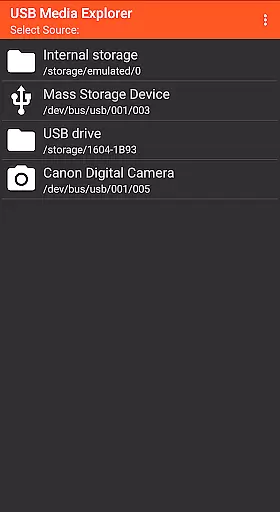
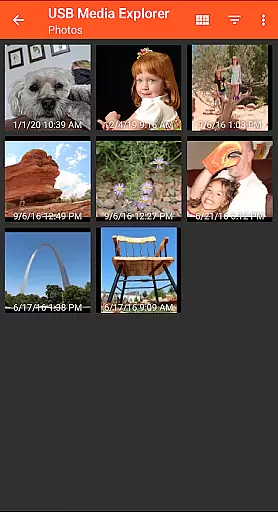
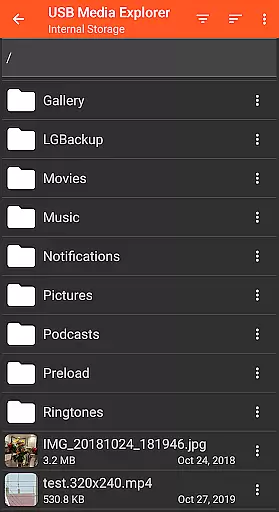
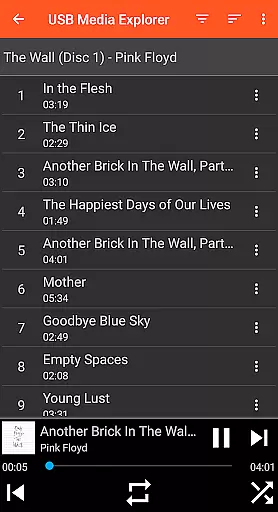
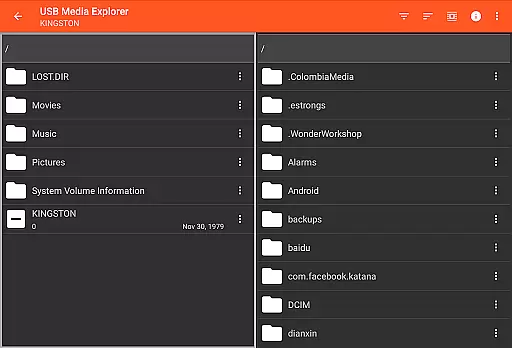
USB Media Explorer (UME) is a versatile photography app that allows users to view photos, stream videos, listen to music, and manage documents from various USB storage devices. With specialized screens for different media types, it provides an intuitive interface for accessing full-size photos and videos without the need for importing. The app supports flash drives, card readers, hard drives, cameras, other Android devices, and some audio players.
What sets UME apart is its ability to copy files to and from USB devices directly, making it an essential tool for photographers and videographers who need quick access to their media files on the go. Whether you're reviewing RAW images from a camera or streaming video from an external drive, this app ensures seamless media management across supported devices.
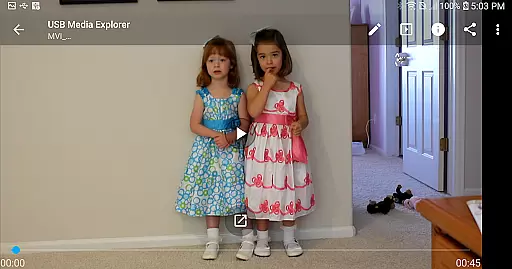
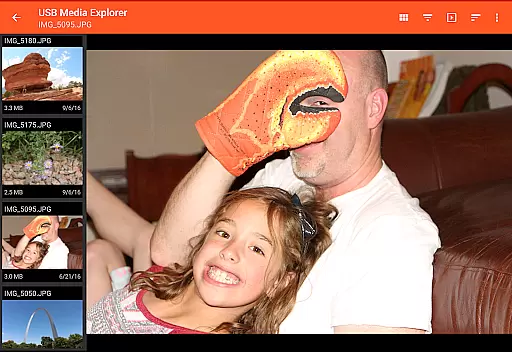
USB Media Explorer offers a comprehensive set of features tailored for photography enthusiasts. The app includes dedicated viewing modes for photos, videos, music, and documents, each optimized for its specific media type. Users can enjoy full-size photo and video playback without the hassle of importing files, which significantly speeds up the review process.
One standout feature is the file management capability, allowing direct copying of files to and from USB devices. This functionality is particularly useful when transferring large volumes of data. Additionally, the app supports a wide range of devices including flash drives, card readers, and hard drives, although some may require additional power sources like powered USB hubs. Note that certain formats may need third-party players such as VLC for optimal playback.
USB Media Explorer offers a unique real-time capture and preview feature that allows users to view photos, stream videos, and listen to music directly from USB storage devices without the need for importing files. This functionality is crucial for photographers and videographers who require immediate access to their media files on the go.
The application supports various file formats including JPEG, RAW for images, and multiple video and audio formats. For unsupported formats, it recommends third-party players like VLC, ensuring comprehensive media compatibility. This seamless integration provides users with the flexibility to work with diverse media types effortlessly.
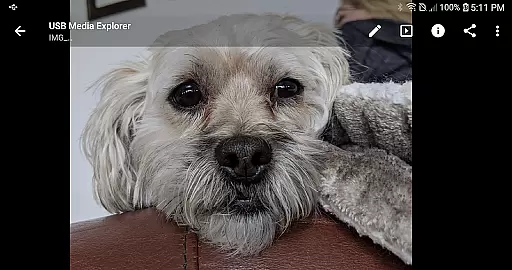
Users benefit from the ability to view full-size photos and videos directly from their USB devices, preserving the original quality of their media files. This feature not only saves time but also enhances productivity by eliminating the cumbersome process of file importing.
Overall, the real-time capture and preview feature in USB Media Explorer significantly enhances user experience by providing instant access to media files, thus catering to professionals who demand efficiency and quality in their workflow.
While USB Media Explorer does not explicitly market itself as an AI beauty and enhancement tool, its specialized screens for photos, videos, music, documents, and file management offer users the ability to manage and enhance their media files effectively. The importance of natural-looking enhancements cannot be overstated, especially for professionals who rely on authentic representations of their work.
The app's interface includes features that allow users to copy files to and from USB devices, manage files, and view media without compromising the original quality. These capabilities ensure that any enhancements or edits made to the media files remain true to the source material, maintaining a natural appearance.
For photographers and content creators, having control over the enhancement process is vital. USB Media Explorer provides tools that enable users to make necessary adjustments while ensuring that the final output looks genuine and unaltered. This aspect is particularly beneficial when working with high-resolution images and videos where detail preservation is critical.
In summary, although USB Media Explorer may not employ AI-driven beauty enhancements, its robust set of features ensures that users can manage and enhance their media files naturally and effectively, meeting the demands of professional workflows.
User-friendly interface
Wide device compatibility
Direct file transfer
Full-size media playback
Specialized media screens
Limited proprietary support
External power may be needed
No live image support
Commercial DVD restrictions
Third-party player requirement

Photo Album Watch Face shows your favorite pictures as a Watchface.
 1.90
1.90
Perfect photos with body shaping, BG changer and object remover.
3.70
Trendy TikTok time warp scan funny filter app brings you unique photos & videos.
4.40
Take videos and pictures with the popular TikTok TIME WARP SCAN filter.
4.60
Create Business Headshots, Polaroid Filter, Retake Photos,Profile Pics,AI Photos
4.50
Collage your moments in one tap: 1000+ layouts, filters, stickers, and texts.
4.90
Unblur, enhance & restore photos with powerful AI photo enhancer tools.
4.60
Discover & download millions of art for The Frame TV or Hisense CanvasTV
4.60
A unique animation app. Powerful, easy to use, and lots of fun.
4.30
A collection of tools and reference tables for DPs, ACs, DITs and Operators.
4.70
Easily create custom gifts, cards, photo books & more on the Shutterfly app!
4.60
Add Watermark - Sign your pictures with a text or logo. Effective, quick, easy!
4.50
RAW video capture with advanced controls
4.40
Turn your phone into a professional camera - full DSLR manual photography
4.30
All-in-One Editor & AI Photo Enhancer, Beautify & Retouch, Collage, Cartoonify
4.20
What celebrity do you look like? Celebs will find your celebrity match!
4.10
Catch sunlight, sunrise sunset times and sun phases with the AR sun tracker.
4.10
Pet Camera
3.70
Create amazing frames with up to five photos. Rounded corners, effects and more!
3.60



User Reviews