
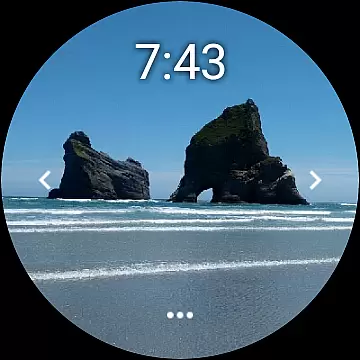
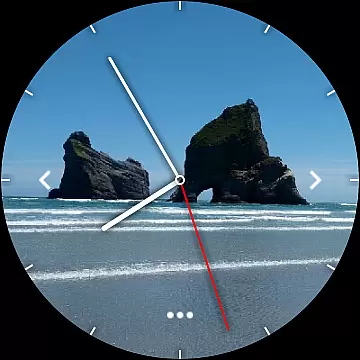
Photo Album Watch Face is a unique photography app that allows users to personalize their smartwatch faces with favorite pictures from their phone. This app supports both Wear OS devices and other smartwatches, providing flexibility across multiple platforms.
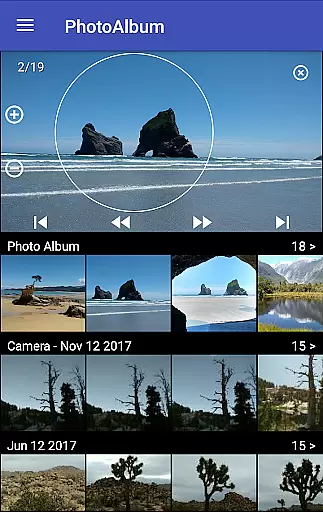
The core functionality includes automatic picture cycling on the watch face and manual navigation through swiping. Users can download new images via the companion mobile app, ensuring their watch face stays up-to-date without requiring constant phone connection.
This application is particularly useful for those who wish to carry sentimental or inspiring images on their wrist. The ability to customize watch faces adds a personal touch while maintaining practical utility.
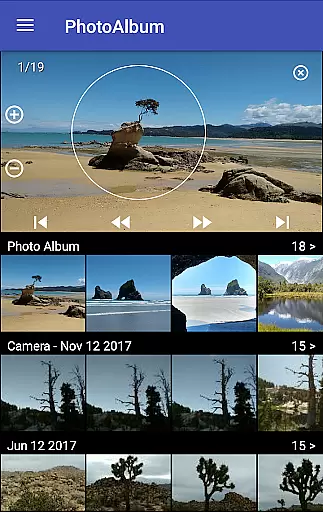
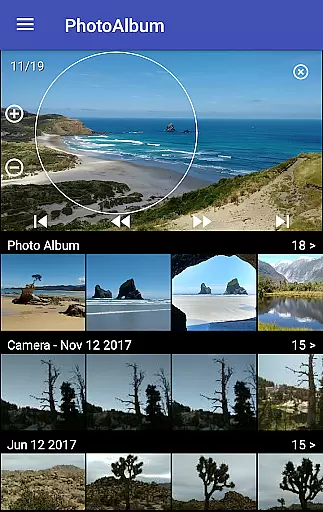
One of the standout features of Photo Album Watch Face is its intuitive image management system. Users can easily transfer photos from their phone to their smartwatch using the dedicated "Photo Album Watch Face" mobile app.
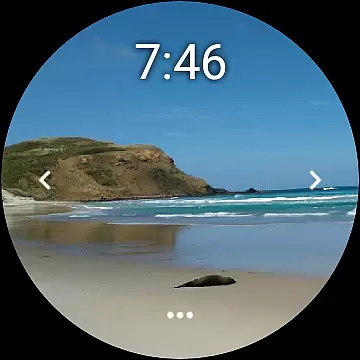
The app supports both automatic and manual image viewing modes. In automatic mode, the watch cycles through selected photos at regular intervals. For more control, users can swipe left or right to navigate through their photo collection.
Additional features include offline functionality, allowing users to view their photo album even without phone connection, and compatibility with various smartwatch models. These capabilities make it a versatile tool for personal expression and convenience.
Real-time capture and preview functionality is essential for ensuring that users can see exactly what their smartwatch face will look like before finalizing their selection.
The Photo Album Watch Face app excels in this area by allowing users to choose images directly from their phone and preview them instantly on their smartwatch. This seamless integration ensures that the transition from selection to display is both fluid and accurate.
Users benefit from a true representation of their chosen photos, with real-time updates as they scroll through their album. This feature eliminates guesswork, providing confidence in the appearance of their watch face.
By enabling users to tap through photos on their smartwatch, the app offers an interactive experience that enhances personalization while maintaining ease of use.
While the Photo Album Watch Face app does not focus heavily on AI beauty enhancements, it provides natural and authentic photo rendering which is crucial for maintaining the original quality of user-selected images.
This app emphasizes the genuine presentation of personal photos without excessive digital manipulation, preserving memories as they are meant to be remembered.
Users appreciate the straightforward approach where the emphasis is placed on personal significance rather than artificial enhancements, making each watch face uniquely personal and meaningful.
With compatibility across Wear OS devices, the app ensures consistent performance and image quality regardless of the smartwatch model, enhancing user satisfaction through reliable and predictable outcomes.
User-friendly interface
Wide device compatibility
Offline viewing capability
Automatic image cycling
Easy photo management
Limited editing tools
Requires separate app
Basic customization options
No cloud integration
Watch-only functionality

Gallery show photo, video, slideshow, is perfect 3D effect private photo albums.
 4.80
4.80
Viewfinder, Light meter, Reciprocity failure time, DOF & Bellows Extension
4.60
Cut and paste photo editor & eraser to customize photos easy and swap faces fun
4.50
AI photo editor with hair editor, retouch tools, hair color changer & filters!
4.50
Transform photos into videos! Create realistic or anime-style images easily!
4.50
Luminar: Photo Editor - easy picture editing with AI
4.20
AI Photo Editor with 100+ Filters, Effects! Remove BG, Retouch & Photo Enhancer.
4.80
A light meter for true photographers.
4.20
Effortlessly make high-quality GIFs from images & videos without any watermarks.
4.70
Collage your moments in one tap: 1000+ layouts, filters, stickers, and texts.
4.90
Find time and duration of different sunlight phases at any location
4.90
Cartoon and artistic effects for your photos and videos
4.70
Enhance, upscale, and transform your images — on your device, without limits
4.70
Enhance, retouch & create your story - Share the moment with Photoshop Express.
4.60
Photo editor & gallery. Crop pictures & edit photos offline, no wifi!
4.50
AI photo enhancer with Sora 2! Enhance, descratch, and colorize your old photos.
4.50
Shooting photos and records video easily and efficient with professional Camera
4.30
Smart, light, and fast photo and video gallery
4.30
AI-powered video creator by MiniMax - Where ideas meet cinema
4.20




User Reviews