
AI Photo Editor - Polish is a powerful photography application designed to transform your photos into stunning works of art. The app offers an extensive suite of AI-powered tools that cater to both amateur and professional users. With over 500 AI filters, effects, templates, stickers, backgrounds, and fonts, it provides limitless creative possibilities.
The core features include AI photo enhancement, background removal, portrait generation, and beautification tools. These functionalities allow users to retouch selfies, fix blurry images, create professional LinkedIn headshots, and design unique avatars. The app's standout capability is its ability to deliver professional-grade edits without requiring any technical skills, making it accessible to all types of creators.
This application is particularly useful for social media influencers, business owners managing their online presence, and everyday users who want to capture creative moments. Whether you're enhancing your personal brand or creating content for platforms like TikTok and Instagram, AI Photo Editor - Polish provides the tools necessary to produce high-quality, visually appealing images.
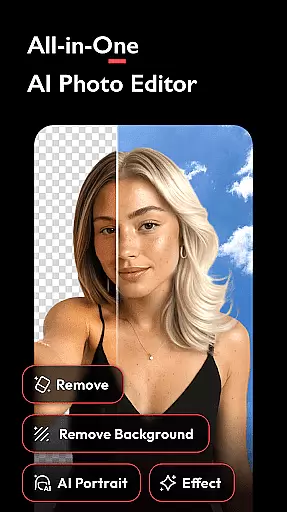
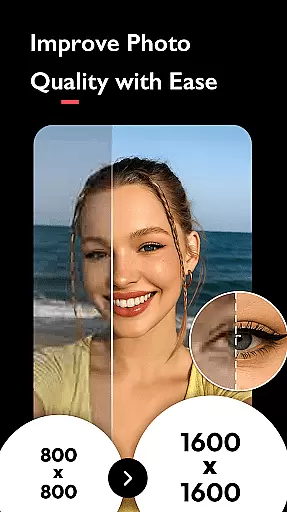
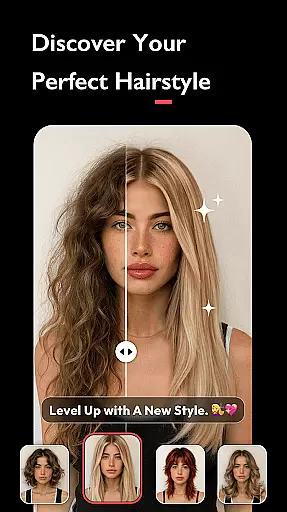
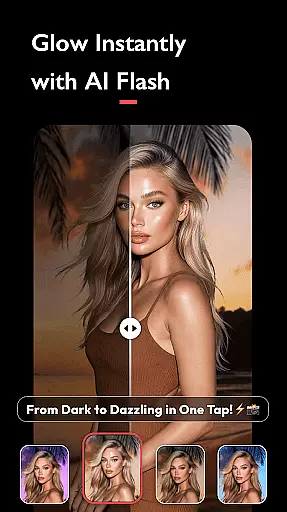
AI Photo Editor - Polish distinguishes itself through its comprehensive set of AI-powered editing tools. The application includes easy-to-use features such as AI Filters, which apply trendy effects like CCD and Flash for instant perfection. The AI Photo Enhancer can upgrade low-quality images to HD with a single tap, while the AI Remove tool effortlessly eliminates unwanted objects from photos.
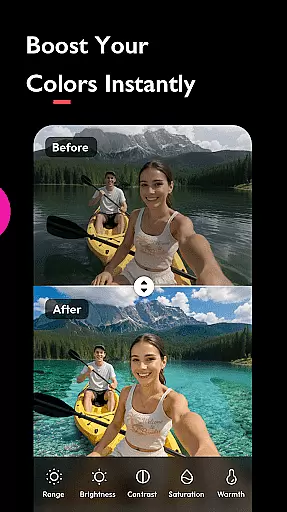
Advanced capabilities include AI Portrait generation for professional headshots, AI Expand for resizing images to fit various platforms, and AI Beautify for facial retouching. Users can also experiment with creative features like body tuning, skin smoothing, and leg elongation. The app supports professional-grade adjustments including HSL color enhancement, light effects like Bokeh, and DSLR-style background blurring.
What sets this app apart is its seamless integration of complex editing features into an intuitive interface. The inclusion of hundreds of filters, stickers, and collage options makes it a complete solution for both basic and advanced photo editing needs. Additionally, the app allows direct sharing to social media platforms without watermarks, ensuring professional-quality output for all users.
Real-time capture and preview functionality is essential for ensuring that users can see the results of applying various AI filters, effects, and beautification tools instantly. This immediate feedback allows users to make necessary adjustments before finalizing their edits, thus enhancing user satisfaction and engagement.
AI Photo Editor - Polish offers an extensive suite of real-time editing tools including AI Filters, AI Beautify, and Auto Adjust features. These tools work seamlessly to provide instant enhancements and modifications to photos, allowing users to visualize changes such as skin smoothing, brightness adjustment, and filter applications without any lag.
The benefit of real-time capture and preview is significant for users who rely on quick and efficient photo editing. It ensures that even those with no prior editing skills can achieve professional-looking results effortlessly. The instant visualization helps in decision-making, enabling users to experiment with different styles and effects confidently.
Ultimately, the real-time capture and preview feature in AI Photo Editor - Polish empowers creators by providing them with powerful, intuitive tools that require minimal effort to produce high-quality edits. This positions the app as a go-to solution for influencers, business owners, and everyday users looking to refine their personal or marketing content efficiently.
AI beauty and enhancement naturalness refers to the ability of photo editing software to improve images while maintaining a realistic appearance. This balance between enhancement and authenticity is crucial for creating believable and appealing visual content, especially in platforms like LinkedIn, Instagram, and TikTok where first impressions matter.
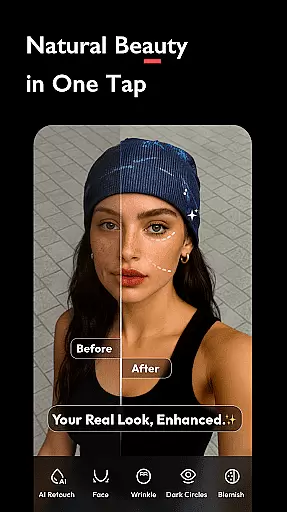
In AI Photo Editor - Polish, this concept is brought to life through sophisticated AI algorithms that offer features such as AI Beautify, AI Portrait, and Body and Face Tune. These tools are designed to subtly enhance facial features, smooth skin, brighten eyes, and even adjust body proportions, all while preserving the natural essence of the subject.
Users benefit from these enhancements by achieving polished yet genuine-looking results. Whether it's refining a LinkedIn profile picture or perfecting an Instagram post, the natural enhancement capabilities ensure that edits are not overly processed or artificial, which could detract from credibility or aesthetic appeal.
By focusing on natural enhancement, AI Photo Editor - Polish stands out in the photography category. It caters to both amateur and professional photographers who seek authentic improvements without compromising the originality and genuineness of their subjects, thereby fostering trust and engagement among viewers.
User-friendly interface
Extensive filter selection
Powerful AI tools
Professional results
Social media integration
Occasional processing delays
Limited advanced controls
Subscription required
Watermark on free version
Heavy storage usage

Photo Album Watch Face shows your favorite pictures as a Watchface.
 1.90
1.90
Long exposure camera with computational photography
2.60
Safe & smart flight with Go Fly drone controller for 40+ drone camera, zone map
4.50
Trendy TikTok time warp scan funny filter app brings you unique photos & videos.
4.40
Easily stitch panoramas from multiple photos or video.
4.40
Create Business Headshots, Polaroid Filter, Retake Photos,Profile Pics,AI Photos
4.50
Smart, light, and fast photo and video gallery
4.30
Collage your moments in one tap: 1000+ layouts, filters, stickers, and texts.
4.90
Your personal guide to the sun and moon. Plan ahead, visualize and predict!
4.70
Create funny photos and videos with the popular Time Warp Scan filter.
4.90
See your baby AI baby face generator AI baby maker Face generator babymaker fun!
4.70
Enhance, upscale, and transform your images — on your device, without limits
4.70
Discover & download millions of art for The Frame TV or Hisense CanvasTV
4.60
Photo Exif Editor allows to view, add and modify EXIF data of multiple photos
4.50
AI photo enhancer with Sora 2! Enhance, descratch, and colorize your old photos.
4.50
Use AI Video Generator to turn your words to ai generated videos.
4.50
Shooting photos and records video easily and efficient with professional Camera
4.30
Turn your phone into a professional camera - full DSLR manual photography
4.30
Remote control the phone camera shutter from your smartwatch and take a picture
1.60





User Reviews