
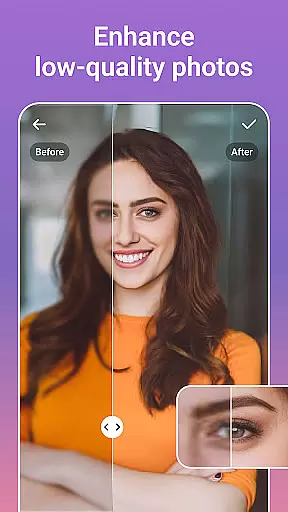
PicsLeap is a comprehensive AI-powered photo editing application that caters to both amateur and professional users. The app provides an extensive suite of tools including One-Tap Enhance, Magic Eraser, AI Face Swap, AI Cartoon Filters, and AI Background Removal. These features allow users to effortlessly enhance, transform, and personalize their images.
With over 100 filters and effects ranging from retro to cinematic styles, PicsLeap enables users to embrace their unique signature style. The app also offers advanced editing options such as HSL, Curve adjustments, and Double Exposure effects, ensuring precise control over the final output. Whether you're looking to restore old photos or create stunning collages, PicsLeap has the tools to make every picture perfect.
The app's user-friendly interface and powerful AI capabilities ensure that high-quality photo editing is accessible to everyone. PicsLeap allows instant sharing to social media platforms like Instagram and Facebook without watermarks, making it ideal for photographers who want to showcase their work professionally.
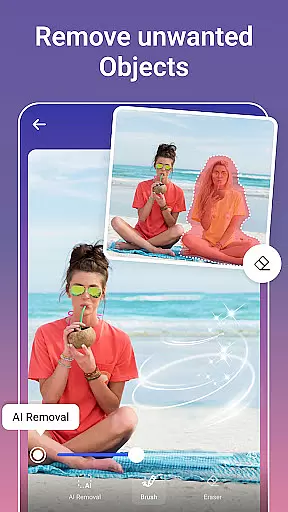
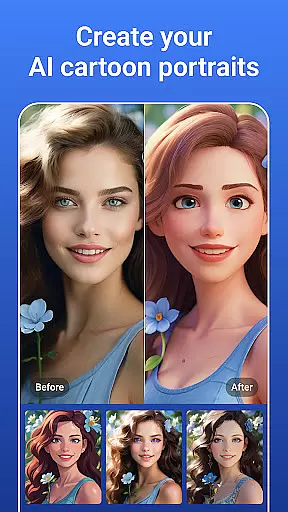
PicsLeap stands out with its innovative AI-driven features designed to simplify complex photo editing tasks. The One-Tap Enhance tool automatically adjusts image settings for optimal quality, while the Magic Eraser lets users remove unwanted objects seamlessly. AI Face Swap and AI Cartoon Filters provide fun ways to experiment with portraits, offering everything from whimsical cartoon transformations to realistic face swaps.
For users interested in creative compositions, PicsLeap offers Double Exposure effects and an array of light effects. The app's background removal tool is perfect for creating professional-looking product photos or artistic compositions. Additionally, PicsLeap includes robust restoration features that breathe new life into old or damaged photos without requiring advanced skills.
Collage Maker and Sticker Creator are excellent for crafting visual stories or personalized projects. Users can choose from various customizable layouts, borders, and backgrounds to design eye-catching collages. With PicsLeap's intuitive controls and diverse feature set, unleashing creativity has never been easier.
Real-time capture and preview functionality is essential for ensuring that every photo taken meets the user's expectations without delay. PicsLeap offers a seamless experience by providing instant feedback on images captured through its AI-powered interface.
The application leverages advanced algorithms to process images immediately, allowing users to see enhancements and edits in real time. This feature is particularly beneficial when utilizing complex editing tools such as background removal or applying cartoon filters, where immediate visual confirmation can significantly improve workflow efficiency.
Users benefit from this instantaneous capability as it reduces the need for post-processing adjustments. With PicsLeap, photographers can focus on capturing moments while being assured that their photos are optimized with selected filters and effects right at the moment of capture.
This real-time interaction not only enhances productivity but also elevates creative freedom, enabling users to experiment more freely with different styles and settings until they achieve their desired outcome.
AI beauty and enhancement features are designed to elevate the aesthetic quality of photographs while maintaining a natural look. PicsLeap employs sophisticated AI techniques to enhance facial features, skin texture, and overall image clarity without compromising authenticity.
The app provides an array of customizable options including one-tap enhance, magic eraser, and AI face swap, which intelligently adjust elements within the photo to create visually appealing results. These tools work harmoniously to ensure that enhancements appear organic rather than artificial.
By prioritizing naturalness in its enhancements, PicsLeap allows users to produce high-quality images that retain their original charm and character. Whether reviving old photos or refining new captures, the application ensures each edit contributes positively to the viewer's perception.
Ultimately, this dedication to preserving realism while delivering professional-grade improvements empowers users to share their creations confidently across various platforms like Instagram and Facebook, knowing their photos stand out authentically.
User-friendly interface
Advanced AI tools
Variety of filters
One-tap enhancements
Professional results
Occasional bugs
Limited free features
Ads in free version
Subscription required
Learning curve

Photo editor: face & body editor, beauty cam, filters and quality enhancer.
 4.00
4.00
Shooting photos and records video easily and efficient with professional Camera
4.30
Superimpose one photo on top of another using the original Superimpose app!
3.20
A must-have app for landscape photographers
4.60
Smart, light, and fast photo and video gallery
4.30
Enhance, retouch & create your story - Share the moment with Photoshop Express.
4.60
Use AI Video Generator to turn your words to ai generated videos.
4.50
Your personal guide to the sun and moon. Plan ahead, visualize and predict!
4.70
Your Family Calendar + Photos. Manage your Skylight Calendar and Skylight Frame.
4.40
Perfect body tune & face app - photo retouch, makeup, slim body & beautify face.
4.80
Cartoon and artistic effects for your photos and videos
4.70
Enhance, upscale, and transform your images — on your device, without limits
4.70
Create collages easily! Nice pic collage maker & background eraser for Instagram
4.50
Effortlessly organize, view and share your photos & videos with Gallery app!
4.40
A light meter for true photographers.
4.20
Transform Photos: Edit, Beautify and Craft Memories & Make Collages!
4.10
Turn photos into cartoons & avatars! - Photo Editor, Cartoon Face!
3.90
Astrophotography with your smartphone, photo live stacking and much more!
3.90
Raw Image Viewer. Gallery with support of raw images (.cr3, .cr2, .nef, .raf).
2.00







User Reviews