
Planit Pro is an advanced photography planning tool designed specifically for landscape, travel, and nature photographers. This comprehensive app combines mapping technology with a simulated viewfinder to help users pre-visualize their shots. Key features include GPS coordinates, elevation data, sun/moon positioning, star tracking, and milky way visualization.
The application provides essential tools for both location scouting and celestial event planning. Photographers can calculate depth of field, hyperfocal distance, and plan time-lapse sequences while visualizing natural elements through various viewfinder modes including VR and AR. The app's offline capabilities ensure functionality in remote locations where network coverage might be limited.
With its extensive feature set, Planit Pro serves as an all-in-one solution for photographers seeking to optimize their landscape and astrophotography shoots. From basic position calculations to complex star trail planning, the app helps minimize preparation time while maximizing creative potential in the field.
Planit Pro distinguishes itself through its comprehensive feature set tailored for professional photographers. The app integrates detailed mapping information with precise celestial data, providing users with accurate sun/moon positions, star charts, and milky way visibility predictions. Its unique simulated viewfinder technology allows users to visualize scenes through various modes including VR, AR, and street view perspectives.
Advanced technical features include depth of field calculation, hyperfocal distance determination, and exposure/ND filter computation. The app also offers specialized tools for time-lapse photography, star trail planning, and panorama preparation. Notably, its offline functionality enables full usage without network connection when preloaded with necessary map and elevation data.
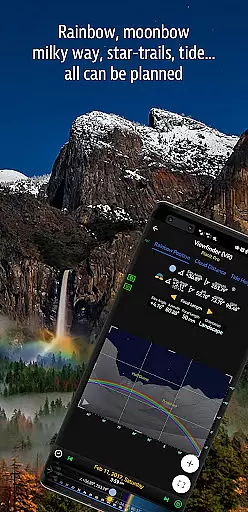
What sets Planit Pro apart is its ability to combine these technical features with practical applications like tide prediction, rainbow position forecasting, and light metering. Each feature is designed to work seamlessly together, creating a cohesive planning environment that addresses multiple aspects of landscape and astrophotography preparation.
Real-time capture and preview functionality is essential for photographers who need to visualize their shots before taking them. Planit Pro offers this by integrating advanced map and simulated viewfinder technologies.
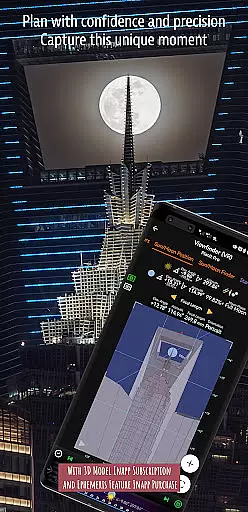
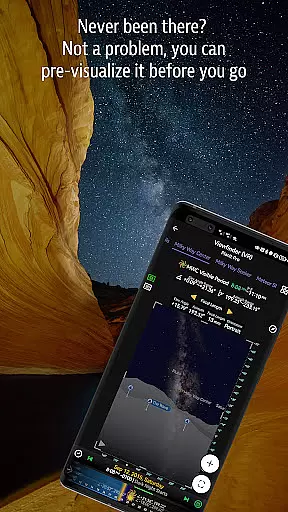
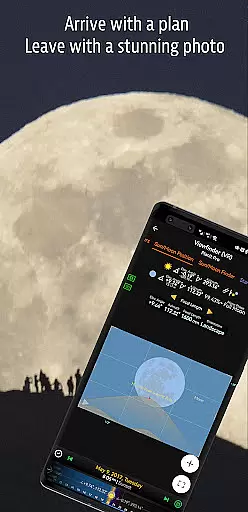
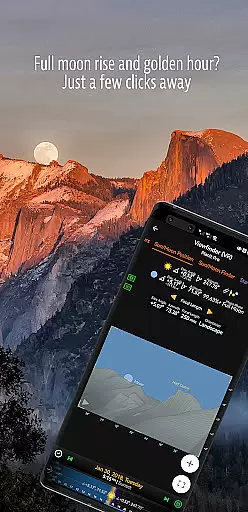
The app provides photographers with the tools to pre-visualize scenes, combining ground subjects with celestial objects like the Sun, Moon, stars, and Milky Way. This feature allows users to plan their shots meticulously, ensuring they are well-prepared for the desired outcome.
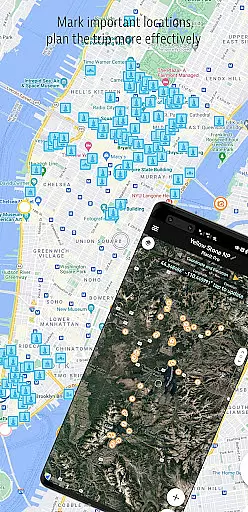
Planit Pro includes functionalities such as GPS coordinates, elevation data, distance measurement, and clear view indicators. These features enable photographers to scout locations effectively and understand the geographical context of their shots in real time.
By leveraging real-time capture and preview, users can simulate various photography scenarios through VR, AR, or street views. This ensures that whatever landscape photographers envision for their project can be accurately planned and executed with Planit Pro.
While primarily focused on landscape and astro-photography, Planit Pro also incorporates elements of AI beauty and enhancement to ensure images maintain their natural essence. The app achieves this through precise calculations and simulations that enhance photo quality without compromising authenticity.
One of the standout features is the exposure/ND filter calculator and light meter, which assist in achieving balanced lighting and natural colors. These tools help photographers avoid over-processing their images, thus preserving the genuine beauty of the captured scenes.
Additionally, Planit Pro offers specialized features such as star trail planning, time-lapse simulation, and milky way searching. These capabilities ensure that enhancements are contextually appropriate, maintaining the natural aesthetics of nightscapes and other challenging environments.
With these sophisticated tools at hand, photographers can trust Planit Pro to deliver naturally enhanced photographs, making it an indispensable companion for those seeking authenticity in their visual storytelling.
Comprehensive feature set
Offline functionality
Accurate celestial data
Simulated viewfinder modes
Professional-grade tools
Steep learning curve
Requires setup time
Premium price point
Complex interface
Resource-intensive

Photo Album Watch Face shows your favorite pictures as a Watchface.
 1.90
1.90
Trendy TikTok time warp scan funny filter app brings you unique photos & videos.
4.40
An interval timer to automate photo taking process for timelapse
2.90
Create & Edit with AI: AI Remove, Enhance, Retouch, Filter
4.10
Edit like a pro with Hypic. Apply filters, AI effects, & magic touch.
4.40
Perfect body tune & face app - photo retouch, makeup, slim body & beautify face.
4.80
Enhance, retouch & create your story - Share the moment with Photoshop Express.
4.60
Effortlessly make high-quality GIFs from images & videos without any watermarks.
4.70
Discover How to Plan any Sun, Moon and Milky Way Photo You Imagine in Seconds
4.70
Easily view, share, delete photos with Gallery.
4.70
Viewfinder, Light meter, Reciprocity failure time, DOF & Bellows Extension
4.60
Create Business Headshots, Polaroid Filter, Retake Photos,Profile Pics,AI Photos
4.50
HD Camera Pro with HD Video shooting, Panorama, Photo editor , Beauty Camera.
4.50
Create AI photos & videos with Enhancer; restore, fix, beautify, enhance photos
4.50
Fit multiple photos on one post. Create carousels & scroll layouts for Instagram
4.50
Search, tag and rate your way to an organized image gallery
4.40
A reflected light meter with spot metering and incident light metering.
4.40
[3DSteroid Pro] is a stereoscopic application for Android.
4.30
Raw Image Viewer. Gallery with support of raw images (.cr3, .cr2, .nef, .raf).
2.00





User Reviews