
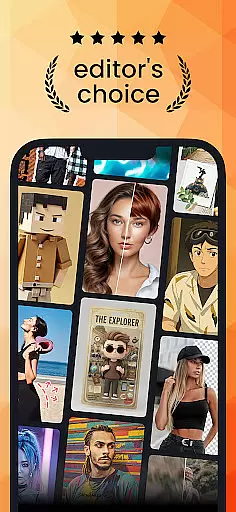
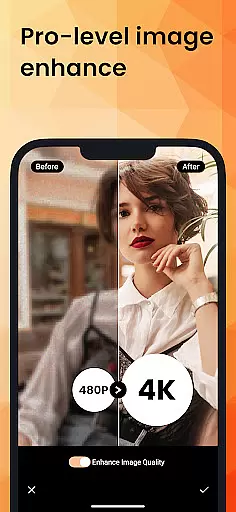
PhotoDirector is an intuitive AI-powered photo editor that empowers users to create and enhance stunning images with hundreds of styles, effects, templates, and tools. The app offers groundbreaking features such as AI Removal, AI Expand, and AI Hairstyle, allowing users to transform their shots effortlessly. Whether you're a professional photographer or an amateur looking to improve your photos, PhotoDirector provides the tools needed to bring your creativity to life.
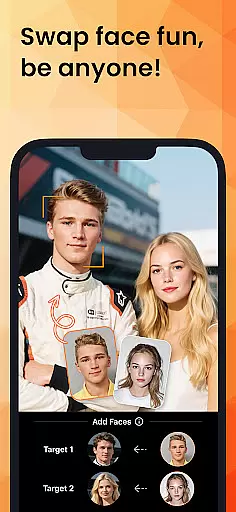
With specialized features like Image to Video, AI Art, and AI Face Swap, users can explore various creative possibilities. From turning photos into animated videos to experimenting with different artistic styles, the app caters to diverse editing needs. Additionally, practical tools like AI Outfit and AI Background enable users to refine their images further, ensuring every photo meets their vision.
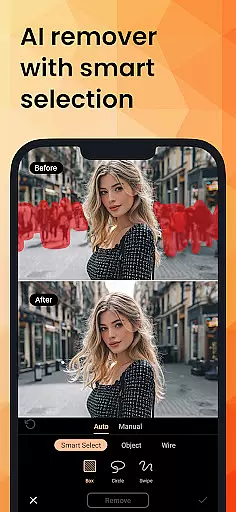
PhotoDirector stands out with its powerful AI features designed to simplify complex editing tasks. The AI Removal tool allows users to erase unwanted objects seamlessly, while AI Replace enables quick element changes within images. Users can also expand their photos' aspect ratio with AI Expand or change backgrounds using the smart cutout tool in AI Background.
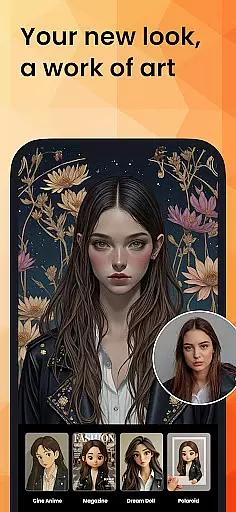
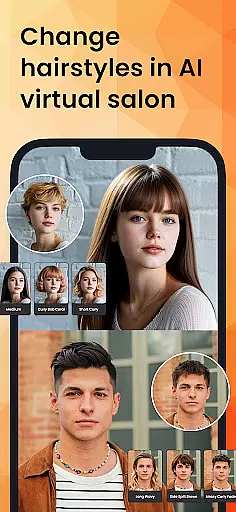
The app includes creative options like AI Art for transforming images into famous art styles, Japanese animations, or sketches. With AI Hairstyle, users can virtually try on new hairstyles, and AI Outfit lets them experiment with trendy clothing designs. These innovative features not only save time but also open up endless creative opportunities for users to explore.
Real-time capture and preview functionality is essential for ensuring that every photo taken meets the user's expectations without delay. PhotoDirector excels in this area by providing instant feedback on images as they are captured.
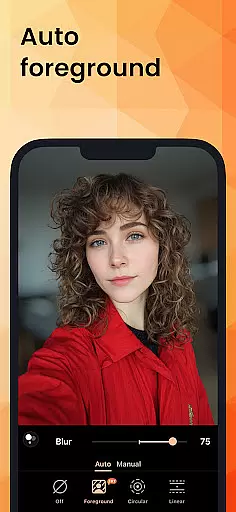
The app leverages advanced AI technology to offer live previews of various enhancements and effects applied to photos. This means users can see exactly how their image will look with different styles, filters, or adjustments before taking the shot.
For photographers who need precision and creativity, this feature allows them to experiment with confidence. Whether itu2019s testing out AI Art transformations or trying new AI Hairstyles, real-time previews ensure that the final image aligns perfectly with their vision.
Ultimately, the real-time capture and preview capabilities of PhotoDirector empower users to take better photos more efficiently. By eliminating guesswork and allowing immediate adjustments, it enhances both the quality and enjoyment of photography.
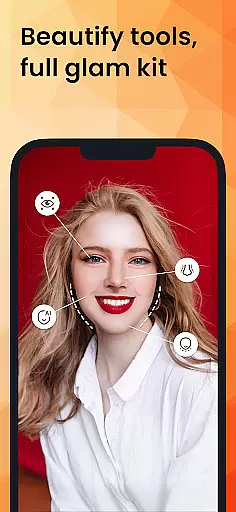
AI Beauty and Enhancement features focus on improving the natural appearance of photos without making them look overly processed. PhotoDirector stands out by offering tools like AI Face Swap, AI Hairstyle, and AI Outfit that enhance images while maintaining authenticity.
These AI-driven enhancements intelligently adjust facial features, hairstyles, and clothing options based on realistic parameters. For instance, AI Face Swap seamlessly blends faces with accurate proportions, ensuring a lifelike result rather than an artificial one.
Users benefit from these enhancements by achieving polished yet genuine-looking results. The AI algorithms are designed to respect original details, preserving skin texture and other subtle elements that contribute to a natural aesthetic.
By prioritizing natural enhancement over drastic alterations, PhotoDirector ensures that edited photos retain their original charm and character. This approach not only boosts user satisfaction but also sets a high standard for digital photo editing in the Photography category.
User-friendly interface
Advanced AI tools
Variety of creative effects
Efficient editing process
High-quality output
Premium features require subscription
Some tools may overwhelm beginners
Limited free content
Occasional performance issues
Large app size

Photo editor: face & body editor, beauty cam, filters and quality enhancer.
 4.00
4.00
Easily stitch panoramas from multiple photos or video.
4.40
Professional video recording application with manual controls for filmmakers!
2.80
Create AI Photos, Improve and restore quality of blurry, old or damaged pics.
4.20
Cartoon and artistic effects for your photos and videos
4.70
Light-weight Media Gallery app for Android made with Jetpack Compose
4.60
AI Photo Editor with 100+ Filters, Effects! Remove BG, Retouch & Photo Enhancer.
4.80
RAW video capture with advanced controls
4.40
The original Rarevision VHS look seen everywhere!
4.70
Collage your moments in one tap: 1000+ layouts, filters, stickers, and texts.
4.90
1M influencer's special filter
4.60
Create collages easily! Nice pic collage maker & background eraser for Instagram
4.50
Photo Exif Editor allows to view, add and modify EXIF data of multiple photos
4.50
Professional photography on your mobile phone
4.20
AI-powered video creator by MiniMax - Where ideas meet cinema
4.20
Catch sunlight, sunrise sunset times and sun phases with the AR sun tracker.
4.10
Superimpose one photo on top of another using the original Superimpose app!
3.20
Application for remote controlling DSLR
3.00
Snap photos remotely using your Garmin watch as the camera trigger
4.2




User Reviews