
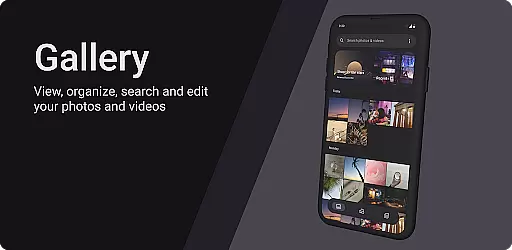
Gallery is a modern photography app designed for Android users who appreciate an intuitive and visually appealing interface. Built with Jetpack Compose, this app offers a seamless experience for managing photos and videos. Users can easily organize their media files, apply stunning filters, and share their favorite moments with friends.
The app stands out with its minimalist design and smooth navigation. Whether you're looking to quickly browse through your photo library or spend time editing images, Gallery provides all the necessary tools in one place. Its powerful features ensure that both casual users and photography enthusiasts can find value in maintaining their digital memories.
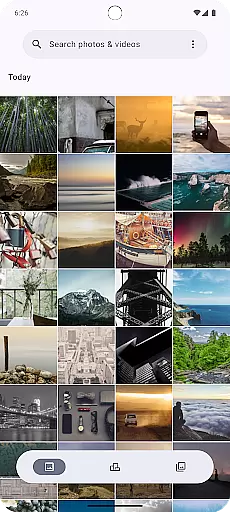
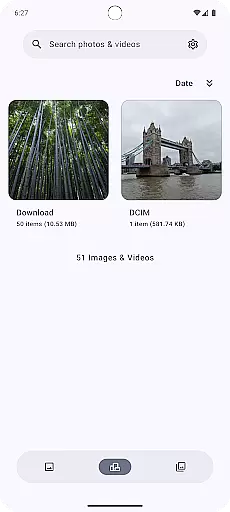
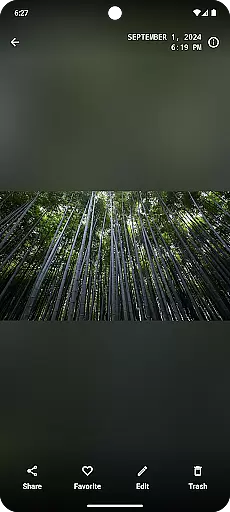
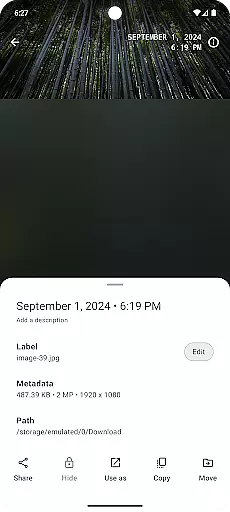
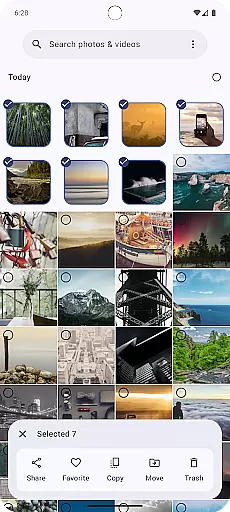
Gallery boasts a range of features that cater to various user needs. The app supports multiple view modes, allowing users to switch between grid and list views for better organization. With advanced search capabilities, finding specific photos based on tags or dates becomes effortless.
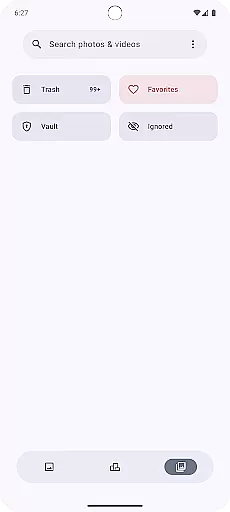
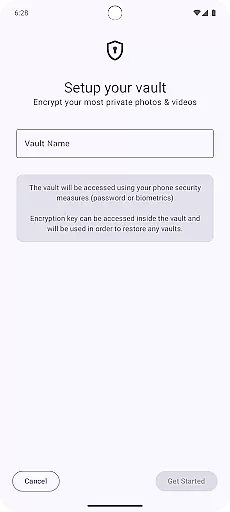
One of the standout features is the built-in editor, which includes a variety of filters and adjustment tools. These enable users to enhance their images without needing to switch to another application. Additionally, Gallery ensures privacy by offering secure folders where sensitive content can be stored away from prying eyes.
Real-time capture and preview functionality is essential for any photography app as it allows users to frame their shots accurately. Gallery, built with Jetpack Compose, offers a seamless experience by providing instant feedback on the user's camera input.
The application ensures that every movement or adjustment in the frame is immediately reflected on the screen. This responsiveness enables photographers to make precise adjustments to their composition, ensuring they capture the perfect moment without delay.
Users benefit from this real-time interaction as it reduces the chances of missed opportunities. Whether capturing fleeting moments or adjusting settings for a portrait, the immediacy of the preview function enhances the overall photography experience.
This feature not only elevates user satisfaction but also significantly improves the quality of photos taken using the app. By offering an intuitive and responsive interface, Gallery empowers users to unleash their creativity with confidence.
AI beauty and enhancement features have become a staple in modern photography apps, aiming to improve photo quality while maintaining natural aesthetics. Gallery leverages advanced AI algorithms to enhance images subtly without compromising authenticity.
The app intelligently identifies facial features and applies enhancements that highlight natural beauty. This includes skin smoothing, blemish reduction, and subtle color correction, all calibrated to preserve the original character of the subject.
Users appreciate this delicate balance as it avoids the over-processed look often associated with digital enhancements. The result is professional-grade photos that retain their genuine appeal, making each image share-worthy straight from the app.
By focusing on natural enhancement, Gallery sets itself apart in the Photography category. It delivers polished yet authentic results, empowering users to create stunning visuals effortlessly.
User-friendly interface
Advanced photo editing tools
Secure storage options
Seamless integration with Android
Regular updates and improvements
Limited video editing features
No cloud backup option
Occasional performance lags
Ads in free version
Some features require premium subscription

AI photo editor with hair editor, retouch tools, hair color changer & filters!
 4.50
4.50
Be your best in every shot! Fix, edit and retouch your face in selfies & photos.
3.70
Create AI Photos, Improve and restore quality of blurry, old or damaged pics.
4.20
Create amazing frames with up to five photos. Rounded corners, effects and more!
3.60
See your baby AI baby face generator AI baby maker Face generator babymaker fun!
4.70
AI Photo Editor with 100+ Filters, Effects! Remove BG, Retouch & Photo Enhancer.
4.80
Turn photos into cartoons & avatars! - Photo Editor, Cartoon Face!
3.90
Catch sunlight, sunrise sunset times and sun phases with the AR sun tracker.
4.10
Unlock the full potential of your DJI drone with Litchi
4.50
Enhance, upscale, and transform your images — on your device, without limits
4.70
Fit multiple photos on one post. Create carousels & scroll layouts for Instagram
4.50
Create Business Headshots, Polaroid Filter, Retake Photos,Profile Pics,AI Photos
4.50
Use AI Video Generator to turn your words to ai generated videos.
4.50
Effortlessly organize, view and share your photos & videos with Gallery app!
4.40
Shooting photos and records video easily and efficient with professional Camera
4.30
Turn your phone into a professional camera - full DSLR manual photography
4.30
An interval timer to automate photo taking process for timelapse
2.90
HD Photo gallery and photo manager to edit, hide private photos, videos & albums
4.4
Snap photos remotely using your Garmin watch as the camera trigger
4.5



User Reviews