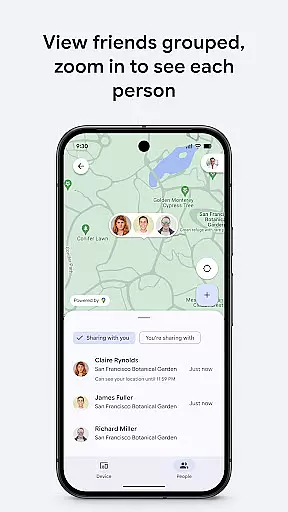
Google's Find Hub is a powerful tool designed to help users locate and manage their devices and personal items. The app allows you to view the real-time location of your phone, tablet, headphones, and other accessories on a map, even when they are offline. With advanced security features, you can remotely secure or erase your device if it gets lost, ensuring your data remains protected. Additionally, the app supports location sharing, enabling you to share your live location with friends and family for better coordination and safety checks.
The application stands out with its robust encryption protocols, ensuring that all location data within the Find Hub network remains private and secure. This provides peace of mind, knowing that your location information is not accessible to anyone, including Google. Whether you need to find a misplaced gadget or want to ensure your loved ones reach their destination safely, Google's Find Hub offers a comprehensive solution tailored to enhance both convenience and security.
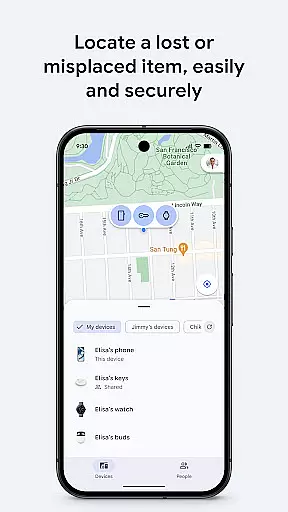
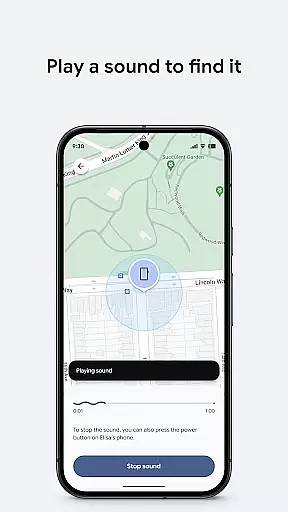
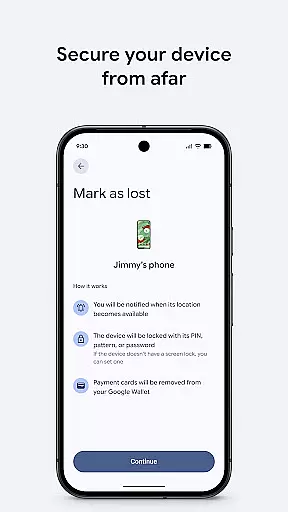
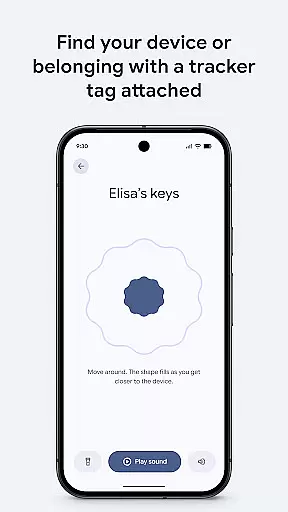
One of the standout features of Google's Find Hub is its ability to display the location of multiple devices and accessories on a map interface. This functionality extends to gadgets that are offline, utilizing the last known location to assist in recovery efforts. Users can play a sound remotely to help locate a device that might be nearby but out of sight. For those concerned about data security, the app offers options to remotely lock or erase devices, adding an extra layer of protection against unauthorized access.
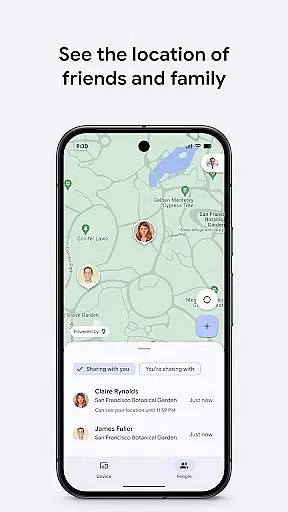
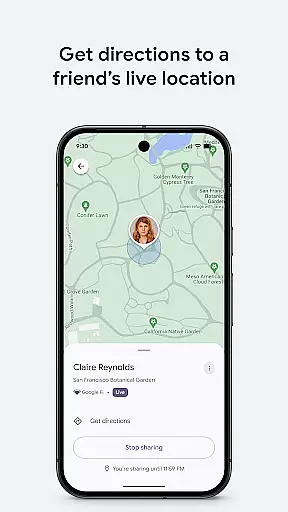
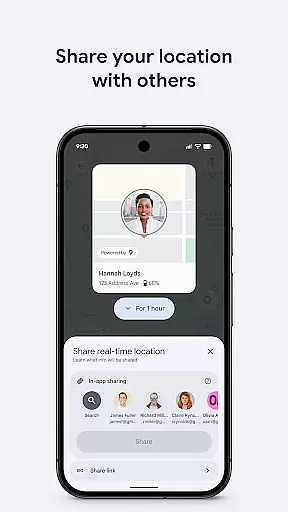
In addition to device management, Google's Find Hub excels in location sharing capabilities. You can easily share your live location with friends or family members, making it simpler to coordinate meetups or monitor the safety of loved ones. All shared location data is encrypted, maintaining privacy while providing useful tracking features. These combined functionalities make Google's Find Hub an essential tool for anyone looking to keep track of their belongings and stay connected with their social circle securely and efficiently.
Google's Find Hub delivers exceptional core functionality by providing accurate and effective tools for device management. The app allows users to precisely locate their devices on a map, even when offline, ensuring reliable tracking.
The remote security features are implemented with utmost accuracy. Users can secure or erase their lost devices with verified commands that execute as intended. This precision in functionality provides peace of mind for users who need to protect their data.
In addition to location tracking, the app offers the ability to play a sound on a lost device, which demonstrates an acute awareness of user needs. These practical tools work seamlessly to deliver an effective solution for managing personal devices.
The interface of Google's Find Hub is designed with simplicity and intuitiveness in mind, making device management accessible to all users. With clearly labeled functions and straightforward navigation, users can quickly access the tools they need.
Location sharing features are implemented in an intuitive manner, allowing users to easily coordinate meetups or check on loved ones. The app presents these options in a clear format that removes any unnecessary complexity.
Even advanced features like remote device wiping maintain an intuitive approach. Critical functions are presented in a way that prevents accidental activation while remaining easy to find during emergencies, striking a perfect balance between safety and usability.
User-friendly interface
Advanced security measures
Real-time location tracking
Remote device management
Encrypted location sharing
Limited offline functionality
Dependent on Google services
Occasional sync delays
No standalone desktop app
Requires Google account

 4.50
4.50 4.50
4.50 4.50
4.50
Just swipe the edge to do something!
4.40
Detect hidden spy camera with advanced scanning {{ Premium version }}
4.00
Navigate with Ease and Style
4.90
Game Booster, GFX Tool is now compatible with newer game update
4.50
NFC Tools can read and write NFC tags.
4.70
Fast VPN USA for any country. Super secure VPN for calls, streaming, games, TV.
4.40
Best leveling tool for your Android device. Hang paintings like a pro.
4.90
WiFi Signal Strength Meter help you detect WiFi Signal Strength in real time.
4.80
App to pay for FUTO Keyboard
4.60
Universal TV remote control all TVs, Roku, LG, Samsung, Fire, Vizio, Sony, TCL.
4.40
Quickly check the frequency of the Earth
4.30
Screen Mirroring with sound for Samsung TV, LG TV, Sony TV, Smart TV and Browser
4.20
An open-source APK explorer for Android!
4.10
MS-DOS in your pocket. Play old DOS games anywhere you are ;)
4.10
Create your own live wallpaper or check out thousands already made presets
3.90
A recovery soft,it features photo recovery, video recovery, file recovery.
3.40



User Reviews