
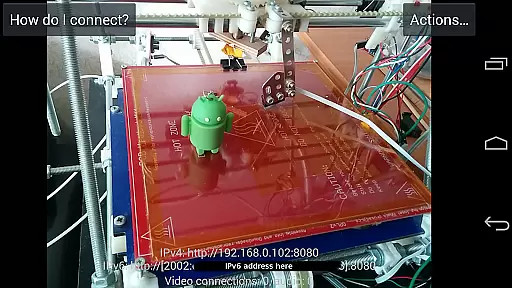
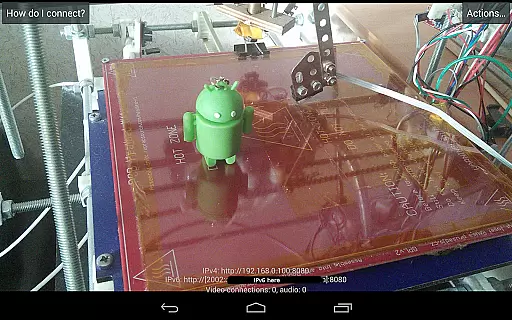
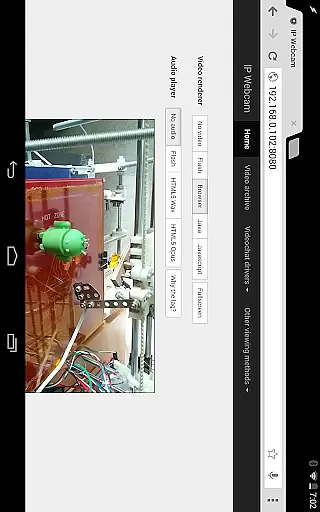
IP Webcam Pro transforms your smartphone into a versatile network camera, enabling real-time video streaming across multiple platforms. With support for VLC player and web browsers, it facilitates seamless viewing within local WiFi networks without requiring internet access.
This application stands out with its compatibility with third-party MJPG software, making it suitable for video surveillance systems and security monitors. Additionally, users can enjoy optional Ivideon cloud broadcasting for instant global access, enhancing the app's utility for both personal and professional monitoring needs.
Whether you're looking to monitor your home, office, or even use it as a baby or pet monitor, IP Webcam Pro offers features like night vision, motion detection, and sound detection, ensuring comprehensive monitoring capabilities tailored to various scenarios.
IP Webcam Pro boasts an array of advanced features designed to enhance user experience. Notably, it supports two-way audio when used alongside tinyCam Monitor on another Android device, allowing for interactive communication.
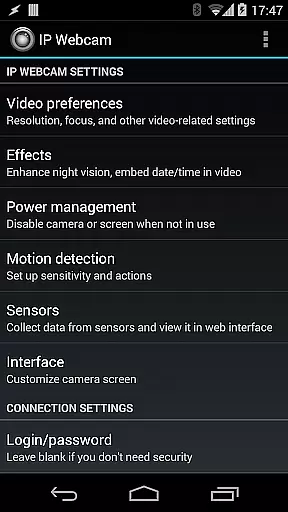
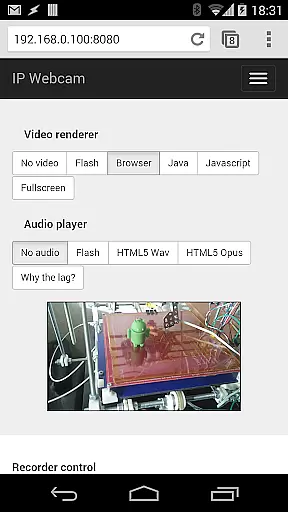
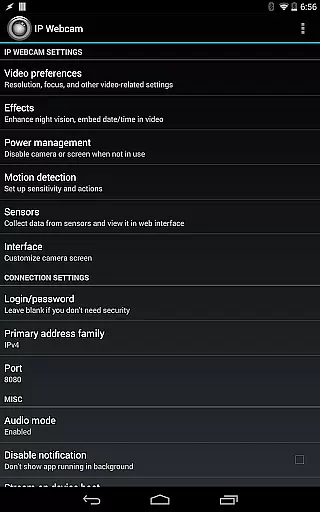
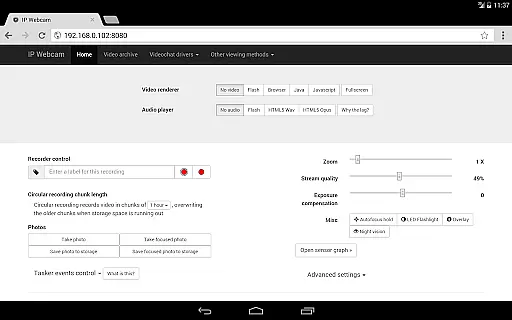
The app provides flexible video upload options through Filoader plugin integration, enabling uploads to Dropbox, SFTP, FTP, and Email. Users can choose from several web renderers including Flash, Javascript, or built-in options, catering to diverse preferences and technical requirements.
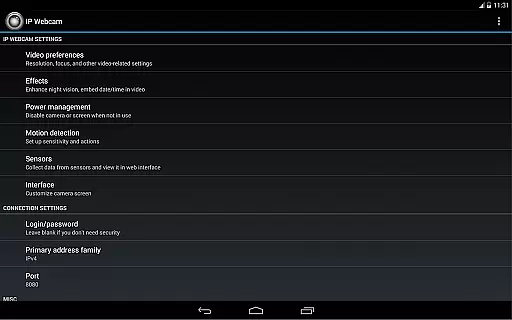
Further enriching its functionality, IP Webcam Pro records videos in formats such as WebM, MOV, MKV, or MPEG4 (on Android 4.1+), while also supporting audio streaming in wav, opus, and AAC formats. Advanced features like motion detection with sound triggers, Tasker integration, and sensor data acquisition with online web graphing make this app a powerful tool for sophisticated monitoring solutions.
IP Webcam Pro excels in video format compatibility, ensuring users can stream and record in multiple formats. The app supports WebM, MOV, MKV, or MPEG4 (on Android 4.1+), catering to a wide range of user preferences and device capabilities.
This flexibility in video formats allows users to choose the best option for their specific needs, whether it's for quality, file size, or compatibility with other software and devices. Such versatility is crucial for both casual users and professionals who rely on specific formats for their workflows.
Furthermore, the app's ability to adapt to different Android versions ensures that a broad spectrum of users can take advantage of its features without worrying about format support limitations.
While IP Webcam Pro focuses primarily on video streaming and surveillance, it incorporates AI-powered features that enhance the video monitoring experience. These include motion detection with sound triggers and sensor data acquisition with online web graphing.
The motion detection feature, powered by intelligent algorithms, allows for efficient monitoring by triggering alerts based on detected movements or sounds. This smart functionality helps users keep track of important events without manually monitoring the feed constantly.
Additionally, the sensor data acquisition with graphing provides an analytical approach to monitoring, enabling users to visualize changes over time. Although not traditional editing features, these AI-powered tools offer valuable enhancements to the core functionality of IP Webcam Pro.
User-friendly interface
Wide compatibility range
Advanced motion detection
Flexible video upload options
Optional cloud broadcasting
Paid version only
Limited free version features
Requires stable WiFi
No native iOS support
Complex setup for beginners

Powerful, professional, versatile teleprompter. Developed by an active film crew
 4.00
4.00
Save photos and videos from social apps in one tap.
3.60
?100% FREE! Download & save videos? safely in this app. All formats supported.
4.60
Search & download videos from net with all video downloader, auto-detect & safe.
4.60
Fast video downloader & private browser. Save HD clips to watch offline.
4.40
Livestream, news, & gaming content. Watch, chat, and upload. Join Rumble today!
3.80
Download Hub, easy and private way to download and enjoy your videos offline
4.80
Viddo: Generate Action Figure, AI Anime, AI kiss, AI hug Video from image & text
4.40
Enjoy your favorite videos and channels with the official YouTube app.
3.90
High-Quality USB Camera Viewer & HDMI Display
4.70
Video Player - Unlimited features, 30 days money back guarantee.
4.60
VLC Remote lets you control your VLC Media Player on Mac, PC or Linux.
4.60
IPTV Loader, loads your own Playlist. DOES NOT CONTAIN ANY LIST OR CHANNELS
4.60
Watch IPTV on your Android device
4.60
Explore the largest library of free GIFs, Stickers & Memes - or create your own!
3.90
Capture images & record videos for USB Camera, Webcam, Microscopes, Endoscopes
3.80
Download videos easily & play them all in one smart, powerful video manager.
3.40
Browser for Sony TV to stream web videos, online movies and live tv
3.20
You can play SWF format file!
2.50



User Reviews