
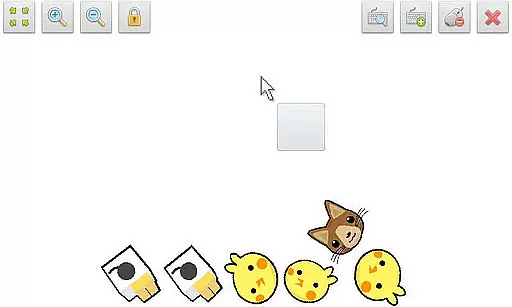
SWF Player Pro is a specialized video player designed for users who need to play SWF format files on their Android devices. The app supports playback through both Android AIR and Ruffle engines, ensuring compatibility with various SWF files. With features like zoom in/out, play/stop controls, and fullscreen support, it offers a complete viewing experience. The app also includes advanced settings that allow users to customize background color, rotation, quality, and more, making it an ideal choice for professionals and casual users alike.
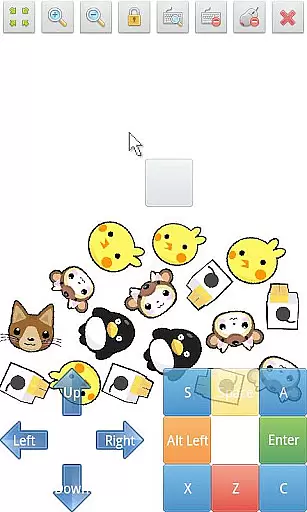
In addition to basic playback, SWF Player Pro provides a multi-touch virtual keypad and virtual mouse, enabling more interactive control over your SWF content. Whether you're reviewing old Flash animations or testing new projects, this app ensures smooth and reliable performance across different use cases.
SWF Player Pro stands out with its comprehensive feature set tailored specifically for SWF file playback. The app supports multiple SWF engines, including Android AIR and Ruffle, which ensures broad compatibility with various SWF formats. Advanced playback controls such as zoom in/out, play/stop, and fullscreen options provide users with a versatile viewing experience.
One of the key highlights is the app's advanced settings menu, where users can adjust parameters like wmode, background color, wake-lock, rotation, quality, and scale. These customization options make it possible to tailor the playback experience to individual preferences. Additionally, the inclusion of a multi-touch virtual keypad and virtual mouse adds another layer of interactivity, allowing users to engage with SWF content as if using a physical device.
SWF Player Pro offers extensive video format compatibility, primarily supporting SWF files which are commonly associated with Adobe Flash content. This compatibility is powered by two distinct SWF engines - Android AIR and Ruffle, ensuring a wide range of SWF files can be played without issues.
The application's support for SWF engine playback via Android AIR provides reliable performance for older Flash content, while the inclusion of Ruffle showcases an adaptation towards modernized, open-source solutions for Flash content that has been largely discontinued since 2020.
Users benefit from not just the ability to play legacy animations and games but also enjoy advanced settings like wmode, background color adjustments, rotation options, and more, making it a versatile player for various needs.
While SWF Player Pro focuses on video playback rather than editing, it integrates features that leverage AI-powered usability enhancements, such as multi-touch virtual keypads and virtual mouse functionalities. These features mimic user interactions with physical devices, providing intuitive controls for SWF content navigation.
Additionally, the player supports zoom in/out functions and play/stop controllers, giving users command over their viewing experience. The incorporation of fullscreen mode further enriches this interaction by maximizing the display area, especially useful for detailed game graphics or animation viewing.
Although it doesn't offer traditional video editing capabilities, its advanced settings present users with powerful tools to customize how SWF content is displayed, thus enhancing the overall consumption of multimedia through personalized configurations.
User-friendly interface
Advanced customization options
Multi-touch virtual keypad
Supports multiple SWF engines
Comprehensive feature set
Limited to SWF format
No iOS version available
Paid app with no free trial
Occasional performance issues
Requires technical knowledge for setup

Powerful, professional, versatile teleprompter. Developed by an active film crew
 4.00
4.00
Your media, on your terms.
4.10
Snaptubè Video Downloader app allows to download videos and music in Snaptube. .
4.60
KineMaster, Your Ultimate Video Editor!
4.40
Play and download HD videos from all sources — fast, simple, and all-in-one.
4.4
Cast movies, tv shows and live streams to Chromecast, Roku, DLNA, Fire TV & more
4.60
Fast private browser with secure, seamless access & supported video downloads!
4.00
Create, Publish & Maximize
4.70
convenient, safe and fast at Video Downloader & Player
4.60
An easy-to-use and all-round screen recorder with audio
4.80
Search & download videos from net with all video downloader, auto-detect & safe.
4.60
Fast, private downloading, video saving, social media
4.50
Fast & Private HD Video Downloader with Built-in Proxy Browser and Video Player.
4.50
AirMirror Receiver - Screen mirroring/cast web videos to Android TV by AirPlay.
4.40
Movie maker & video editing app with AI effects and green screen
4.30
Online Videos Player
3.90
Save photos and videos from social apps in one tap.
3.60
Watch full episodes of your favorite Cartoon Network and Cartoonito shows!
3.50
Powerful HD video player with support for all formats & subtitles.
4.5



User Reviews